

Most companies already own a business intelligence tool. Fewer than a third use it beyond pulling last month's sales numbers into a chart. That gap is where the money leaks. Leaders wait days for a report that describes what already happened, then guess at what to do next. The pairing of ai and business intelligence closes that gap. It forecasts what's coming and recommends the next move, not just tallying the past. This article walks through what BI is, what AI actually adds, how the two work together, and the one thing that decides whether any of it pays off.
What business intelligence is and what it does
Business intelligence is the practice of collecting raw data from across a company and turning it into something a person can act on. Think reports, dashboards, and summaries that answer "what happened and where." A sales figure, an inventory count, a churn rate: BI pulls these from source systems and presents them so leaders can spot trends without digging through spreadsheets.
Traditional business intelligence analytics leans heavily on descriptive work. It looks backward at structured, internal data and hands the interpretation to a human. The U.S. Small Business Administration's guidance on using data to grow a business makes the same point plainly: data only helps when it informs a decision. That is the entire job of BI. It shortens the distance between raw numbers and a business decision. Done well, it gives leaders visibility they otherwise wouldn't have.
What AI adds to business intelligence (defining AI in the BI context)
Artificial intelligence changes what a BI system can do without a human standing over it. Classic BI waits for someone to ask a question and read a chart. By contrast, ai in business intelligence reads the data itself, flags anomalies, and predicts what happens next.
Three things get added. First, machine learning finds patterns across large datasets that no analyst has time to check by hand. Second, natural language processing lets people ask questions in plain English instead of writing queries. Third, generative ai can draft summaries and explain what a spike in the numbers means. Deloitte's State of Generative AI in the Enterprise research tracks how quickly companies fold these capabilities into daily operations. Broader Gartner research on AI investment trends shows the same acceleration in enterprise budgets. The reason this matters: artificial intelligence turns BI from a rear-view mirror into something closer to a forecast.
AI vs. traditional BI: descriptive vs. predictive/prescriptive
- Stops at descriptive analytics.
- Reports past performance only.
- Useful but often late.
- Limited to ‘what happened’ insights.
- Includes predictive analytics.
- Estimates future outcomes.
- Offers prescriptive recommendations.
- Enables proactive decision-making.
The clearest way to see the difference is through the types of business analytics. Traditional BI stops at descriptive analytics. It tells you sales dropped 12% last quarter. Useful, but late.
Ai-powered business intelligence adds two more layers. Predictive analytics estimates what will happen: which accounts are likely to churn, which product will run short next month. Prescriptive analytics goes further and recommends the action, ranking options by expected outcome. Many assume AI just makes prettier dashboards. In reality, the shift is from "what happened" to "what to do about it." A retailer running descriptive BI learns it sold out after the fact. The same retailer with predictive data analysis gets warned a week ahead, while there's still time to reorder. That timing is where data-driven decision-making stops being a slogan and starts affecting revenue. Understanding where AI actually helps in business strategy keeps that shift grounded in real decisions rather than novelty.
The evolution of BI from dashboards to AI-driven discovery
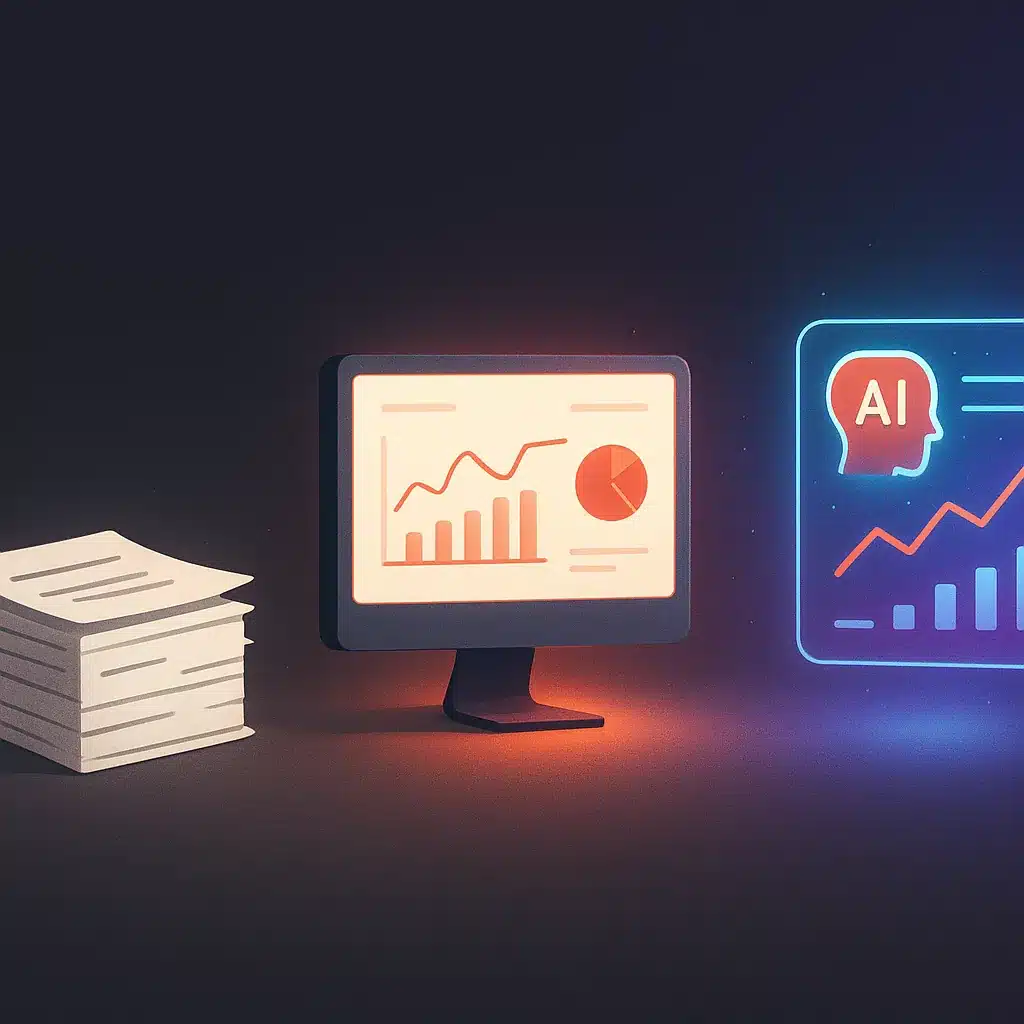
BI didn't start smart. The first generation was static reports, printed or emailed, that were stale by the time anyone read them. The second generation brought interactive dashboards. Analysts built them, and business users clicked through filters to slice the data themselves. Better, but still reactive. You had to know what question to ask.
The current generation flips that. Instead of a person hunting through data for something odd, ai and business intelligence surface the odd thing automatically and explain it. This is "augmented analytics," where the system proposes insights rather than waiting for a query. The analyst's job moves up the ladder: less time building charts, more time deciding what to do with the actionable insights the system hands over. The tooling stopped being a filing cabinet and became a research assistant.
How AI-powered business intelligence works (data ingestion to insight)
The pipeline runs in four rough stages. First, ingestion: the system pulls data from source systems, spreadsheets, and apps, both structured records and unstructured text like support tickets or reviews. Second, automated preparation: AI cleans, deduplicates, and joins those sources. That's the step that used to eat most of an analyst's week.
Third, data analysis: the system runs over the prepared data to spot correlations, trends, and outliers. Fourth, delivery: results come back as dashboards, plain-language summaries, or answers to a typed question. The near real-time part matters. Traditional BI batches its data overnight. Ai-powered business intelligence can process new information as it lands, so the answer reflects this morning, not last night. Getting the automated data preparation right separates a system that produces trustworthy answers from one that produces confident garbage.
Core AI technologies behind BI (machine learning, NLP, automated visualization)
Three technologies do most of the heavy lifting. Machine learning handles the pattern-finding and forecasting. It learns from historical data to predict future values and score risk. This is the engine behind predictive analytics.
Natural language processing handles the conversation. It lets someone type "why did revenue dip in the Midwest last month" and get a real answer. It also powers the summaries that explain a chart in words. Automated data visualization is the third piece. Instead of an analyst choosing chart types by hand, the system picks the visual that best fits the question asked. Together these reduce the manual work that clogs a traditional BI workflow and improve operational efficiency. These map to the real benefits of artificial intelligence for business operations rather than abstract promises. None of them are magic. They are practical tools that handle repetitive data analysis so people can focus on judgment calls the software can't make.
Key benefits of AI in business intelligence
The benefits cluster around three outcomes. Operational efficiency comes first: AI absorbs the data cleaning, joining, and report-building that used to consume analyst hours, a direct cost reduction in labor spent on prep. Improved decision-making follows, because forecasts and recommendations arrive early enough to act on.
Speed is the underrated one. When a question gets answered in seconds instead of a two-day report cycle, the whole tempo of business decisions changes. Leaders test more ideas because testing is cheap. There's also a quality gain: automating prep removes the copy-paste errors that quietly corrupt manual spreadsheets. The honest framing, per the brand's own rule, is that results vary based on your existing processes and data quality. Business intelligence analytics creates the opportunity for these gains. It doesn't hand them over automatically.
Self-service analytics and democratizing data for non-technical users
For years, getting a number meant filing a request with a BI analyst and waiting. Self-service analytics broke that bottleneck by letting business users build their own reports. AI took it further by removing the need to learn query languages at all.
Data democratization means a marketing manager can type a question and get an answer without knowing SQL or DAX. Microsoft's Power BI Copilot and IBM watsonx BI both let users ask in plain language and receive charts, summaries, and generated formulas. The old bottleneck existed because only a few people could speak the tool's language. Natural language processing removes that gate. It spreads actionable insights across a team instead of parking them in one department. It also frees bi tools users and analysts from routine report requests so they can work on harder problems.

Predictive and prescriptive analytics for proactive decisions
Reacting to last quarter's numbers is expensive. Predictive analytics changes the timing by estimating what's ahead: demand for a product, the likelihood a customer leaves, the month cash flow gets tight. That warning is the difference between preventing a problem and cleaning one up.
Prescriptive analytics answers the next question, "so what do I do." It weighs the options and recommends one, ranked by likely outcome. Picture a distribution company overstocking one warehouse and running dry at another, tying up cash and losing sales. Predictive models flag the imbalance early. Prescriptive models suggest how much to shift and when. The mechanism: the system learns patterns in past demand and projects them forward, then tests actions against that forecast. This data-driven decision-making is proactive instead of firefighting.
Why traditional BI falls short for most organizations
Traditional BI has three built-in limits. It only reads structured, internal data, so the signal buried in emails, reviews, and support logs never enters the data analysis. It batches its processing, so answers lag reality. And it still needs an analyst to interpret every chart, which recreates the bottleneck self-service was meant to fix.
The practical result is a dashboard nobody trusts because it's a day behind and missing context. A common pattern: teams that bought a BI license, built a few dashboards, and quietly went back to the spreadsheet because the tool couldn't answer the question they had. It's a reminder of why adding more software isn't the fix for data problems when the underlying records are fragmented. The deeper issue is that traditional bi tools describe the past well but say nothing about the future, and business decisions are always about the future. That is the gap ai in business intelligence exists to close, provided the data underneath it is in order.
Implications for employees, leaders, and businesses
For employees, the change is less grunt work. BI analysts stop spending days cleaning data and building routine reports, and shift toward interpreting results and advising on strategy. That's a promotion in everything but title. Non-technical staff gain direct access to answers, which reduces the "wait for the report" friction across departments.
For leaders, the payoff is visibility. Real-time, forward-looking data lets them steer instead of react. It also reduces the founder dependency where one person holds all the operational knowledge in their head. A skeptic's fair worry is job replacement. In reality, AI here removes tasks, not roles. It handles the repetitive analysis so people can do the judgment work. National adoption figures back this up; U.S. Census Bureau data on business AI adoption shows the trend spreading well beyond the largest firms. For the business overall, the effect is faster, better-informed decisions and gains in operational efficiency as teams spend time on higher-value work.
What actually drives ROI from AI in BI (outcomes over hype)
ROI does not come from installing a tool with "AI" in the name. It comes from two measurable shifts. The first is time saved on manual work. Every hour an analyst doesn't spend cleaning and joining data is a direct cost reduction, and those hours add up fast. If you want a repeatable method, this breakdown of how to calculate ROI on AI automation projects gives you a framework to measure it.
The second is improved decision-making through better timing. Catching a demand spike a week early, or a churning account before it leaves, protects revenue in ways a backward-looking report never could. That's where business intelligence analytics earns its keep. The honest version: unsupported ROI claims are worthless, because the return depends entirely on your data and how your team adopts the system. Grounding deployments in the NIST AI Risk Management Framework helps keep those returns sustainable rather than one-off. Measure it by manual hours removed and decisions made earlier, not by a vendor's promise. Chase outcomes, not the hype around ai and business intelligence.

Why a solid data foundation determines whether AI BI works
Here's the part vendors gloss over. AI analytics is only as good as the data underneath it. Point a smart model at messy, contradictory records spread across disconnected systems, and it will produce confident answers that are wrong.
The root cause of most failed BI projects is not the tool. It's the data silos. Sales lives in one app, finance in another, operations in a third, and none agree on what a "customer" is. Before AI can help, those data silos have to be integrated and cleaned into a single foundation. Running an AI readiness audit for your operations is a sensible way to surface these gaps before you invest. This is unglamorous work, and it's exactly why some rollouts stall. Getting the data foundation right first is what makes the AI layer trustworthy. Bespoke Mind Ai's data foundation and systems integration work exists for this reason: consolidating enterprise data from disconnected systems so the analytics on top actually hold up.
Custom AI BI systems vs. off-the-shelf dashboards for SMBs
- Works for standard business models.
- May force workflow adjustments.
- Metrics may not align with needs.
- Generic solutions can lead to abandonment.
- Tailored to specific business operations.
- Integrates with existing tools.
- Solves unique business problems.
- Enhances workflow efficiency.
Off-the-shelf software works when your business runs like everyone else's. Most don't. A generic dashboard forces your workflow to match the tool's assumptions, and the metrics that actually matter to your operation often aren't the ones it ships with.
Custom AI solutions take the opposite approach. They're built around how your business actually operates, pulling from the specific tools and business workflows you already use. Understanding how custom AI solutions differ from off-the-shelf software helps clarify that trade-off before you commit. For an SMB with an odd data setup or a niche process, that difference decides whether the system gets used or abandoned. This is where a custom-built system beats a subscription: it solves the underlying problem instead of the average one. Bespoke Mind Ai builds custom AI workflow automation and internal tools shaped to a company's real business workflows, rather than reselling off-the-shelf software and hoping it fits.
If repetitive data prep and disconnected tools are slowing your team down, a low-pressure conversation can help map where AI and business intelligence would actually reduce manual work for your operation. You can book a discovery call to explore custom AI solutions built around how your business runs, not around a generic template.
Frequently Asked Questions
What does AI actually add to business intelligence?
Traditional BI describes what happened by examining historical, structured data, while AI extends that to predictive and prescriptive analytics:forecasting trends and recommending actions. It also automates data collection, cleansing, and integration, which cuts manual prep work and reduces errors.
How is AI-driven BI different from the traditional dashboards we already use?
Traditional BI relies on batch processing of internal structured data and requires analysts to interpret the results manually. AI-driven BI processes both structured and unstructured data in near real-time and surfaces patterns automatically, so answers arrive without waiting on a report cycle.
Can non-technical staff actually get insights without knowing SQL or DAX?
Yes:natural language processing lets people ask questions in plain English and get answers back. Tools like Microsoft Power BI Copilot and IBM watsonx BI let users generate reports, summarize data, and even write formulas from conversational prompts.
Which AI-powered BI tools are worth looking at?
Commonly cited options include Microsoft Power BI with Copilot for teams already on the Microsoft stack, and IBM watsonx BI for conversational querying. The right choice depends on your existing systems and where your data actually lives, not on a leaderboard.
Is AI in BI worth it, or just repackaged dashboards with a chatbot bolted on?
The value comes from removing manual data prep and shifting from 'what happened' to 'what to do next,' not from a chat window alone. If your data is siloed and inconsistent, a fresh interface won't help:the payoff depends on a clean data foundation underneath.
What if our data is spread across disconnected tools and spreadsheets?
That's the most common blocker, and it's a data foundation problem, not a tool problem. AI BI performs best when sources are integrated first, so the practical starting point is consolidating and cleaning your data before layering AI analytics on top.
Why is AI becoming a bigger deal for business intelligence now?
Businesses generate more data than analysts can review manually, and AI can process large volumes to flag patterns and correlations people miss. That lets leaders make timely, forward-looking decisions instead of reacting to last quarter's numbers.
Do we need to replace our current BI setup to add AI?
Not usually:AI capabilities often layer onto or integrate with existing BI systems and business software. The bigger work is preparing your data so those AI features return accurate, usable answers rather than confident-sounding noise.