
Most automation projects die in the gap between the demo and the deployment. A tool works flawlessly in a sales call, then collapses the first time it meets a messy spreadsheet, an exception nobody documented, or a team that never agreed on the process in the first place. That gap is where time, budget, and credibility quietly disappear, and it is exactly where custom ai solutions earn their keep, because custom ai development is built around the workflow you actually have rather than the one off-the-shelf software assumes you have. The demo is a controlled environment where the data is clean, the path is linear, and the salesperson knows which buttons to avoid. Your Tuesday afternoon is none of those things. Real work arrives with typos, attachments in the wrong format, half-finished entries, and the one customer who insists on doing everything by email. When a project fails, it rarely fails loudly; it fails as a slow drift back to manual processes, a Slack thread of complaints, and a tool nobody opens anymore. By the time someone asks why the platform you paid for last quarter sits unused, the institutional memory of why it failed has already faded into a vague sense that "it just didn't work for us."
This guide walks through how to think about workflow automation, agentic ai, and intelligent automation without the hype. It draws on patterns we have seen across small and mid-sized teams, and points to outside reference material where it helps. If you want a sense of the format and depth we aim for, you can review one of our existing published articles as a reference. The goal is not to sell you a future where everything runs itself, but to give you a sober framework for deciding what to automate, in what order, and how to know whether the result paid off once the novelty wears off. Most teams skip that last question, which is why so many ai adoption efforts feel busy without feeling worthwhile.
Why Generic Automation Tools Fall Short
Off-the-shelf software optimizes for the average customer, which means it optimizes for nobody in particular. The mechanism is simple: a generic product has to serve thousands of buyers, so its defaults reflect the broadest use case, and your business operations are not the broadest use case. The moment your process has a quirk, an unusual approval chain, a regional rule, a legacy system that refuses to talk to anything, the generic tool forces you to bend operations to its assumptions. A SaaS roadmap is driven by what the largest segment requests, which means the feature you need may sit behind a hundred votes from companies that look nothing like yours, scheduled for a release that never arrives. You end up filing a support ticket, getting a polite "we've added this to our backlog," and waiting through two product cycles while your team builds a spreadsheet workaround that quietly becomes load-bearing.
Consider a regional logistics firm that bought a popular platform to route incoming orders. It worked until a single supplier started sending invoices as scanned PDFs with handwritten notes in the margin. The platform had no path for that exception, so a clerk re-keyed forty orders a day by hand, and the "automation" became slower than the repetitive work it replaced. Worse, the clerk now had to remember which orders the system handled and which ones it silently dropped, so a second person was assigned to audit the first. The firm had spent money to add coordination overhead. A medical billing office tells a similar story: their tool handled standard claims beautifully but choked on secondary insurance reconciliation, the exact step that consumed the most staff hours, because that step was too varied to fit a fixed template. The billing manager later admitted the tool automated the easy twenty percent and left the painful eighty untouched, the inversion of what the pitch promised.
That is the pattern custom ai solutions are designed to break. Instead of forcing your team to absorb the tool's blind spots, tailored ai systems are shaped around your real inputs, your operational bottlenecks, and your data. The handwritten PDF becomes an expected case the system extracts and routes, not a failure that bounces back to a human. For a grounded view of where automation moves the needle, the research on operational efficiency and process improvement from Harvard Business Review is a useful start, because it consistently shows that gains come from removing friction at the messy seams between systems, where data integration matters most, not from polishing steps that work. The seam between the logistics firm's order system and its supplier's invoices was precisely such an operational bottleneck, invisible until the wrong PDF arrived.
What "Custom" Actually Means in Practice
Many assume custom means expensive, slow, and built from scratch every time. In reality, good custom ai software is mostly assembly: proven components, configured and connected around the specific decisions your business workflows have to make. Think of it less like sculpting a statue from a single block and more like wiring a building, where the components are standard but the layout is unique to the structure. The reason this matters is causal. The cost in most ai implementation comes not from writing novel code but from untangling undocumented manual processes, and that untangling has to happen whether you buy generic or build custom. Building custom simply makes the untangling productive instead of throwing it away. When you adopt a generic tool, you still spend weeks discovering that the East region approves refunds differently than the West, except now that hard-won knowledge gets discarded the moment it collides with the tool's rigid model, and you maintain a side document of "how we really do it" that nobody updates.
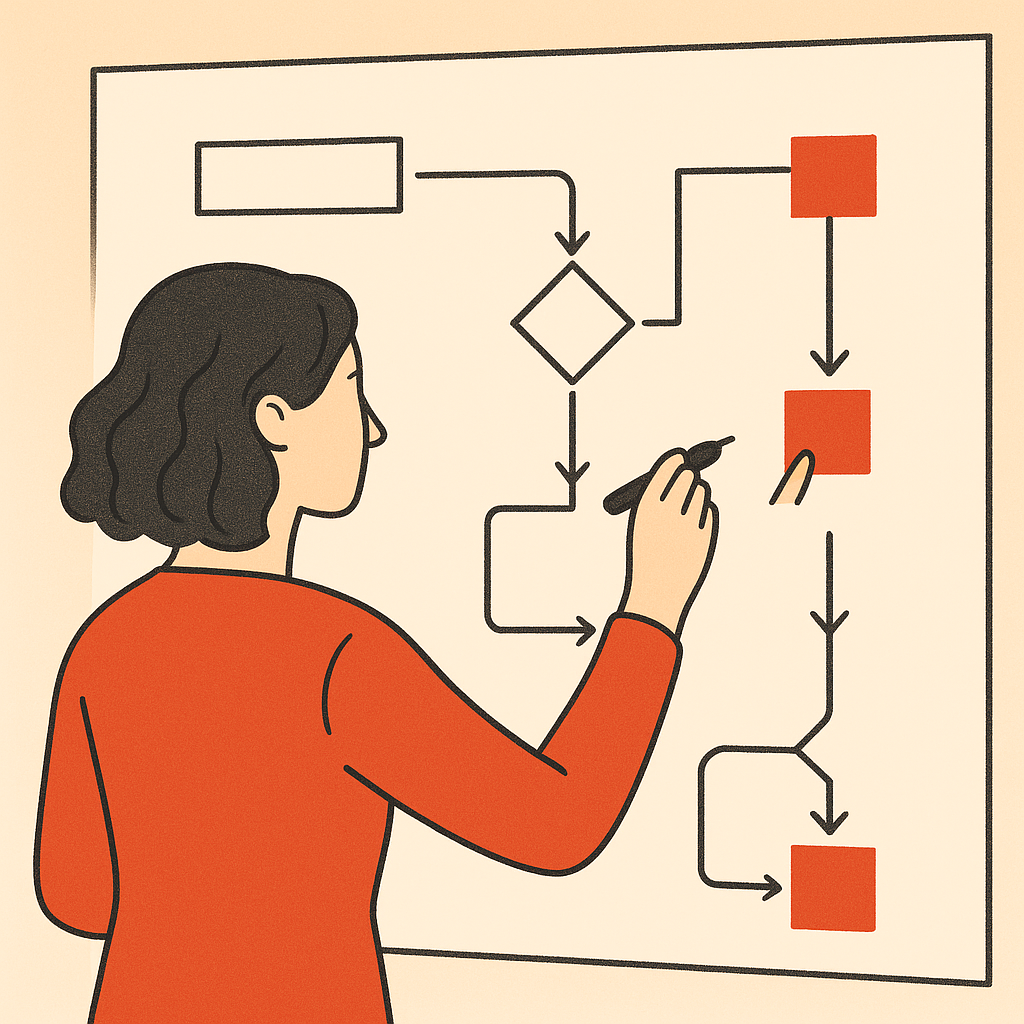
Workflow automation done well starts by mapping the actual decision points, not the idealized ones. Where does work wait? Who approves what, and on what basis? Which steps are rules and which are judgment calls? A purchase order under five hundred dollars might be a pure rule, while one that crosses a department budget mid-quarter is a judgment call that depends on context nobody wrote down, like the unspoken understanding that the operations lead always signs off on warehouse equipment regardless of the formal threshold. Agentic ai is genuinely useful at the judgment-adjacent steps, the ones where a fixed rule is too rigid but full human review is too slow, because ai agents can weigh context and escalate the genuinely ambiguous cases instead of treating every input identically. A customer support triage flow is a clear example: conversational ai service agents can resolve the routine password reset, draft a response to the moderately complex billing question, and flag the angry enterprise client for a human, all without forcing every ticket through one queue. The result is that humans spend attention on the ten tickets that need it rather than skimming two hundred to find them.
McKinsey insights on automation and business operations reinforce a point worth repeating: the value comes from redesigning the process and the business outcomes it serves, not from bolting technology onto a broken one. A messy approval chain with technology layered on top is just a faster way to route work to the wrong person, and a faster wrong answer is often more expensive than a slow one because it scales before anyone catches it.
Measuring Whether It Was Worth It
The honest measure of any automation is whether it gives people their time back on work that mattered. It is easy to celebrate a dashboard showing a thousand tasks processed, but the number that counts is whether the people who did those tasks are now doing something more valuable, or simply babysitting the ai systems that replaced them. The U.S. Bureau of Labor Statistics publishes labor productivity and time-use data that helps you benchmark how much time a task category consumes, a sober counterweight to vendor time savings claims that promise to cut effort by some round and suspiciously confident percentage like a tidy forty percent that fits neatly on a slide.
A practical scenario: a small accounting practice automated client onboarding and reported saving twelve hours a week. When they looked closer, eight of those hours had simply moved to fixing the system's misclassified entries. The internal tools would tag a sole proprietor as an LLC, or route a state filing to the wrong jurisdiction, and someone had to catch each one before it caused a downstream problem. One misrouted filing nearly triggered a late penalty in a state the client did not even operate in, which would have cost more in goodwill than the time savings that month. The lesson is that you measure net time, including new maintenance, not the gross time of the step removed. Custom ai solutions are worth building when the net number stays clearly positive after that honest accounting, and worth skipping when it does not. A net saving of four hours a week is still real, but a different proposition than twelve, and pretending otherwise erodes trust the moment the team notices the gap between the slide deck and their calendars.
For a wider view of how ai adoption is trending across industries, the Deloitte analysis on workflow automation adoption is a reasonable reference, particularly for understanding which sectors see durable operational efficiency versus which see early enthusiasm followed by quiet abandonment. If you are still shaping your ai strategy and weighing which ai use cases fit, browsing our collection of insights pieces may help you frame the problem before committing to a build, so the first conversation starts from a clearer picture of what you actually need.
How to Start Without Overcommitting
Pick one workflow with a clear owner, a measurable bottleneck, and a tolerance for a few weeks of iteration. Avoid starting with your most critical or regulated process, because the early version will be wrong in small ways and you want a place where being wrong is cheap to fix. Automating payroll or compliance reporting first is tempting precisely because the pain is greatest there, but an error in those ai systems carries legal and financial weight that turns a learning experience into a crisis. One missed tax withholding or a misfiled report can mean fines, audits, and a frantic week of damage control that overwhelms any operational efficiency the build was meant to deliver. The reason this sequencing works is that ai implementation surfaces hidden process knowledge: the first build always exposes assumptions nobody wrote down, and you want that exposure somewhere low-stakes. A good candidate might be internal expense categorization or routing inbound leads to the right salesperson, where a misfire costs a few minutes of cleanup rather than a regulatory filing.
Document the exceptions as you find them. The exceptions are the project. Anyone can automate the happy path; the value of custom ai development lives in how gracefully scalable systems handle the cases that break the generic tools. Keep a running list of every weird input the system encounters, because that list becomes the specification for the next iteration and the honest measure of how complete your workflow understanding really is. The lead-routing system that meets a referral with no campaign code, or the expense report submitted in a foreign currency with no conversion note, teaches you more than a hundred clean cases. The team that treats exceptions as annoyances ships a fragile system; the team that treats them as the real requirements ships something that survives contact with reality. If you want to see the broader sequence we use, our overview of how the process works explains the approach end to end.
Frequently Asked Questions
What is the difference between workflow automation and agentic ai?
Workflow automation executes defined steps in a set sequence, while agentic ai can weigh context and decide between paths, including escalating ambiguous cases. The two work best together, with ai agents handling only the judgment-adjacent steps. A useful way to picture it: workflow automation is the assembly line that moves the part from station to station, and intelligent automation is the inspector who decides whether a given part needs a closer look or can pass straight through. The same pattern holds whether the underlying model relies on machine learning, computer vision, or predictive analytics.
How long does it take to build custom ai solutions for a single workflow?
A focused single-workflow build typically runs a few weeks, with most time spent mapping undocumented manual processes rather than writing code. At Bespoke Mind, an ai development partner, we scope the first build narrowly so you see working output before committing to a wider rollout. The narrow scope is deliberate: it lets you validate the approach against real inputs early, before the cost of changing direction climbs and before a half-understood process gets baked into something hard to unwind. The right ai use cases tend to reveal themselves during this mapping.
Do I need clean data before automating?
You need representative data, not perfect data, because messy real-world inputs are exactly what machine learning models have to learn to handle. Cleaning everything first wastes effort on edge cases the workflow rarely encounters. The handwritten note, the duplicate entry, the field someone filled in with a joke instead of a value, these are the inputs your system must survive, so hiding them during the build only delays the reckoning until it arrives in production, where it is far more expensive to address. Good data integration plans for the mess rather than pretending it away.
Is custom automation worth it for a very small team?
Sometimes not. If a process runs a handful of times a week and has few exceptions, a simple off-the-shelf software tool or even a checklist may beat the cost of custom work, and Bespoke Mind will tell small business owners when that is the honest answer rather than sell a build they do not need. Volume and variability are the two dials to watch: high volume with high variability justifies custom work, while low volume with low variability rarely does, and a clear-eyed look at those dials often settles the question before a single line of code is written.
What is the biggest risk in an automation project?
Automating a broken process, which just makes the wrong thing happen faster. The fix is to redesign the workflow first and apply ai solutions for business to the version that already makes sense, so process improvement comes before the technology. A process that requires three redundant approvals will, once automated, simply demand those approvals at machine speed, which means you have invested money to entrench inefficiency rather than gain operational visibility, and unwinding that later is harder than fixing the process would have been at the start. Sound ai consulting services and clear operational visibility prevent exactly this trap.
If you are weighing whether ai solutions for business fit your business operations, it helps to talk through one concrete workflow before deciding anything. You can speak with the team at Bespoke Mind to pressure-test the idea, map the exceptions that matter, and get an honest read on whether a build is worth it for your situation.