

Picture a dental clinic losing 15% of its booked appointments to no-shows, quietly bleeding revenue every week. After deploying an AI agent to handle reminders, rescheduling, and waitlist backfills, that number can drop to around 6%, recovering roughly $90,000 a year for a practice that size. That gap between the hype around AI agents for business and what actually moves the needle is what this article covers. We'll walk through what AI agents are, where they fit inside real business processes, and how to tell whether your company is ready to deploy one without wasting budget on a tool that solves the wrong problem.
What AI agents are, plain-English definition
So what are AI agents, and what makes them different from the automation you already have? An AI agent is software that takes a goal, works out the steps to reach it, and carries those steps out across your connected applications, checking its own progress as it goes. That last part matters. A calculator follows instructions. An agent decides which instructions to follow next based on what it finds.
Here's the practical distinction most people miss. A chatbot answers a question and stops. An agent can read an incoming email, pull the customer record, check inventory, draft a reply, and flag anything unusual for a human, all as one continuous task. It handles multi-step processes instead of single exchanges. If you want a closer look at how custom AI agents actually work, it's worth understanding the basics before you evaluate any vendor's claims.
The reason this matters for business processes is that most day-to-day work isn't one action. It's a chain of small decisions and lookups spread across different tools. When those steps live in separate systems, a person becomes the glue holding them together, copying, checking, and re-entering by hand. That's exactly the kind of manual work AI agents are built to absorb.
For a neutral grounding before evaluating vendors, IBM's explainer on AI agents breaks down the concept without the sales gloss. Read the definition first, then judge every platform's claims against it.
How AI agents work (perception, reasoning, action, memory)
How do AI agents work under the hood? Strip away the marketing and there are four moving parts.
Perception comes first. The agent takes in information: a message, a form submission, a row in a database, a document. This is its input from the connected applications you plug it into.
Reasoning is next. The agent interprets that input against its goal and decides what to do. A large language model usually powers this step, which is why modern agents can handle messy, unstructured requests that rigid rules would struggle with. That flexibility is also the reason agents can go wrong in ways a fixed script can't, so the reasoning step needs boundaries around it.
Action is where it does something real: it sends the email, updates the CRM, creates the ticket, books the slot. This depends on integrations. Without connections to your actual systems, an agent can think but not act.
Memory ties it together. The agent remembers earlier context in a task, so it doesn't restart from zero each time. A well-built agent runs on a loop: perceive, reason, act, check the result, repeat until the goal is met or a human is needed.
For a deeper look at how these systems reason and where they still stumble, Google Cloud's overview of AI agents is a solid reference. Industry analysts are also paying close attention to where this is headed: Gartner's forecast on agentic AI adoption projects these systems could resolve a large share of common customer service issues with less human intervention in the next few years, which underscores why the reasoning-action loop matters so much right now.
Core components of an AI agent
The components of an AI agent are easier to grasp once you've seen the perceive-reason-act-memory loop. Think of these as the parts a builder actually assembles.
The model is the reasoning engine, typically a large language model that interprets input and decides next steps. It's the brain, but a brain alone does nothing useful.
Instructions define the agent's job, its boundaries, and its tone. This is where you tell it what it's responsible for and, just as importantly, what it must escalate to a person.
Tools are the connections that let it act: your CRM, your calendar, your email, your ticketing system, your database. These integrations are what separate a real agent from a clever chat window.
Memory stores context so the agent stays coherent across a task or over repeat interactions.
Guardrails sit on top, limiting what the agent can do without approval, catching errors, and keeping actions inside safe ranges.
Many assume the model is the whole product. In reality, the model is often the easy part. The tools, guardrails, and integrations are where projects succeed or fail, because that's what makes the agent's decisions safe and useful inside real business processes.
AI agents vs. AI workflows vs. chatbots, clearing up the confusion
- Automation on rails with predefined steps.
- Fast, predictable, and cost-effective for fixed processes.
- Breaks when reality deviates from the script.
- Best for processes with clear, unchanging rules.
- Decides the path and adapts to changes.
- Works with variable processes requiring judgment.
- Handles unexpected situations within guardrails.
- More suitable for complex, messy tasks.
The AI agent vs AI workflow question trips up a lot of buyers, so let's settle it.
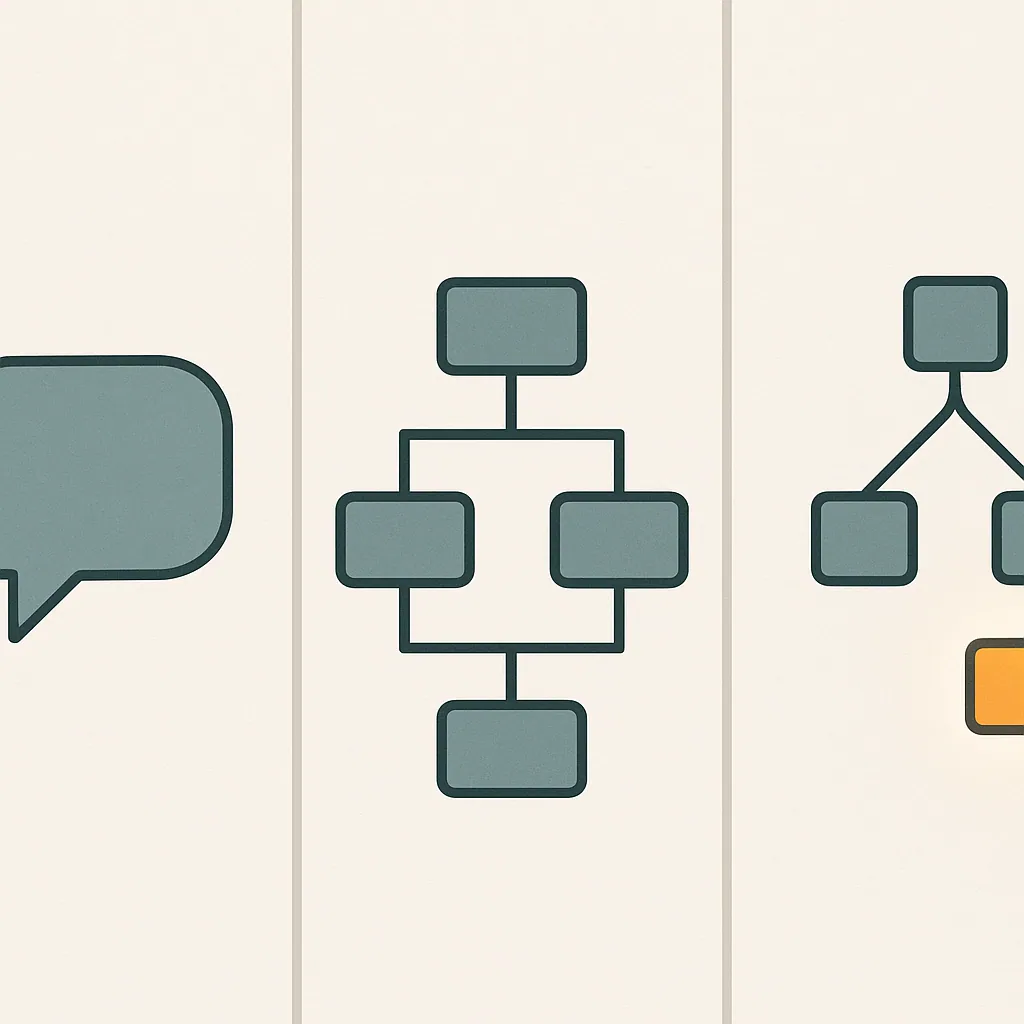
A chatbot responds to messages. It's conversational and reactive. Ask, answer, done. Useful, but narrow.
An AI workflow is automation on rails. You define the steps in advance: when X happens, do Y, then Z. Workflow automation is fast, predictable, and cheap when the process never changes. The catch is that it breaks the moment reality doesn't match the script, because a fixed rule has no way to handle a case its author never anticipated.
An AI agent decides the path itself. Give it a goal, and it works out the steps, adapts when it hits something unexpected, and makes decisions within your guardrails.
Here's the clearest way to frame the choice. Use workflow automation when the process is fixed and rules cover every case. Use an agent when the process is variable and judgment is required. Many teams reach for a general-purpose agent when simple workflow automation would have done the job for a fraction of the cost. Match the tool to the messiness of the task, not to the hype.
Types of AI agents
The academic breakdown of types of AI agents runs from simple to sophisticated, and it's worth knowing even if you'll never build one yourself.
Simple reflex agents react to a fixed trigger with a fixed response. They ignore history. Fine for narrow, repeatable tasks.
Model-based agents keep an internal picture of the world, so they can act even when they can't see everything at once.
Goal-based agents plan ahead, weighing actions against an outcome they're trying to reach. This is where agents start feeling genuinely useful for business.
Utility-based agents go further, choosing between multiple paths based on which one produces the best result, not just an acceptable one.
Learning agents adjust their behavior over time based on feedback.
That's the textbook version. In practice, most small business deployments don't pick a category off a chart. They start with a task-specific agent built to automate tasks in one function, ticket triage or lead qualification, and grow from there. The label matters less than whether the agent reliably handles the multi-step processes you hand it.
What AI agents actually do for a business day to day
Forget the abstractions. Here's what an agent handles on an ordinary Tuesday.
It reads the overnight support queue, categorizes each ticket, answers the routine ones, and escalates the two that need a human. It watches for new leads, qualifies them against your criteria, and books the qualified ones straight into a sales rep's calendar. It pulls numbers from three tools every morning and drops a clean summary into your team channel.
None of this is glamorous. That's the point. The value is in removing repetitive work that quietly eats your team's hours: copying data between systems, chasing status updates, drafting the same three replies over and over.
Consider a distribution company where one coordinator spends four hours a day reconciling order confirmations across email, a spreadsheet, and the ERP. When a mismatch slips through, an order ships wrong and someone spends the afternoon on damage control. An agent connected to all three can automate tasks continuously and only surface the exceptions. That's four hours returned, most days, to higher-value work. The savings add up because the agent can keep working outside normal business hours. For a sense of what this looks like across different industries, it helps to look at real AI automation examples that cut manual work rather than take the concept on faith.
Common business use cases (support, sales, operations, content, data)
The strongest results cluster in a handful of areas.
Customer support is the most common entry point. A customer support agent triages tickets, drafts responses, and handles tier-one questions around the clock, freeing staff for the harder cases. A common pattern among small e-commerce teams: a 20-person operation cutting support costs from about $12,000 to $7,500 a month using this approach.
For sales and lead qualification, agents score inbound leads, ask qualifying questions, and route the good ones to reps quickly, so fewer sit in an inbox overnight. Done well, this reduces a common bottleneck at the top of the funnel.
In day-to-day business processes, agents reconcile data, update records, and flag anomalies across connected applications. This is where operational efficiency gains stack up fast, because the work is high-volume and rule-adjacent, exactly the kind of task an agent can handle reliably.
For content and marketing, agents draft first versions, repurpose material, and handle production-line tasks at scale. Tools like Bespoke Mind Ai's AI-powered content and SEO tool help agencies and content teams manage this volume without adding headcount.
For data and research, agents gather, summarize, and structure information that would otherwise take an analyst hours to compile manually.
What makes an AI agent 'work' for a business
Plenty of agents get deployed. Fewer actually work well. The difference comes down to a few unglamorous things.
Clear scope is first. An agent aimed at one well-defined bottleneck outperforms a general-purpose agent asked to do a bit of everything. Narrow beats broad, almost every time.
Good integrations are second. The root cause of most agent shortfalls isn't the AI, it's disconnected systems. If the agent can't reliably read from and write to your real tools, it can't act, and a strong reasoning model becomes decorative.
Clean inputs are third. Agents inherit the quality of the process they sit on top of. Automate a broken workflow and you get a faster broken workflow.
Measurable success criteria come fourth. Decide before launch what "working" means: tickets resolved, hours saved, no-shows reduced. Without a number, you can't tell progress from noise.
The reason this matters is simple. Custom AI agents earn their keep by removing specific manual work, not by being impressive in a demo. Solve the underlying problem, and the operational efficiency tends to follow.

AI agents for small and medium businesses specifically
There's a stubborn myth that AI agents for small business are premature, that this is enterprise territory. It's backward. Smaller teams often see faster, cleaner wins because their bottlenecks are concentrated and their approval chains are short.
A large enterprise deploying an agent has to navigate committees, legacy systems, and competing priorities. A 15-person service firm can identify its single worst manual process on Monday and pilot an agent against it within weeks. The dental clinic that recovered $90,000 wasn't running a data science team. It picked one painful problem and solved it.
The economics favor smaller companies too. When a founder is personally answering support emails at 9pm, or an operations manager is manually reconciling invoices, the value of returning those hours is immediate and obvious. Those hours are also the ones a founder-led business can least afford to lose, since they come straight out of the time that should go to growth. AI agents for small business don't need to transform everything to justify themselves. They need to remove one recurring drain.
Here's the honest caveat: not every process is worth automating, and some are too irregular to hand off yet. AI agents for small business work best where the manual work is repetitive, high-volume, and rule-adjacent, which describes a surprising amount of what small teams do all day.
How to get started, piloting and verifying agent work
Don't buy a platform and hope. Run a small business pilot first, since figuring out how to choose an AI agent starts with naming the problem, not browsing vendors.
Start by naming the single bottleneck that costs you the most time or money. One process. Resist the urge to boil the ocean. The whole point of a small business pilot is to prove value in a contained area before you commit real budget.
Next, define what success looks like in numbers before anything launches. Hours saved per week. Response time cut. No-shows reduced. Write it down. If you can't measure it, you can't verify it.
Then deploy an AI agent against that one process, with a human reviewing its output at first. Watch what it gets right and where it stumbles. This verification stage is not optional. It's how you catch the process that looked automatable but wasn't. If you want to see what a structured rollout looks like in practice, it helps to review how Bespoke Mind AI scopes and delivers AI agent projects before committing to a full build.
Only after the pilot proves out should you expand. When you deploy an AI agent more broadly, you're scaling something you've already verified, not gambling. A staged rollout also builds team trust, which is what actually determines whether people use the thing once it's live.
Security, oversight, and human-in-the-loop considerations
An agent that can act on your systems is powerful, which is exactly why it needs limits.
Human oversight isn't a training-wheels phase you outgrow. For anything with real consequences, sending money, deleting records, making promises to customers, a person should sit in the loop to approve high-stakes decisions. Build the approval step in from day one.
Access control matters just as much. An agent should only reach the systems and data it genuinely needs for its task, nothing more. Over-permissioned agents are a security liability the same way over-permissioned employees are, because a single mistake or breach then reaches far more than it should.
Data handling deserves real attention, and the rules here vary. Privacy and data-protection requirements differ by industry and jurisdiction, so a healthcare or finance deployment carries obligations a retail one doesn't. Check the regulations that apply to your sector and location, and involve a qualified professional where compliance is on the line. For a structured way to think through governance and risk before deployment, NIST's AI Risk Management Framework offers a widely referenced starting point.
Logging is the unglamorous safeguard that saves you later. Keep a record of what the agent did and why, so when something goes wrong, and eventually something will, you can trace it. Human oversight plus good logs is how you keep AI systems accountable rather than mysterious, and how you build the kind of trust that makes people comfortable relying on them.
Realistic expectations and anti-hype framing
Here's the part vendors skip. AI agents don't replace your team, and they don't run flawlessly out of the box.
Most businesses don't need more software. They need systems that work together and remove unnecessary manual effort. An agent is a tool for that, not a replacement for people. The "ai employees" framing sells well but oversells reality: agents handle bounded tasks reliably and struggle with genuine judgment, edge cases, and anything requiring real accountability.
Expect an adjustment period. The first version won't be perfect. It needs tuning, correction, and honest feedback before it earns trust. Teams that expect flawless automation on day one abandon good agents too early, right before the tuning that would have made them useful.
Results genuinely vary. Outcomes depend on your existing processes, business complexity, how well the agent is built, and whether your team actually adopts it. The dental clinic and e-commerce numbers are real, but they're outcomes of good scoping, not guarantees you can copy-paste onto your own business.
The useful mindset is to treat an agent as a capable new hire who's fast, tireless, and needs clear instructions plus supervision at first. Set that expectation and the technology tends to deliver. Expect a miracle and you'll be disappointed.

Off-the-shelf agent platforms vs. custom-built AI agents
- Fast deployment for common use cases.
- No-code tools for non-technical teams.
- Cost-effective, typically a few hundred dollars monthly.
- Ideal for standard workflows.
- Tailored to specific business operations.
- Connects to unique tools and logic.
- Higher pricing due to customization.
- Necessary when off-the-shelf tools are too rigid.
You have two broad paths, and the right one depends entirely on how standard your workflow is.
Off-the-shelf software gets you moving fast. AI agent platforms like Kore.ai for enterprise customer engagement, IBM watsonx Assistant for data-heavy needs, and Genesys Cloud CX for contact centers cover common use cases well. Many of these are a no-code ai agent tool or come with an ai agent builder, so a non-technical team can configure one without writing code, and ai agent pricing at this tier often runs a few hundred dollars a month. If your process looks like everyone else's, this is the smart, cheap starting point.
The problem shows up when your workflow doesn't match the template. Take a common case: a team forces a rigid platform to fit an unusual process, then ends up building more manual workarounds than it started with, because every exception the template can't handle lands back on a person's desk. That's where custom AI agents earn their place, though ai agent pricing climbs accordingly. Custom AI agents are built around how your business actually operates, connecting to your specific tools and following your real logic rather than a vendor's assumptions.
The rule of thumb: try an off-the-shelf platform first for a standard task. Move to custom AI agents when the standard tools force you to bend your business to fit them, which defeats the entire purpose.
How to know if your business is ready for AI agents
AI readiness isn't about how advanced your tech stack is. It's about whether you've done the groundwork, and it's the real answer to how to choose an AI agent that fits your operation.
Ask a few blunt questions. Can you name your single biggest operational bottleneck right now? If your team can't agree on which manual process hurts most, you're not ready to automate, you're ready to investigate. That's often where an ai readiness audit earns its keep, surfacing where automation would actually pay off.
Are your processes documented, even roughly? An agent needs a process to follow. If the knowledge lives only in one founder's head, capturing it comes first.
Is your data accessible? Agents act through integrations. If your information is trapped in disconnected tools nobody can query, fix the plumbing before adding intelligence on top, because an agent can only act on data it can actually reach.
Do you have a number you're trying to move? Ai readiness includes knowing what success means. AI agents for business deliver most reliably when the target is specific and measurable. Once you've answered these questions honestly, the next step is usually looking at custom AI solutions built around your operations rather than trying to retrofit a generic platform onto a process it wasn't designed for.
If you can answer these, you're ready to pilot. If you can't, the honest next step isn't buying an agent, it's mapping your business processes first.
If repetitive manual work is quietly slowing your team down, the fastest way to find out where AI agents for business would actually help is to look at your real workflows, not a demo. Bespoke Mind Ai designs and deploys custom AI agents built around how your business actually operates, starting with a discovery conversation about your specific bottlenecks. Book a discovery call to map your automation opportunities and see where the real time savings are.
Frequently Asked Questions
What can an AI agent actually do for my business?
An AI agent can plan and complete multi-step tasks on its own, like qualifying leads, drafting documents, or routing support tickets, without someone directing every step. Unlike a chatbot, it retains context, connects to your existing tools and APIs, and adjusts its actions based on what it finds along the way.
How are AI agents different from the automation tools I already use?
Traditional automation follows fixed if-then rules and breaks down when it hits something unexpected. AI agents can handle ambiguity, make judgment calls within guardrails, and coordinate across multiple systems, which is why they fit messier, less predictable workflows.
Is investing in AI agents actually worth it for a small business, or is it overhyped?
It depends entirely on the use case you pick and how realistically you budget for it. One 20-person e-commerce business cut support costs from about $12,000 to $7,500 a month, while a dental clinic dropped no-shows from 15% to 6% and recovered roughly $90,000 in lost revenue, but results this concrete require picking the right problem first.
What if I roll out an AI agent and it doesn't work the way we expected?
This usually happens when a business automates a task before understanding the underlying workflow, so the agent inherits a broken process instead of fixing it. Running a scoped pilot on one well-defined bottleneck, with clear success metrics before wider rollout, is what limits this risk.
How much should I expect to pay for AI agents in my business?
Costs vary widely based on complexity, ranging from a few hundred dollars a month for a narrow, off-the-shelf agent to five figures for a custom-built system integrated across multiple tools. Most SMB deployments center on cost savings in a specific area, like support or scheduling, rather than a single company-wide platform.
Who are the major AI agent platforms businesses are using right now?
Platforms frequently named in 2024 industry roundups include Kore.ai for enterprise customer engagement, IBM watsonx Assistant for data-heavy customization, and Genesys Cloud CX for contact center use cases. That said, off-the-shelf platforms are built for general use cases, so many businesses still need custom configuration to match their specific workflow.
How quickly do businesses actually see a return from AI agents?
Salesforce research found companies typically see measurable ROI within about eight months of deploying AI agents, alongside gains in productivity and customer satisfaction. Google Cloud's 2025 report noted some organizations doubling productivity within a year, though timelines shrink significantly when the agent targets one clear bottleneck instead of a broad rollout.
What are the different types of AI agents businesses can deploy?
AI agents generally fall into categories based on how they reason and act, ranging from simple reflex agents that react to fixed triggers, to goal-based and learning agents that adjust strategy over time. In practice, most SMBs start with task-specific agents built for one function, like ticket triage or lead qualification, rather than a general-purpose agent handling everything.