

A founder spends every Friday afternoon copying invoice data from PDFs into a spreadsheet, chasing down missing numbers, and formatting a report nobody reads until Monday. That's four hours a week, 200 hours a year, spent on work that produces nothing new. AI automation for businesses targets exactly this kind of drain: the interpretive, repetitive tasks that eat time but don't need a human brain on them full-time. This article breaks down what it is, how it differs from older automation, where it actually pays off, and how to find your own first move without a technical background.
What AI automation for businesses actually means (plain-English definition)
Strip away the hype, and AI automation for businesses means one thing: using AI models to handle work that involves judgment or messy input, not just rigid button-pushing. A traditional system follows a script. If a form field says X, do Y. AI automation can read a customer email that rambles for three paragraphs, figure out what the person wants, and route it correctly, or draft a reply for approval.
The difference comes down to the kind of input. Most real business workflows arrive as unstructured data: emails, PDFs, scanned documents, chat messages, voice notes. None of that fits neatly into rule-based logic. AI automation for businesses bridges that gap by interpreting the mess first, then acting.
This matters because the bulk of administrative time disappears into exactly these interpretive tasks. McKinsey's research on generative AI and the future of work estimates that a large share of current work activities could be automated or supported by these tools. If you're wondering what this looks like inside your own operations, it's worth taking a few minutes to find out what your business can automate before assuming a given process is too messy to touch.
One clarification, since the terms get muddled: automating business processes with AI isn't the same as buying a chatbot. A chatbot is one small application. The broader category, often called business process automation, covers lead qualification, invoice processing, reporting, scheduling, and dozens of other business workflows. AI automation for small business owners usually starts with just one of these.
AI automation vs traditional/rule-based automation (RPA and fixed-rule systems)
- Handles variation and unexpected inputs effectively.
- Interprets meaning, not just position.
- Can process unseen invoice layouts.
- Works well with rule-based systems for structured output.
- Mimics human actions in fixed sequences.
- Breaks easily with unexpected changes.
- Assumes tidy, predictable inputs.
- Limited by predefined rules and conditions.
Robotic process automation has been around for years, and it works well inside a narrow lane. RPA mimics a human clicking through screens. It logs into a system, copies a value, pastes it elsewhere, repeats. Same input, same output, every time. The moment something changes, a field moves, a format shifts, an unexpected value appears, the bot breaks and someone has to fix it.
That brittleness is the root cause of most failed automation projects. Rule-based systems assume the world is tidy, and it never is, because real inputs drift in format and wording faster than anyone can write rules to catch them. Invoices come in forty different layouts. Customer requests don't follow a template. Robotic process automation can't read intent. It only follows coordinates and conditions spelled out in advance.
AI automation handles the variation RPA struggles with. It doesn't need an exact template because the model interprets meaning, not position, which helps it generalize to an invoice layout it hasn't seen before. Give it a vendor invoice it has never seen, and it can often still find the total, the due date, and the account number.
The two aren't rivals. Plenty of strong setups combine them: AI reads and interprets the messy part, then hands structured output to a rule-based step for the predictable part. The UK government's guidance on automated decision-making is a useful reference for anyone weighing how much decision authority to give these systems.
How AI automation works, core components (triggers, workflows, models, memory, tools)
Any AI automation is made up of the same core components: triggers, workflows, models, memory, and tools. Understanding them helps non-technical owners ask the right questions instead of nodding along.
Triggers. Something kicks the process off: a new email lands, a form gets submitted, a file hits a folder, a clock reaches 9 a.m. Triggers and workflows are the backbone of any automation, the "when this happens" part.
Workflows. This is the "then do this" sequence. Triggers and workflows together define the full path from event to outcome, including branches for different conditions.
Models. The AI layer. This reads the unstructured data, interprets it, classifies it, or generates a response. It's the piece traditional workflow automation lacked.
Memory. Good systems remember context. An AI agent handling a support thread needs to recall what the customer said three messages ago, not treat every reply as brand new.
Tools. The model needs a way to take action. Tools let it send an email, update a CRM record, create an invoice, post to a database. Integration patterns connect these tools to your existing software so the automation plugs into operations rather than sitting in a silo.
AI agents combine all five. They take a goal, use memory and tools, and work through steps with some autonomy. That's the step up from simple workflow automation to something closer to a digital teammate.
The evolution of automation and why AI changes the equation
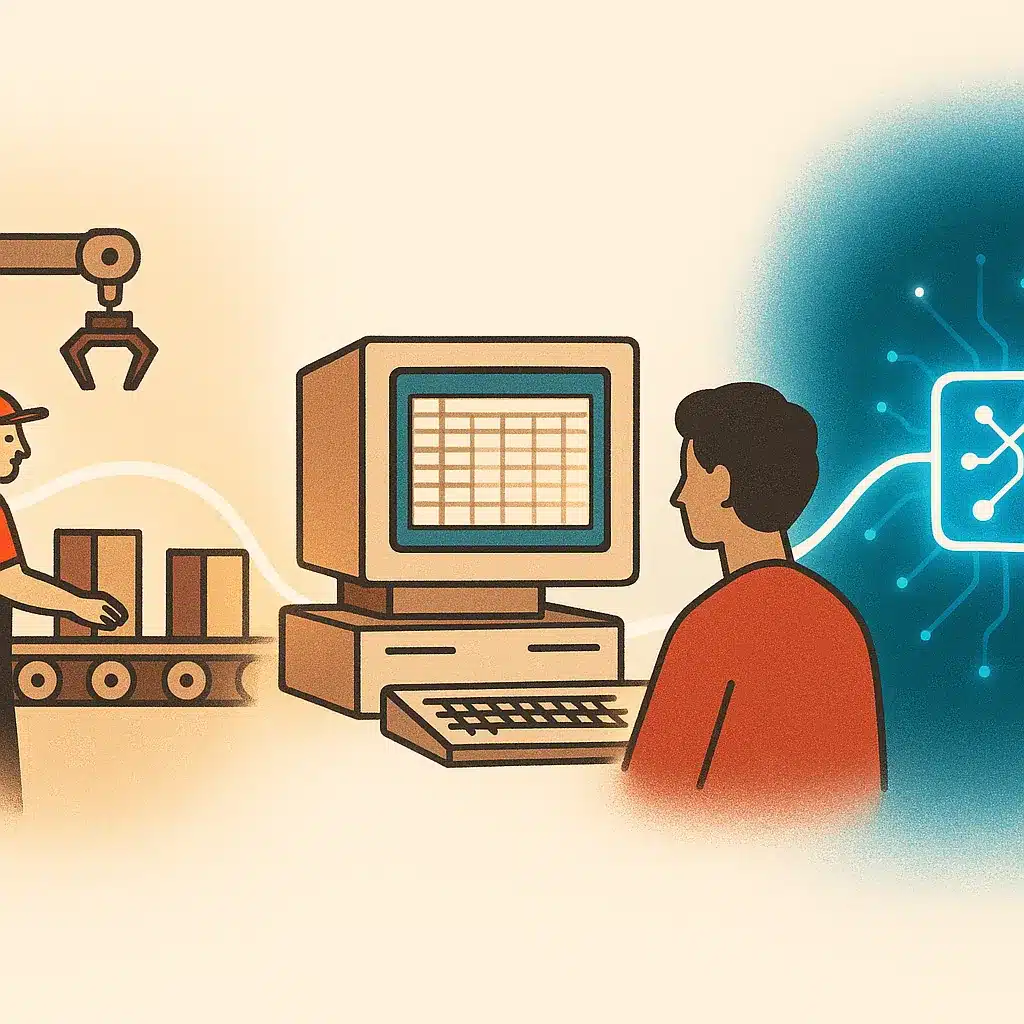
Automation isn't new. Factories automated physical work a century ago. Spreadsheets automated calculation in the 1980s. The last decade brought business process automation and robotic process automation, letting companies hand off rote digital tasks. Each wave removed a layer of manual work.
But every one of those waves hit the same wall. They could only handle structured, predictable inputs. Anything involving language, interpretation, or judgment stayed with humans. That's a huge share of actual office work, and precisely the part that didn't scale.
What changed the equation is that AI automation can now process much of the unstructured data those earlier systems couldn't touch. Reading a contract, understanding a complaint, summarizing a meeting, extracting data from a scanned form: tasks that used to require a person can now be handled or assisted by a model.
Here's a common misconception worth correcting. Many assume AI automation replaces the earlier tools. In reality, it sits on top of them. Your CRM, your accounting software, your project tracker all stay. AI becomes the interpretive layer that connects disconnected systems and moves information between them.
The practical result: the boundary of what can be automated has shifted. Work that was largely manual five years ago is now a candidate for automating business processes with AI, which is why the conversation feels different this time.
Core benefits of AI automation (time savings, fewer errors, visibility, scalability)
The benefits that actually matter to an operator are concrete. PwC's research on AI's measurable business value points to specific business functions where the payoff from automation tends to show up fastest.
Time savings. This is the headline. When AI handles the first pass on invoices, emails, or data entry, hours can come back to the team every week, freed up for work that needs human judgment instead of repetition.
Fewer errors on the boring stuff. People make mistakes doing the same dull task for the hundredth time that day. A well-built automation doesn't get tired or distracted copying numbers between systems, which can improve accuracy on routine transcription and data movement.
Visibility. When information flows through an automated pipeline instead of living in someone's inbox or a scattered set of tools, leaders can see what's happening. Automated reporting pulls numbers from across disconnected systems into one place, so you're not reconstructing last month from memory.
Scalability. Here's where it compounds. A manual process that works with 50 orders a day falls apart at 500 without hiring more people. Scalable systems built on business process automation can absorb some of that growth without a proportional headcount increase, supporting operational efficiency.
A realistic note: these outcomes depend on your existing business workflows and how well the system is built. The goal isn't to eliminate work entirely. It's less manual work, more operational efficiency, and fewer bottlenecks slowing the team down.
Where AI automation actually pays off, real use cases for SMBs
The strongest AI automation use cases share a pattern: high volume, repetitive, interpretive, and currently done by hand. Here are the ones that consistently earn their keep for small and mid-sized businesses, and together they show what AI automation for small business adoption tends to look like in year one. For a closer look at how these play out in practice, real AI automation examples that cut manual work show the pattern in more detail than theory alone can.
Lead qualification. New inquiries arrive in different formats and quality. AI can read each one, score it, enrich it with context, and route hot leads to sales instead of letting them sit overnight.
Email follow-up automation. Many deals stall from silence, not rejection. AI-driven email follow-up automation drafts and sequences replies based on where each prospect is, helping reduce the chance something falls through the cracks.
Invoice and payment processing. Reading invoices in dozens of formats, extracting the right fields, matching them to purchase orders. This is textbook interpretive work that AI can handle faster than manual entry.
Appointment booking and scheduling. Back-and-forth email tag to find a meeting time is pure waste. Automated appointment booking and scheduling removes it.
Customer support automation. AI can triage tickets, answer common questions, and draft responses for complex ones, helping cut response times.
Automated reporting. Pulling weekly numbers from several tools into one dashboard means no more Friday spreadsheet ritual.
Client onboarding. Collecting documents, sending welcome sequences, setting up accounts: the repetitive steps that slow the first impression.
Bespoke Mind AI builds custom workflow automation around these exact processes, designed to fit how a specific business already operates rather than forcing a generic template onto it. Where off-the-shelf customer support automation stalls on non-standard questions, a tailored system is built to handle more of the edge cases that matter.
AI automation applications across industries (real estate, manufacturing, retail, healthcare, finance)
AI automation across industries follows the same logic but attaches to different pain points, and seeing it applied this way often makes the AI automation use cases above feel less abstract. The repetitive work changes shape. The opportunity doesn't.
Real estate. Lead qualification dominates here. Agents field inquiries of wildly uneven quality. AI helps sort serious buyers from tire-kickers, schedules showings, and keeps follow-up alive across long sales cycles.
Manufacturing. Order processing, supplier communication, and quality documentation involve mountains of forms and unstructured data. Automation extracts and routes that information, reducing the administrative load on floor managers.
Retail. Inventory updates, customer inquiries, and order status requests spike seasonally. Customer support automation and automated reporting help keep service steady during volume swings without seasonal overhiring.
Healthcare. Appointment booking and scheduling, intake form processing, and reminder sequences consume front-desk hours. Automation handles the administrative layer, though clinical decisions stay firmly with people. Healthcare automation touches regulated patient data, so compliance requirements vary by jurisdiction. Verify handling rules with the relevant health authority or a qualified advisor.
Finance. Invoice and payment processing, reconciliation, and automated reporting are natural fits. The interpretive reading of varied financial documents is an area where AI can outperform rule-based systems.
Across all of these, the AI automation solutions that work aren't off-the-shelf products dropped in cold. They're built around the specific business workflows of that industry and that company. A retailer's order flow and a clinic's intake process share nothing except that both waste human hours on repetitive tasks.
Human-in-the-loop and handling exceptions
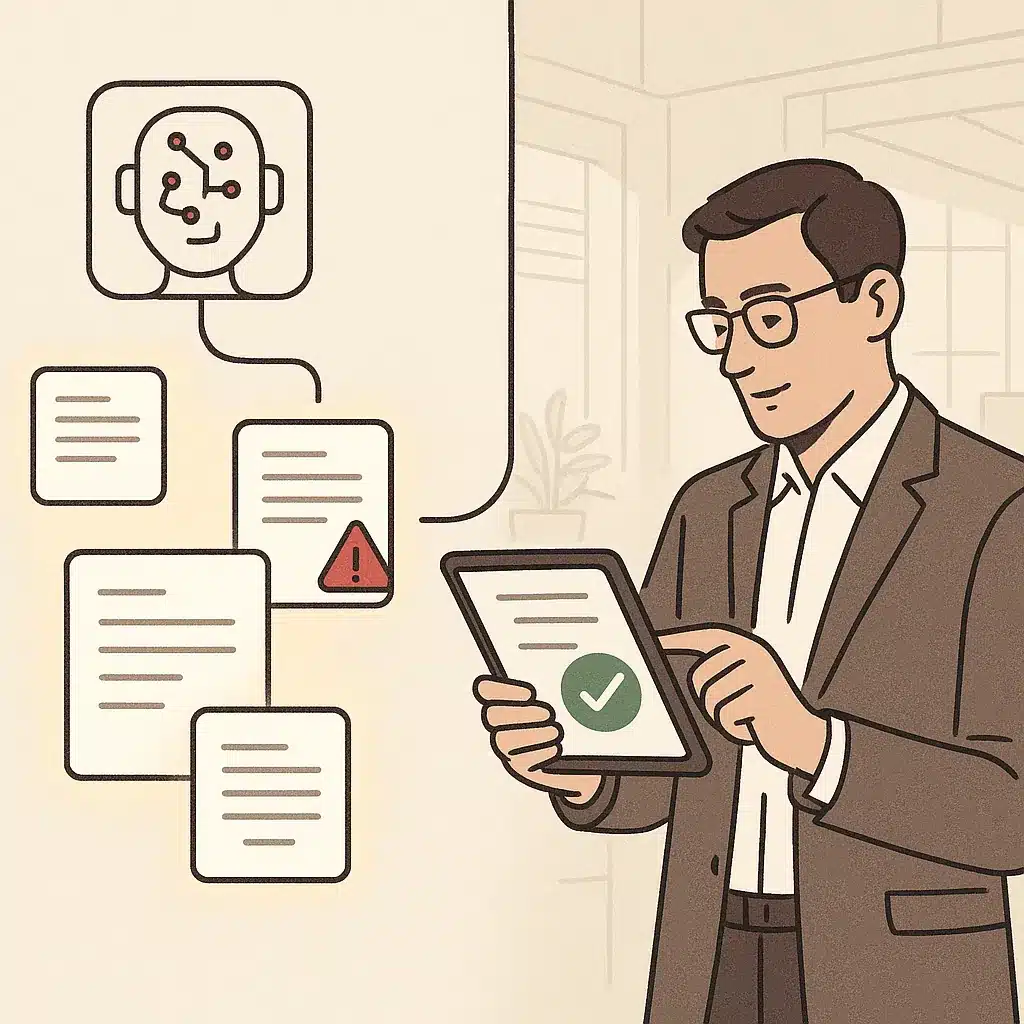
Here's the part the hype often skips: AI gets things wrong sometimes, and no system should be assumed to run fully unsupervised from day one.
The practical answer is human-in-the-loop design. Instead of letting AI act unsupervised, you build review checkpoints into the workflow. AI does the first pass: it drafts the email, flags the invoice, scores the lead. A person approves before anything customer-facing goes out or money moves. The AI does the heavy lifting; the human keeps the judgment.
Here's what can happen without this: a single bad automated reply to an important client, or a misread invoice paid at the wrong amount, can erase weeks of time savings in one afternoon. Picture a services firm that fully automated contract responses to save time, then sent a client an AI-generated reply quoting the wrong terms. The cleanup cost more than the automation had saved.
Exceptions are the real test of any system. Most tasks are routine; a stubborn few aren't. Good automation recognizes when it's unsure and escalates to a human instead of guessing. That's the difference between a system that builds trust and one that quietly creates risk.
This is also why the 30% rule holds up as a planning benchmark. Expect AI to reliably handle a solid chunk of a task, keep a human on the rest, and widen the automated share as the system proves itself. Human-in-the-loop isn't a limitation to engineer away. It's the design that makes automation safer to scale.
Common types of AI automation tools and platforms (what the categories are)
The AI automation tools market is crowded and confusing. It helps to think in categories rather than brand names, because the category tells you what a tool is actually for.
Workflow connectors. Platforms like Zapier and Make link apps together and now layer AI logic into the connections. Good for stitching disconnected systems, limited when the logic gets complex.
AI-enhanced business software. CRMs like HubSpot and Pipedrive, help-desk tools, and accounting platforms are adding AI features: predictive lead scoring, automated follow-ups, document extraction. These tools work well if your process matches how the software was designed.
Dedicated AI agent platforms. These let you build AI agents that pursue goals using memory and tools, handling multi-step tasks with some autonomy rather than single triggers.
App and tool builders. Guided builders let non-technical business owners turn an idea into a working internal tool without a development team. Bespoke Mind AI's guided builder, for example, takes a concept to a working AI app in a few structured steps, lowering the barrier for teams without engineers.
Custom-built solutions. When the standard categories don't fit, custom solutions are built around your actual operations.
The honest trade-off: off-the-shelf tools are cheaper and faster to start, but they assume your process looks like everyone else's. The further your business workflows drift from standard, the more friction you hit, which is where custom work starts to make sense.
How to identify what to automate first (spotting bottlenecks and repetitive work)
Don't start with a tool. Start with where time actually bleeds.
The best first candidates share four traits: high frequency, low variation in judgment, clear inputs and outputs, and current reliance on manual work. A task someone does fifty times a week by copying between systems is a far better starting point than a complex judgment call that happens twice a month.
A simple audit works. For one week, have the team log where time goes, especially the repetitive tasks nobody wants to admit they're still doing by hand. Then look for the operational bottlenecks: the steps where work piles up, waits, or gets re-entered. Those queues are often where automation delivers the most visible return.
Founder dependency is a red flag worth chasing. If one person is the only one who can approve, review, or compile something, that's both a bottleneck and a risk. Automating the preparation around that decision frees the founder without removing their judgment.
The root cause to look for is re-entry: any time the same information gets typed into more than one system, you've found disconnected systems and a clear automation candidate. Consider a distribution company where staff key the same order into three tools. That's not a three-hour problem, it's a three-tools-that-don't-talk problem. Fix the underlying disconnect, and much of the manual work disappears with it.
Understanding ROI and realistic expectations (why most agentic projects fail)
Let's be direct about the ROI of AI automation, because expectations in this space are often set too high.
Many agentic projects fail, and the reason is rarely the technology. It's scope. Teams try to fully automate a complex, high-judgment process in one shot, the AI handles 70% well and 30% badly, and the 30% erodes trust in the whole system. The project gets shelved as a failure when a narrower version would have worked.
The realistic path: pick a bounded task, automate the reliable portion, keep a human on the exceptions, and measure. The ROI of AI automation often shows up as time savings first, sometimes within weeks, then as fewer errors and better visibility over months. If you want a structured way to work through the numbers before committing budget, how to calculate ROI on AI automation projects walks through the methodology step by step.
Concrete numbers help. One documented SaaS workflow automated four manual processes and recovered the full cost of the project in just over a month, saving more than 150 hours monthly. Another cut operational workload by 37% by automating routine administrative tasks. These are specific, documented examples, not guaranteed outcomes, and actual results will vary by business.
A fair caveat: results vary based on your existing processes, business complexity, implementation quality, and how well your team adopts the system. The ROI of AI automation isn't automatic. It comes from choosing the right task and building the system to fit it, which is why the planning stage matters more than the tool.
Off-the-shelf tools vs custom AI built around your operations
- Faster and cheaper to implement.
- Suitable for standard, basic processes.
- May force workflows to fit templates.
- Hidden costs from process friction.
- Tailored to specific business operations.
- Scalable systems fitting real workflows.
- Outperform generic tools in unique processes.
- Best for deep integration and non-standard tasks.
This is the decision most businesses actually wrestle with, so let's be direct.
Off-the-shelf tools win on speed and cost to start. If your process is standard, basic email sequences, simple CRM updates, common integrations, a subscription tool handles it well, and building custom would be a waste. Don't pay for custom work to solve a problem a $40-a-month tool already solves.
The limits show up when your process isn't standard. Off-the-shelf tools are built for the average customer, so they assume your workflow matches a template. The moment your business does something its own way, and most businesses do somewhere, you start bending your process to fit the tool instead of the other way around. That friction is a hidden cost.
Custom AI solutions flip that. They're built around how your business actually operates, meaning scalable systems that fit your real workflows instead of forcing a compromise. The ROI case is often strongest where off-the-shelf tools hit their ceiling: non-standard processes, deep integration needs, or workflows unique to your industry. This is where custom AI solutions built around your operations tend to outperform generic software, because the system is shaped around your actual bottlenecks instead of a generic average.
The practical rule: use off-the-shelf tools for standard, commodity tasks. Invest in custom AI solutions where your process is a real differentiator or where generic tools keep failing to fit. Most businesses end up with a mix, and that's the right answer, not a compromise.

A practical first-step framework for non-technical owners (AI readiness audit)
You don't need deep technical knowledge to start. You need a clear-eyed look at your own operations. That's what an AI readiness audit is: a structured review of where manual work, disconnected systems, and operational bottlenecks are costing you, and which of them AI could realistically take on.
A simple version you can run yourself:
Map the repetitive work. List the tasks your team does over and over. Flag anything involving copying, re-entering, or chasing information.
Rank by pain. Score each task on frequency, hours consumed, and error-proneness. The top of that list is your automation shortlist.
Check the inputs. Note which tasks involve unstructured data like emails or PDFs. Those are the ones that need AI, not just basic workflow automation.
Assess readiness. Are your systems able to connect? Will the team actually adopt a new process? Honest answers here help prevent failed projects.
The point of an AI readiness audit is to avoid automating the wrong thing. Automating a broken process just makes the mess faster. Fix or simplify first, then automate.
If running that audit on your own feels like guesswork, a structured readiness assessment with people who do this daily can reduce the uncertainty and help point you at the higher-return opportunities first.
If repetitive work is slowing your team down and you're not sure where AI automation for businesses would actually pay off, Bespoke Mind AI runs discovery-led readiness audits to help pinpoint your highest-return opportunities before any build begins. You can book a discovery call to map your automation opportunities and get a clear, no-pressure read on what's worth automating and what isn't.
Frequently Asked Questions
What exactly does AI automation mean for a business?
It's the use of AI to handle tasks that need judgment or interpretation, like reading an invoice, triaging a support ticket, or routing a lead, rather than just following a fixed script. The system takes in messy, real-world input, interprets it, and acts or recommends an action, adapting as conditions change.
How is AI automation different from the automation businesses already use?
Traditional automation follows deterministic rules, same input, same output every time, and works best with structured data like forms or fixed templates. AI automation handles variation and ambiguity, so it can process a free-text email or an oddly formatted invoice that would break a rule-based workflow.
What's the 30% rule people mention with AI?
It refers to the idea that AI tools typically handle around 30% of a task or workflow reliably on their own, with the remaining portion still needing human review or edge-case handling. It's a useful planning benchmark for setting realistic expectations rather than assuming full task replacement on day one.
Is AI automation actually worth the cost for a small business, or is it overhyped?
It depends on implementation, generic tools applied to a workflow they weren't built for often underdeliver. One SaaS case automated four manual processes and recovered the cost of the project in just over a month through 150+ hours saved monthly, which is the kind of specific, measurable return worth looking for before committing budget.
What if AI automation gets something wrong in a customer-facing process?
This is why most deployments start with AI handling the first pass, drafting a reply, flagging an invoice, qualifying a lead, while a person reviews before anything customer-facing goes out. The risk isn't eliminated, but it's contained by designing review checkpoints into the workflow rather than letting AI act fully unsupervised from the start.
What are some popular AI automation tools businesses use?
CRMs like HubSpot and Pipedrive now include AI features such as predictive lead scoring and automated follow-ups, while platforms like Zapier connect apps with AI-driven logic layered on top. These off-the-shelf tools work well for common workflows, but businesses with non-standard processes often hit limits that push them toward custom-built automation instead.
How do I know which AI tool or approach is right for my business?
Start with the specific bottleneck, a repetitive task, a reporting gap, a founder doing too much manual review, rather than picking a tool first. Off-the-shelf software fits standard workflows, but if your process doesn't match how the tool was designed, a custom-built solution tends to deliver better ROI than forcing a generic product to fit.
Can AI automation fully replace manual work, or does it just reduce it?
In most real deployments it reduces manual work rather than eliminating it entirely, one case cut operational workload by 37% by automating routine administrative tasks, not removing the function altogether. The realistic goal is freeing staff from repetitive steps so they spend time on judgment calls and higher-value work.