
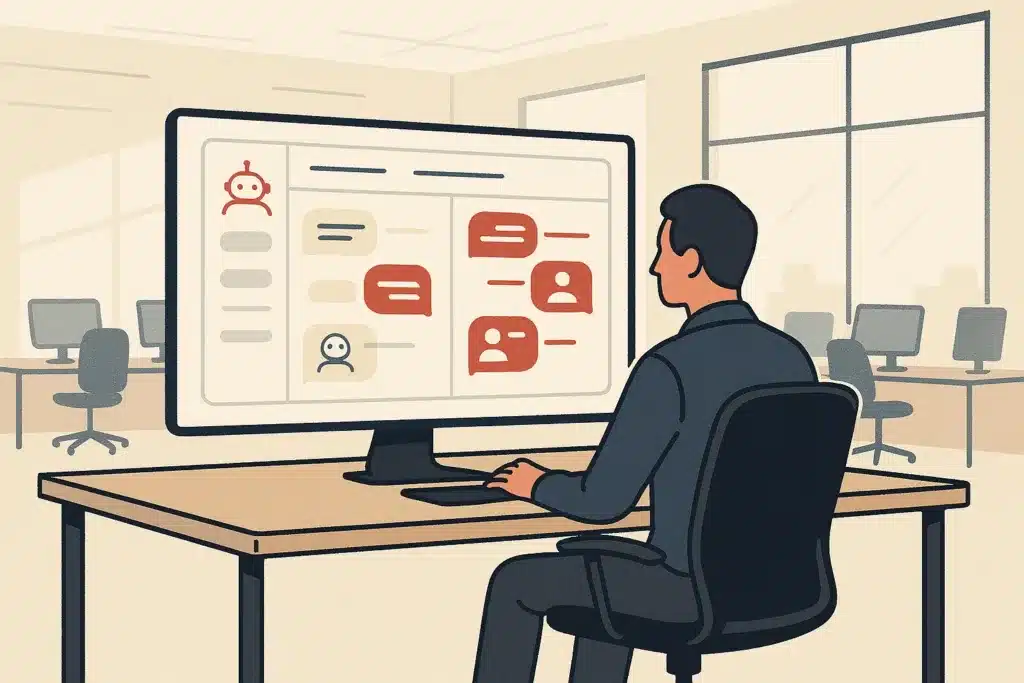
A support queue sitting at 47 unanswered tickets on a Monday morning isn't a staffing problem. You can't hire your way out of it fast enough. It's a workflow problem. A customer service ai chatbot, built around how your support actually runs, can absorb the repetitive questions clogging that queue before a human ever opens a ticket. This article walks through what these systems are, how they work, where they fit, and how to build one that matches your operations instead of fighting them.
What a customer service AI chatbot is (plain-English definition)
Strip away the hype and a customer service chatbot is a program that reads a customer's message, figures out what they want, and responds, either by answering directly or passing the conversation to a person. That's it. The sophistication lives in how well it reads intent and how cleanly it decides when to step aside.
There are two broad families. Rule-based chatbots follow scripted decision trees. If a customer clicks "track my order," they get a tracking flow. AI customer service chatbots interpret free-form questions, so a customer can type "where's my package" or "did my thing ship yet" and land in the same place.
The practical value is coverage. A customer support chatbot answers at 2 a.m. without a night shift, handles several conversations at once, and aims to give consistent answers to the same question. This shift is already showing up in industry forecasting, including Gartner's forecast on chatbots as a primary service channel, which points to automated channels becoming a default rather than a novelty. One caveat worth stating early: how you're allowed to deploy a customer service ai chatbot is not uniform. Rules on disclosure, data handling, and consent vary by jurisdiction, so what's fine in one market may need extra steps in another. The U.S. Federal Trade Commission has published guidance on AI customer-facing tools and honest marketing claims, worth reading before you promise customers more than the system delivers, and if you operate in the EU or handle EU customer data, the GDPR and your local data protection authority set a separate bar you should confirm against. The goal isn't more software. It's less manual work on questions a system can handle.
How customer service AI chatbots work under the hood (NLP, LLMs, intents)
Here's how customer service chatbots actually work: when a message arrives, language processing breaks it into something the system can act on. The core job is intent detection, mapping "I never got my refund" to the intent refund_status regardless of how the customer phrases it.
Older systems used algorithms trained on labeled examples to classify intent. Modern ai customer service chatbots can interpret phrasing they've never seen and generate fluent replies. This matters because that approach can reduce the brittle "I didn't understand that" loops that made early bots frustrating, since they don't depend on an exact keyword match.
Layered on top, sentiment analysis flags an angry or distressed tone so the system can escalate faster. For voice channels, speech recognition converts spoken words into text that the same pipeline handles. IBM's overview of how natural language processing works is a solid plain-English primer. What actually happens when a bot "answers" is it pulls relevant help content, then builds a response grounded in that content rather than inventing one. That grounding step is the mechanism that helps keep a bot's answers reliable: tie it to your approved content and it answers from your policies, not from a guess.
Rule-based chatbots vs AI chatbots vs AI agents
- Defined paths for customer interactions
- Reliable for predictable flows
- Fails with off-script questions
- Limited to answering questions only
- Interprets open-ended questions
- Pulls from a knowledge base
- AI agents can take actions
- Requires tighter guardrails for safety
These three terms get used interchangeably, and that confusion costs companies money on the wrong tool. Rule-based chatbots are menus. You define every path. They're reliable for narrow, predictable flows but collapse the moment a customer asks something off-script.
An ai chatbot adds language understanding. It interprets open-ended questions, pulls from a knowledge base, and answers without you scripting every branch. This is the layer most people mean when they use the term "conversational ai" today.
The chatbot vs ai agent distinction is the one worth getting right, and it's a question more support teams are asking as they scope these projects. A chatbot answers questions. An ai agent takes actions: it can check an order in your system, process a return, update a shipping address, then confirm back to the customer. Ai agents chain steps together and work across your tools, where a plain chatbot mostly talks.
Many assume an ai agent is just a smarter chatbot. In reality, the difference is permission to act. A chatbot that can only read is safe but limited. Ai agents that can write to your systems can deliver more but need tighter guardrails. Picking the right one depends on whether your customer queries need answers or outcomes.
Common use cases for support chatbots (FAQs, self-service, lead capture, handoff)
The strongest customer service chatbot use cases are the boring, high-volume ones. FAQs top the list: business hours, return policy, shipping timelines. These questions are repetitive, have one correct answer, and eat agent time that could go to harder work.
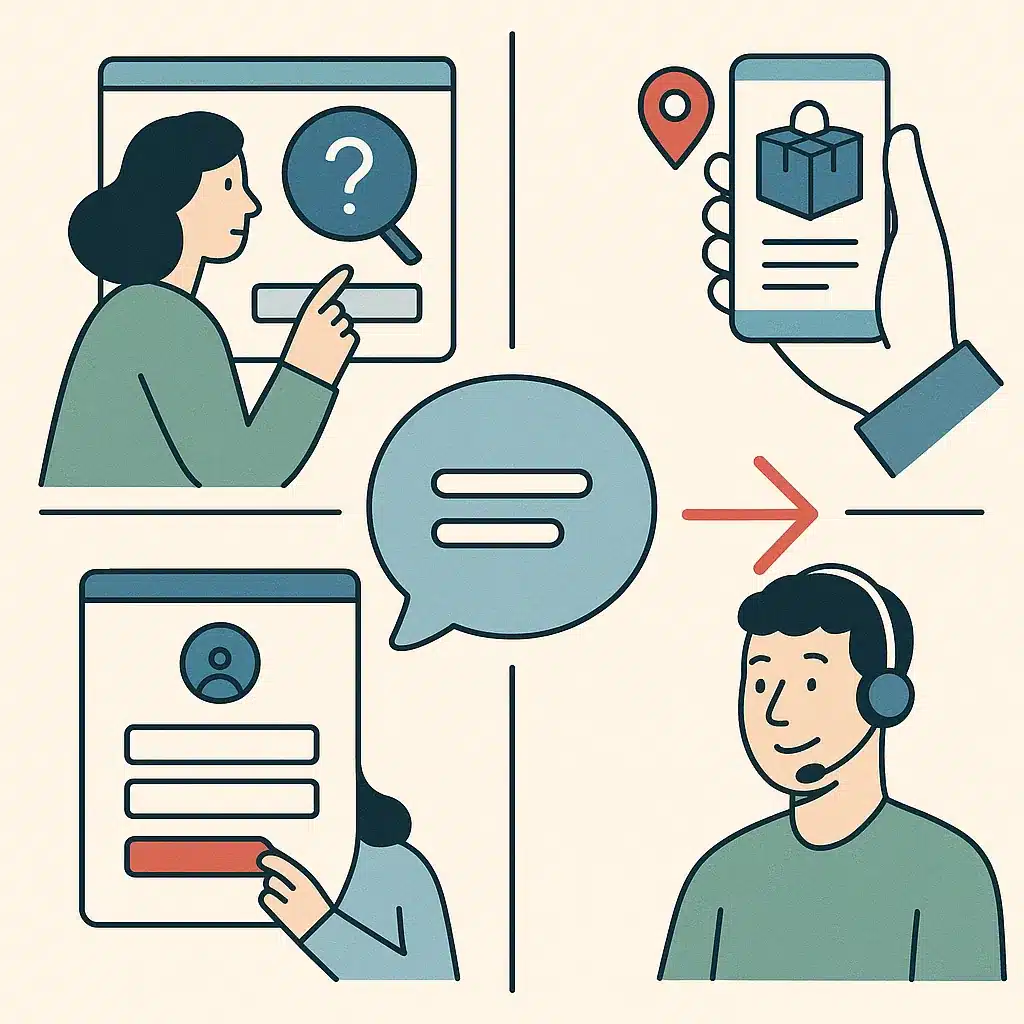
Self-service tasks come next. Order tracking, password resets, appointment rescheduling, invoice copies. A customer support chatbot connected to your order system can often resolve "where's my order" end to end without a human touching it.
Lead qualification is a quieter win. On a service business site, a chatbot can ask a few scoping questions, capture contact details, and sort serious prospects from tire-kickers before anyone follows up, so time goes toward conversations that matter. This is exactly the kind of role filled by a custom chatbot built for lead qualification and booking, which handles that scoping and capture work before a lead ever reaches a sales inbox.
And handoff. The best customer service chatbot use cases always include a clean exit: the bot handles what it can, then routes anything nuanced to a person. A common pattern: teams that deploy a bot for Tier-1 contacts see agents freed to handle more of the tickets that actually need judgment. That's the point. Remove the repetitive, keep the human where humans are better.
Benefits of using chatbots for customer service (24/7 availability, consistency, scale)
The clearest benefit of chatbots for customer service is 24/7 availability. Customers don't limit questions to business hours, and a chatbot covers nights, weekends, and holidays without overtime or a follow-the-sun hiring plan.
Consistency is underrated. Ten agents answer the same policy question ten slightly different ways. A customer service ai chatbot aims to answer it the same way every time, pulled from the same help content, which cuts down on follow-up tickets caused by conflicting answers. The reason this works is structural: every answer draws from one source of truth, so there's less room for individual interpretation to drift. That consistency matters more now that customers are generally aware they're dealing with AI; Pew Research on public awareness of AI in daily interactions shows most people already recognize and expect automated touchpoints in everyday services.
Then scale. A sudden volume spike, a product recall, a viral post, a billing error that hits thousands of accounts, doesn't have to force emergency hiring. The bot can help absorb the surge. This ability to support at scale is often the difference between a rough week and a reputation hit.
Cost follows from all three. One cited comparison puts a Tier-1 interaction at roughly $4.60 with a human agent versus about $1.45 with a chatbot, close to a 68% reduction. Results vary based on contact mix and adoption, but among the real benefits of chatbots for customer service, the pattern holds: lower cost per contact, steadier answers, and support agents focused on the work that needs a person.
The human handoff: when and how the bot brings in a person
Human handoff is where most chatbot projects succeed or fail. The bot doesn't need to answer everything. It needs to know when it shouldn't try.
Three triggers should force an escalation. First, low confidence: when the intent match is weak, the bot should hand off rather than guess. Second, sentiment: if sentiment analysis detects frustration or anger, route to a person immediately, no matter what the bot thinks it can solve. Third, explicit request: when a customer types "talk to a human," honor it on the first ask.
The how matters as much as the when. A clean human handoff passes the full conversation history to the agent so the customer never repeats themselves. The root cause of most chatbot complaints isn't a wrong answer. It's a bot that loops instead of escalating, forcing the customer to restart with an agent anyway.
Build the handoff before you build clever answers. Consider a retailer whose bot kept re-asking order numbers it already had. The customer types the number, the bot acknowledges it, then two turns later asks for it again, and by the third loop the customer gives up and demands a human who has none of the context. The fix wasn't smarter responses, it was wiring context into the handoff so support agents picked up mid-conversation. Trust in the whole customer support chatbot rests on that single transition working well.
Giving the chatbot knowledge and a clear role (training on your content)
A chatbot is only as good as the content it's grounded in. Point it at your actual knowledge base: help articles, policy docs, product FAQs, past ticket resolutions. Without that, a chatbot can fill gaps with invented answers, which is worse than saying "I don't know."
Scope the role narrowly. A customer service chatbot that tries to answer everything answers nothing reliably. Define what it owns, returns, order status, account questions, and what it explicitly routes to a person. A clear boundary keeps the help content relevant and the answers trustworthy.
Keep the content current. A bot trained on last quarter's return policy may confidently quote the wrong rule to every customer who asks, and you might not notice until the complaints stack up. Treat the knowledge base as a living source. Review the questions the bot couldn't answer each week, those gaps show which help content to write next.
The best-performing ai customer service chatbots aren't necessarily the ones with the biggest models. They're the ones pointed at clean, accurate, well-scoped content with a defined job.
Omnichannel and multilingual support across channels
Customers don't think in channels. They ask on your website, then on WhatsApp, then email a follow-up, and they expect the thread to continue. An omnichannel chatbot keeps that context across touchpoints so the customer isn't starting over each time.
The distinction from basic multichannel support is continuity. Multichannel support means you're present on several channels. An omnichannel chatbot setup means those channels share one conversation history and one knowledge base, so an answer given on live chat matches the one given over SMS.
Language is the other dimension. A multilingual chatbot can detect and respond in a customer's language, which widens who you can serve without hiring bilingual agents for every market. For a business selling across regions, that's the difference between a support model that scales and one capped by headcount. One caution on multilingual deployment: consent and disclosure requirements differ by country, so confirm the rules for each market with its data protection authority before you switch a region on.
What makes omnichannel work isn't the number of channels, it's the shared layer underneath: one source of help content, one set of escalation rules, one record of each customer's history. Picture a company that bolts a chatbot onto five channels with five separate configurations. It doesn't have omnichannel support, it has five bots that disagree with each other.
How to implement a customer service chatbot (step-by-step)
Here's how to implement a customer service chatbot without a six-month project that stalls.
Start by pulling your last few hundred tickets and sorting them by type. The top handful of repeated questions is your entire Phase 1. Don't try to automate the long tail yet.
Second, write or clean the help content behind those questions so the bot has accurate source material. This is most of the real work, and it's work, not a shortcut.
Third, map the escalation rules: which questions the bot handles, which it routes, and what triggers a human handoff. Decide this before you pick a tool.
Fourth, choose your approach, configure a platform on your existing helpdesk or commission a custom build, then connect the bot to the systems it needs to read from, like your order or account database. If you want a deeper look at this stage, how custom AI chatbots are built for SMB operations walks through the build decisions in more detail.
Fifth, pilot on one channel with a narrow scope. Watch the conversations it fails. Those failures are your roadmap.
The whole point of learning how to implement a customer service chatbot this way is to ship something real in weeks, then expand based on evidence rather than guesses. The sequence works because each phase de-risks the next: clean content before you connect systems, prove one channel before you add five, so a failure stays small and fixable instead of affecting the company-wide rollout. Custom chatbot development done well follows the same sequence: scope tight, prove value, widen.
What to measure: metrics for chatbot performance (resolution rate, CSAT)
If you can't measure it, you can't tell whether the bot is helping or quietly annoying customers. Start with resolution rate: the share of conversations the bot closes without human handoff. A healthy deflection often sits in the 40 to 60% range for many support queues, and that's where the break-even math, often 6 to 12 months for a mid-market team, starts to work.
CSAT is the counterweight. A high resolution rate with falling CSAT means the bot is closing conversations customers aren't actually satisfied with. Watch both together, never one alone.
Track containment versus escalation to see whether your human handoff triggers are tuned right. Too many escalations and the bot's scope is too narrow. Too few, and it's probably forcing answers it shouldn't.
Also log the questions the bot couldn't handle. That failure list is one of the most useful reports you'll get. It tells you which help content to add next. Metrics aren't about a dashboard for its own sake. They tell you where to expand scope and where to pull the bot back, so you remove manual work without degrading the customer experience.
Building the chatbot around your actual operations and stack
Generic bots solve generic problems. Your support queue isn't generic. The questions customers ask, the systems that hold the answers, and the escalation rules your team already follows are specific to how your business operates.
This is where off-the-shelf tools hit a wall. They assume a standard ticket flow. If your returns process involves a warehouse check, or your account questions require a lookup in a system the platform doesn't integrate with, you end up bending your operations to fit the tool. That's backwards. Picture a distribution company whose returns can't be approved until a warehouse confirms stock condition: a template bot has no step for that check, so it either promises a refund it can't authorize or dumps every return on an agent, and the automation adds confusion instead of removing it.
A customer support chatbot should be built around how your business actually operates, not the other way around. That means mapping your real business workflows first, then shaping the bot's answers and actions to match. Bespoke Mind Ai builds custom chatbots scoped to a company's actual ticket types and escalation rules, so the bot reflects your process instead of a vendor's template.
The payoff is a bot that handles your specific repetitive work and routes your specific edge cases, which is what it takes to remove manual work without creating new confusion. Solve the underlying problem, not the surface one.
Integrating the chatbot with your existing business software and data
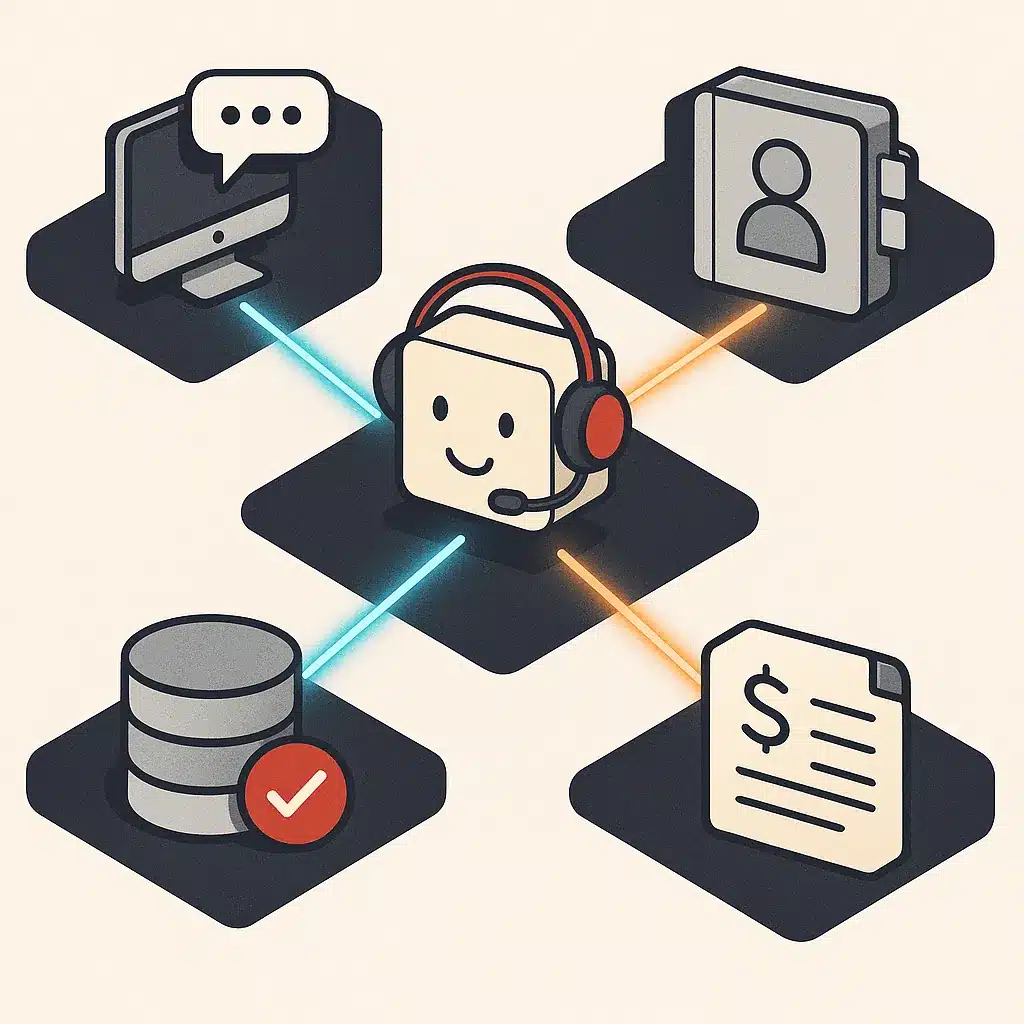
A chatbot that can't see your data can only talk. To actually resolve anything, it needs to read from, and sometimes write to, the systems where your business lives: your helpdesk, your order system, your CRM, your billing platform.
Helpdesk integration is the first connection most teams need. When the bot ties into your ticketing system, it can log conversations, pull customer history, and pass a clean record to agents on human handoff. Without that helpdesk integration, the bot operates blind and every escalation starts cold.
Deeper value comes from connecting operational data. A bot wired to your order database can answer "where's my order" with a real tracking number instead of a canned "please check your email." That's the line between a chatbot that deflects and one that resolves. Integration matters because a bot can only act on what it can read, so an unconnected bot is capped at generic answers regardless of its other capabilities. This kind of integration work is also central to removing manual work from customer support, since connected data is what lets a bot actually close a loop instead of just logging it.
This is the harder, higher-value work, and it's where custom chatbot development earns its keep. Bespoke Mind Ai integrates AI chatbots with a business's existing software so the bot works the way the team already works. Done well, integration is what lets you support more volume without just adding another disconnected tool.
Custom-built vs off-the-shelf support chatbots for SMBs
- Quick setup for standard queries
- Assumes typical flow and integrations
- Limited by predefined features
- May not fit unique business needs
- Tailored to specific workflows
- Fits exact ticket types and tools
- Requires upfront scoping work
- Better for complex operations
The default advice is "just buy a platform," and for some SMBs that's right. If your support questions are standard and your stack is mainstream, configuring Zendesk AI or Intercom Fin on top of your existing helpdesk gets you live quickly.
But off-the-shelf has a ceiling. These tools assume a typical flow and a supported integration list. The moment your operations diverge, odd escalation rules, a custom internal system, industry-specific compliance steps, you're paying for features you can't use and working around the ones you need.
Custom-built chatbots flip that. You get a system scoped to your exact ticket types, your real business workflows, and your specific tools. The tradeoff is upfront scoping work versus faster setup. For a founder-led business with unusual processes, custom can pay back faster because it fits on day one instead of fighting you for months.
The honest answer: match the choice to your complexity. Standard support, buy. Specific operations and manual work no platform touches, build. Custom systems, not off-the-shelf software, make sense when your problem is actually custom.
If repetitive customer queries are slowing your team down, a short discovery call can help map which questions a chatbot could handle and which need a person. Talk through your support workflow with Bespoke Mind Ai to see where a customer service ai chatbot fits your operations, no pressure, just a practical look at the opportunity, or book a free 30-minute automation discovery call directly to get started.
Frequently Asked Questions
What exactly is a customer service AI chatbot?
It's an automated agent, text or voice, that answers customer questions, guides self-service tasks like order tracking or returns, and hands off to a human when the request gets too complex. It works by parsing the customer's language, identifying intent, and matching that intent to a scripted or trained response.
How does an AI chatbot actually improve on human-only support?
The main gain is coverage and speed: a chatbot answers instantly, 24/7, and absorbs repetitive questions (account status, FAQs, order tracking) so human agents only see the harder cases. It doesn't replace judgment on nuanced or emotional issues, that's still where a person does better.
Why are businesses moving support volume from live chat to AI chatbots?
Cost is the biggest driver, one cited study put Tier-1 support cost per interaction at roughly $4.60 with human agents versus $1.45 with a chatbot, close to a 68% drop. Beyond cost, chatbots scale without adding headcount, so a spike in volume doesn't require hiring.
Is a customer service AI chatbot actually worth the investment for a smaller team?
It depends on your contact volume and how repetitive your questions are, one analysis found mid-market teams often break even in 6-12 months once the bot is deflecting 40-60% of incoming contacts. If your support queue is mostly unique, judgment-heavy requests, the payback is slower and a scoped pilot is safer than a full rollout.
What happens when the chatbot can't answer a customer's question?
A properly built chatbot detects low-confidence matches or explicit frustration and routes the conversation to a human agent with the conversation history attached. Without that handoff logic built in, this is where most chatbot complaints originate, the bot loops instead of escalating.
How do you build an AI chatbot for customer service without a dev team?
Most SMBs either configure a platform (Zendesk AI, Intercom Fin) on top of their existing helpdesk, or commission a custom build scoped to their specific ticket types and systems. The build work is mostly mapping your actual support questions and escalation rules, not writing AI models from scratch.
Which AI chatbot is considered best for customer service right now?
There's no single answer, Ada is built for high-volume enterprise support across chat, voice, and email, Zendesk AI integrates directly into an existing Zendesk helpdesk, and Intercom's Fin is built around conversational resolution. The right pick depends on what ticketing system you already run and how much of your volume is genuinely repetitive.
Can a chatbot replace live chat support entirely, or do you still need a person?
For repetitive, well-defined queries, password resets, order status, FAQs, a chatbot can fully replace a live agent. For anything involving a complaint, a refund judgment call, or an upset customer, routing to a person still produces better outcomes and fewer escalations later.
Frequently Asked Questions
What exactly is a customer service AI chatbot?
It's an automated agent — text or voice — that answers customer questions, guides self-service tasks like order tracking or returns, and hands off to a human when the request gets too complex. It works by parsing the customer's language, identifying intent, and matching that intent to a scripted or trained response.
How does an AI chatbot actually improve on human-only support?
The main gain is coverage and speed: a chatbot answers instantly, 24/7, and absorbs repetitive questions (account status, FAQs, order tracking) so human agents only see the harder cases. It doesn't replace judgment on nuanced or emotional issues — that's still where a person does better.
Why are businesses moving support volume from live chat to AI chatbots?
Cost is the biggest driver — one cited study put Tier-1 support cost per interaction at roughly $4.60 with human agents versus $1.45 with a chatbot, close to a 68% drop. Beyond cost, chatbots scale without adding headcount, so a spike in volume doesn't require hiring.
Is a customer service AI chatbot actually worth the investment for a smaller team?
It depends on your contact volume and how repetitive your questions are — one analysis found mid-market teams often break even in 6–12 months once the bot is deflecting 40–60% of incoming contacts. If your support queue is mostly unique, judgment-heavy requests, the payback is slower and a scoped pilot is safer than a full rollout.
What happens when the chatbot can't answer a customer's question?
A properly built chatbot detects low-confidence matches or explicit frustration and routes the conversation to a human agent with the conversation history attached. Without that handoff logic built in, this is where most chatbot complaints originate — the bot loops instead of escalating.
How do you build an AI chatbot for customer service without a dev team?
Most SMBs either configure a platform (Zendesk AI, Intercom Fin) on top of their existing helpdesk, or commission a custom build scoped to their specific ticket types and systems. The build work is mostly mapping your actual support questions and escalation rules — not writing AI models from scratch.
Which AI chatbot is considered best for customer service right now?
There's no single answer — Ada is built for high-volume enterprise support across chat, voice, and email, Zendesk AI integrates directly into an existing Zendesk helpdesk, and Intercom's Fin is built around conversational resolution. The right pick depends on what ticketing system you already run and how much of your volume is genuinely repetitive.
Can a chatbot replace live chat support entirely, or do you still need a person?
For repetitive, well-defined queries — password resets, order status, FAQs — a chatbot can fully replace a live agent. For anything involving a complaint, a refund judgment call, or an upset customer, routing to a person still produces better outcomes and fewer escalations later.