

A finance team spends four days chasing signatures on a single vendor invoice. By the time it clears, the early-payment discount is gone and someone re-keyed the amount wrong. That is not a software problem. It is a broken business process management workflow. This guide walks through what these workflows are, how they differ from simple automation, and how to fix the underlying flow instead of just speeding up the mess.
What is business process management (BPM)?
So what is BPM? Business process management is the practice of mapping, running, measuring, and improving how work moves through your company. It treats business processes as assets you can design and refine, not something that just happens. The discipline covers how an order is fulfilled and how a new hire is onboarded. It exists because most operations drift into inefficiency without oversight. Gartner keeps a working definition worth reading in its glossary entry on business process management, and for a more formal grounding you can also review the standard definition of business process management. At its core, this workflow management discipline asks a simple question: is this process actually serving the outcome, or just the habit? A closer look at process and workflow management shows how these ideas play out in practice.
What is a BPM workflow and how it differs from BPM
A bpm workflow is the concrete sequence of steps inside a process: who does what, in what order, triggered by what event. Business process management is the wider discipline that owns, measures, and redesigns those business workflows over time. Think of the bpm workflow as the road and business process management as the traffic planning around it. The road carries the cars; the planning decides where roads go and how they connect. The Object Management Group maintains the Business Process Model and Notation (BPMN) standard, the common language teams use to draw these steps clearly. Many assume bpm vs workflow is semantic. In reality, one is the specific path work takes and the other is the strategy governing all of them.
Why BPM workflows matter for business operations
Small inefficiencies compound. A two-minute manual step repeated across three hundred orders a month is fifteen hours gone, quietly, every month. Workflows that live in people's heads create founder dependency and operational bottlenecks the moment volume rises or someone takes leave. Manual processes hide their true cost because no single instance feels expensive. Government labor data on automation and work shows how heavily repetitive administrative tasks weigh on output, which is exactly what BPM targets. A business process management workflow makes that cost visible, standardizes how business processes run, and gives leadership process transparency into where work stalls. That visibility is often the first tangible benefit teams notice, before any automation is added.
Essential components of a BPM workflow
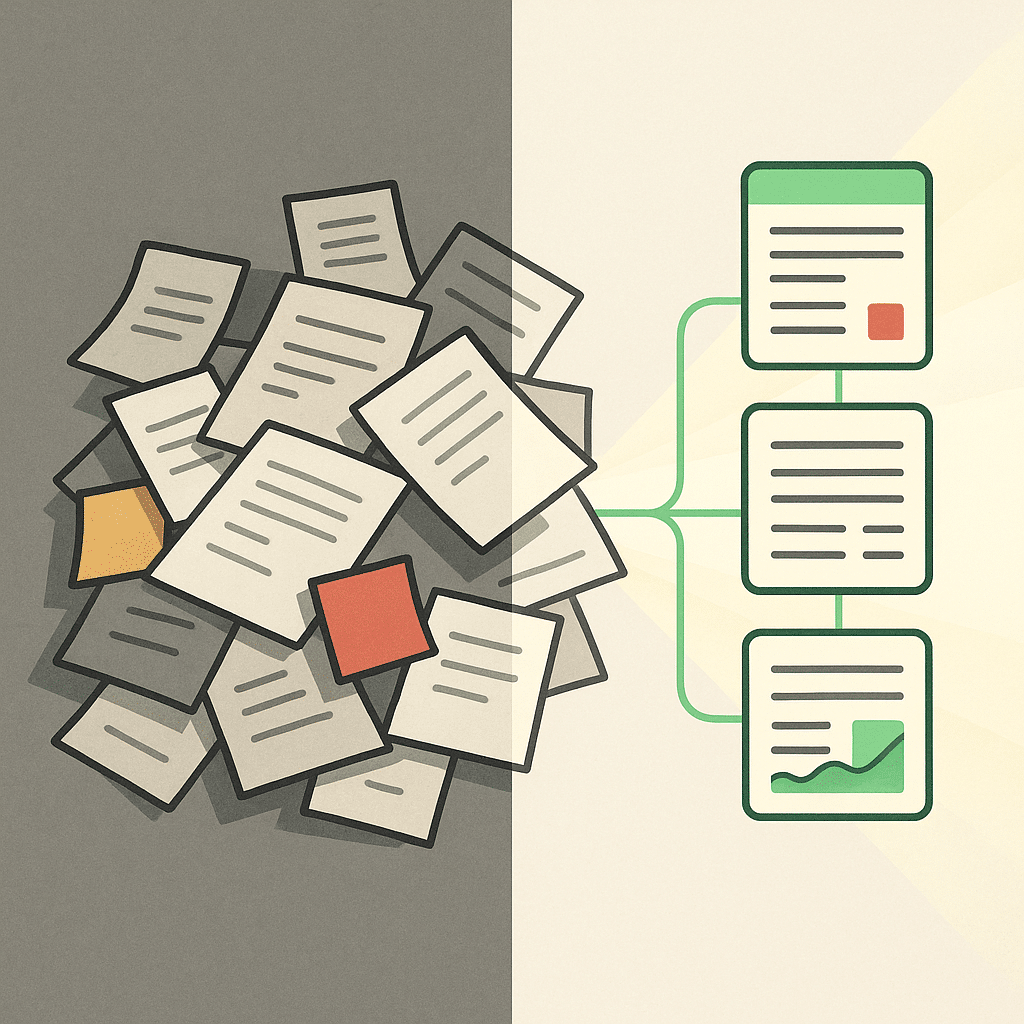
Every reliable bpm workflow shares a few parts. A trigger that starts it. Defined workflow steps with a clear owner for each. The systems and data each step touches. Decision points that route work down different paths. And an end state that signals the process is complete. Underneath sits process mapping, the map of how work should move, plus rules for exceptions when reality does not cooperate. Sound process mapping ties it together so nothing sits in an inbox unnoticed. Without an assigned owner at each step, work stalls in the gaps between people, where most operational bottlenecks actually form.
Types of BPM (integration-, human-, document-centric)
There are three common types of bpm, sorted by what the process centers on. Integration-centric bpm connects systems that need to pass data automatically, like syncing a CRM with billing so nobody re-enters figures. Human-centric bpm revolves around people, approvals, and judgment calls, such as a hiring or expense sign-off flow. Document-centric bpm follows a document through its lifecycle, like a contract moving from draft to review to signature. Most real business processes blend all three. Knowing which one dominates tells you where the friction lives and which bpm tools are worth considering first.
The BPM lifecycle / workflow steps
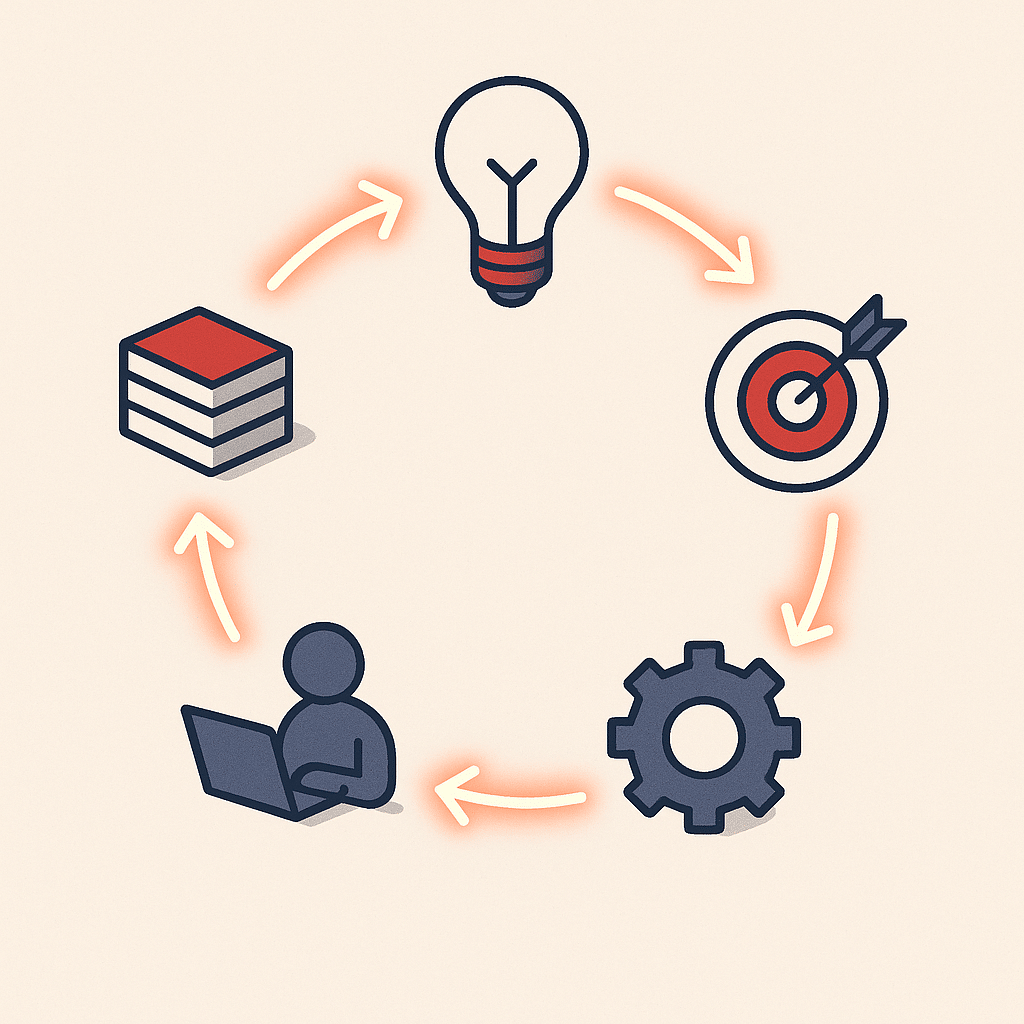
The business process management lifecycle runs as a continuous loop, not a one-time cleanup. It moves through five stages: discover the process as it truly runs, analyze it to find delays and rework, design an improved version, implement it, then monitor and optimize. Most teams skip discovery and jump to design. Then they automate assumptions instead of reality. That is why process improvement so often fails to stick: an unexamined process carries hidden exceptions that only surface once you have already automated the wrong version of it. Treating this business process management lifecycle as repeating keeps your workflow management aligned as volumes, staff, and tools change. Process improvement becomes ongoing rather than a project you finish once.
Benefits of BPM workflows
The benefits of business process management show up in a few concrete places. Operational efficiency can improve because repetitive tasks stop bouncing between people. Cost savings can come from removing rework, missed discounts, and duplicate entry. Scalable processes can help you handle more volume without hiring proportionally, and those savings may add up over time. Another of the benefits of business process management is that leaders gain visibility into where work sits. One mid-size distributor we worked with was losing early-payment discounts on roughly a fifth of its invoices because approvals stalled in email; the amounts sat unseen until month-end, when finance was already firefighting. Redesigning the flow recovered those windows within a quarter. Results vary, but the pattern we tend to see is consistent: less manual work, clearer business operations.
BPM vs workflow vs case management
- Governs and improves scalable processes
- Disciplined workflow management
- Focus on organizational efficiency
- Fixed, predictable path
- Step-by-step process
- Best for known paths
These three terms get mixed up constantly. A workflow is a fixed, predictable path: step one, then two, then three. Business process management governs and improves these scalable processes across the organization through disciplined workflow management. Case management handles work that will not follow a straight line, where a knowledgeable person decides the next step based on context, like a support escalation or a legal matter. So bpm vs workflow comes down to scope; workflow vs case management comes down to predictability. Pick a structured bpm workflow when the path is known, and case management when human judgment drives each move.
Common challenges with traditional BPM workflows
Traditional bpm workflow projects fail in familiar ways. They get too rigid, so any real-world exception breaks the flow and people quietly revert to manual processes. They take too long to build, so the process has changed by launch. Off-the-shelf platforms often force your business to fit their model instead of the reverse. And disconnected systems mean the same data gets re-entered across tools, reintroducing the exact errors BPM was supposed to remove. This happens because each tool keeps its own copy of the truth, so a change in one place never reaches the others. This is often where teams discover that more software isn't the fix for messy operations. BPM rules and requirements can also vary by industry and jurisdiction, especially anything touching finance or compliance. Verify requirements with a qualified professional or the relevant regulatory body.
BPM workflow use cases and examples
Finance and accounting are usually the first place companies apply BPM, because the handoffs are dense and errors carry compliance risk. Procure-to-pay is a classic: request, approval, purchase order, receipt, invoice match, payment. Order-to-cash is another, running from quote to cash collected. Beyond finance, employee onboarding, client onboarding, and vendor approvals are strong candidates because they cross departments and stall easily. In service businesses, intake and delivery workflows benefit from the same treatment. The common thread across these business workflows is repetition plus multiple owners, exactly the conditions where standardization and workflow automation tend to pay off most.
How AI agents and automation extend BPM workflows
Once a process is mapped, automation removes the repetitive tasks. Business process automation handles the routine parts: moving data, sending notifications, matching records. AI agents can extend this by helping with judgment-adjacent work that fixed rules struggle with, like reading a messy invoice, flagging an unusual approval, or drafting a first response for a human to check. Used well, AI systems cut manual effort inside a bpm workflow while keeping the people who own it in charge. The important sequence: fix the process first, then apply business process automation to the parts that genuinely benefit. Automating a broken flow just breaks it faster.
Custom-built vs off-the-shelf BPM workflow systems
- Tailored to business operations
- Connects existing internal tools
- Ideal for unique processes
- Quick to implement
- Fits standard processes
- May require business adaptation
Off-the-shelf bpm tools and low-code no-code platforms get you moving quickly and suit standard processes well. The trade-off is that your business bends to fit the tool. Custom-built systems work the other way: they are built around how your business operations actually run, connecting your existing internal tools rather than adding another silo. They make sense when your process is a genuine differentiator, or when disconnected platforms are the root cause of your operational bottlenecks and drag down operational efficiency. For many teams a blend works, using off-the-shelf pieces where the process is generic and custom-built systems where it is not. The goal is not more software. It is less manual work.

If repetitive work keeps stalling your team and you are not sure which process to fix first, a low-pressure discovery call with Bespoke Mind AI can help you map where the real bottlenecks sit and where automation would actually help. We start by understanding how your business runs, then design custom systems around it, so you get a clearer business process management workflow rather than another tool to manage.
Frequently Asked Questions
What is a business process management workflow?
It's a structured, repeatable sequence of tasks:each with a defined owner, trigger, and system:designed to reach a specific business outcome like closing an order or approving an invoice. The workflow sits inside a broader BPM cycle of designing, executing, monitoring, and optimizing how work actually moves through your company.
What are the five stages of BPM?
The five stages are process discovery, analysis, design, implementation, and optimization. They run as a continuous loop rather than a one-time project, so processes keep improving as your operations and volumes change.
How is a BPM workflow different from basic workflow automation?
Workflow automation handles one repetitive task:like routing an expense claim from employee to manager to finance:while BPM manages, measures, and redesigns the entire end-to-end process. Automation is a tool inside BPM; BPM is the strategy that decides which processes to automate and why.
What's a real example of a BPM workflow?
Procure-to-pay and order-to-cash are common starting points because they involve multiple handoffs, approvals, and systems where small delays create errors or compliance risk. Finance and accounting are often the first areas companies apply BPM for exactly this reason.
How do I build a BPM workflow from scratch?
Start by defining a clear, measurable objective, then map your current process to find bottlenecks and repetitive steps before designing the improved sequence. Only after the flow is mapped and agreed on should you add automation, so you're removing the underlying problem instead of automating a broken process.
Is investing in BPM actually worth it for a small business?
It's worth it when a process is repeated often, spans multiple people or tools, and consistently causes delays or errors:that's where standardization saves the most time. If a task happens rarely or only involves one person, a simple checklist usually delivers better value than a full BPM setup.
What if we already have software but our processes are still messy?
More software rarely fixes messy operations because disconnected tools just move the manual work around. BPM focuses on how your systems connect and hand off work, so the fix is usually integration and process design rather than another platform.
Which BPM tools are commonly used?
Options range from developer-focused platforms like Camunda for BPMN modeling to no-code tools like Kissflow and multi-party orchestration tools like Moxo for client onboarding or vendor approvals. The right choice depends on your process complexity and how much technical resource you have in-house, not on brand names.