
Most small businesses don't fail because they lack good ideas. They fail because manual processes consume too much time, disconnected systems create bottlenecks, and teams spend their days on repetitive work instead of growth activities. AI workflows for small business solve this problem by helping you automate tasks that drain your resources.
This guide explains what AI workflows actually are, which business processes you should automate first, and how to implement automation without needing a technical background. You'll see specific use cases across customer service, marketing, sales, finance, and HR, along with practical advice on choosing between custom-built solutions and off-the-shelf ai tools.
What AI workflows are and how small businesses use them
AI workflows are automated sequences that handle business tasks without manual intervention. They connect your existing tools, process information, make decisions based on rules you set, and complete actions that your team would otherwise do by hand.
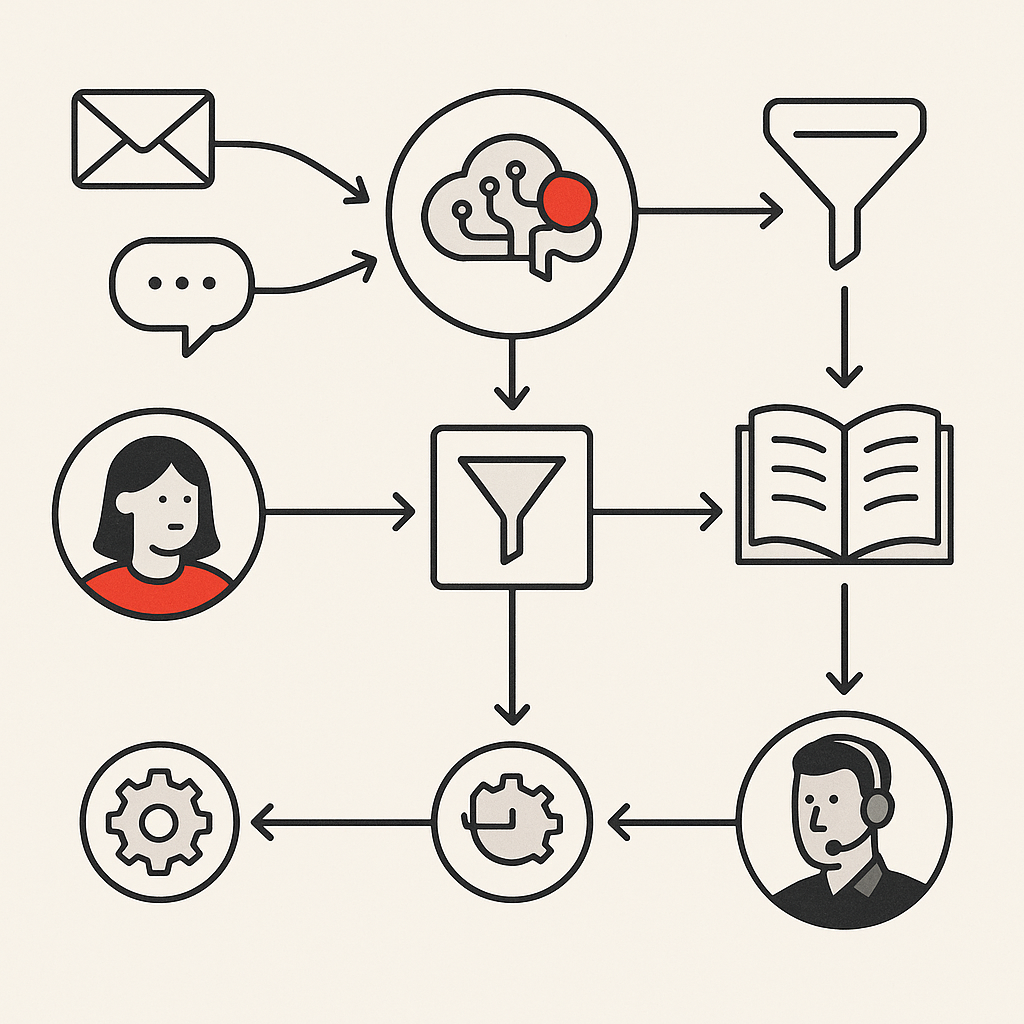
A typical example: when a customer emails a question, an AI workflow reads the message, categorizes the issue, checks your knowledge base for relevant answers, drafts a response, and either sends it automatically or routes complex questions to the right team member.
Small businesses use AI workflows differently than enterprises. You're not automating thousands of transactions per hour. You're removing the repetitive tasks that keep three people doing work one person could handle with the right systems.
The technology combines traditional workflow automation with artificial intelligence capabilities. Basic automation follows fixed rules: "if this happens, do that." AI workflows add intelligence: they can understand unstructured text, learn from patterns, make contextual decisions, and handle variations that would break simple automation.
Why small businesses need workflow automation now
Your competitors are already automating. According to automation impact studies from McKinsey, generative AI could automate activities that currently absorb 60-70% of employee time. Small business owners that wait will find themselves competing against teams that operate twice as efficiently.
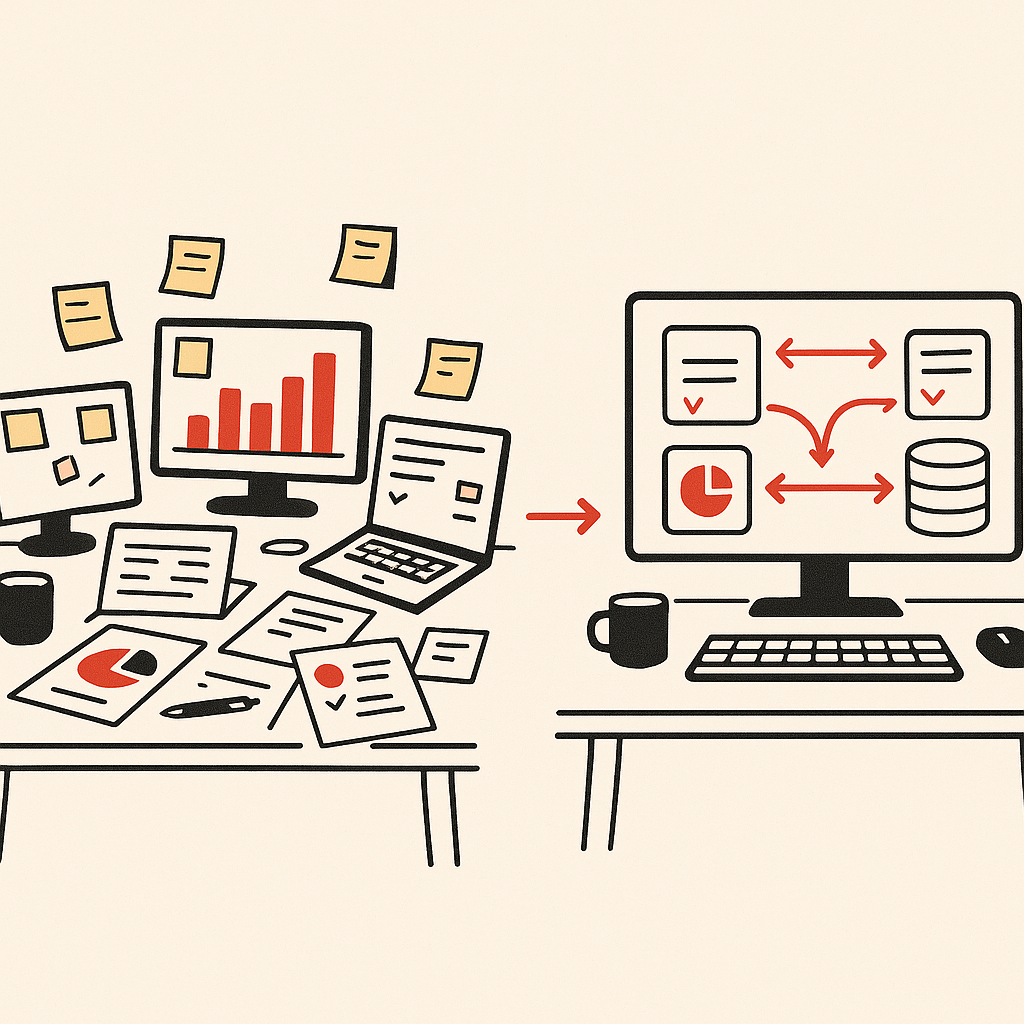
Manual work doesn't scale. When you're a team of five, someone can manually track leads in a spreadsheet, copy customer data between systems, and process invoices by hand. At fifteen people, those same processes become bottlenecks.
The cost of not automating shows up in places you might not measure. Your best people spend hours on administrative tasks instead of strategic work. Customer responses take longer because information lives in multiple places. Errors multiply when humans copy data between systems.
Workflow automation also addresses founder dependency. In most small businesses, critical knowledge sits with one or two people. AI automation documents those processes in executable form.
Specific use cases and applications across business functions
AI workflows solve different problems across each part of your business. The applications below represent the most common operational bottlenecks that small businesses face.
Automating customer service and support workflows
Customer service automation handles the repetitive questions that consume your support team's time. AI workflows can respond to common inquiries, route complex issues to the right person, update customer records automatically, and follow up without manual tracking.
A practical implementation: when customers submit support tickets, an AI workflow categorizes the request, checks if it matches known issues in your knowledge base, and either provides an immediate answer or assigns it to a team member with relevant expertise. The system also updates your CRM with the interaction history.
This doesn't replace your customer support team. It removes the routine work so they can focus on complex problems and relationship building. Most small businesses see 40-60% of support inquiries handled automatically once workflows are properly configured.
Marketing automation and content creation
Marketing automation connects your content creation, distribution, and lead nurturing into one continuous workflow. AI tools can draft social media posts, schedule content across platforms, personalize email campaigns based on customer behavior, and track engagement without manual intervention.
Content creation workflows are particularly valuable. An AI system can generate first drafts of blog posts, product descriptions, email copy, and social updates based on your brand voice and key points.
Lead nurturing workflows track how prospects interact with your content and automatically send relevant follow-up. Someone downloads a pricing guide, the workflow tags them in your CRM, adds them to a nurture sequence, and alerts your sales team if they visit your pricing page three times in a week.
Sales automation and lead management workflows
Sales automation removes the administrative work that keeps your team from actually selling. AI workflows can qualify inbound leads, update your CRM automatically, schedule follow-ups, generate proposals, and track deal progress without manual data entry.
Lead management workflows start the moment someone expresses interest. The system captures their information, scores them based on criteria you define, assigns them to the right salesperson, and triggers an initial outreach sequence.
Proposal generation workflows pull information from your CRM, apply your pricing rules, populate templates, and produce customized proposals in minutes instead of hours. The same approach works for contracts, quotes, and other sales documents that follow repeatable patterns.
Data analysis and business insights automation
Data analysis workflows turn the information scattered across your systems into actionable insights. AI workflows can pull data from multiple sources, identify patterns, generate reports, and alert you to anomalies without requiring manual analysis.
Most small businesses have data in their CRM, accounting software, email platform, website analytics, and various spreadsheets. Data analysis workflows connect these disconnected systems, consolidate the information, and produce unified reports that show what's actually happening in your business.
The real value comes from automated insights that inform better business decisions. Instead of reviewing reports to find problems, AI workflows identify unusual patterns and notify you.
How to implement AI workflows in your small business
Implementation starts with identifying which processes consume the most time and cause the most frustration. Don't automate everything at once. Pick one operational bottleneck, build a workflow that solves it, let your team adapt, then move to the next.
The discovery process matters more than the technology. Map out how work currently flows through your business. Where does information get entered multiple times? Which tasks require waiting for someone else? What decisions follow predictable patterns?
Start with processes that are repetitive, rule-based, and high-volume. Customer inquiry responses, lead assignment, invoice processing, and appointment scheduling all fit this profile. Save complex, judgment-heavy processes for later once you understand how AI workflows operate.
Choose tools that connect with your existing systems. The best automation fails if it can't access your CRM, email platform, accounting software, and other tools you already use.
Finance and invoice processing automation
Invoice processing automation eliminates the manual data entry and approval routing that consumes hours each week. AI workflows can extract information from invoices, match them to purchase orders, route them for approval, schedule payments, and update your accounting system automatically.
The workflow starts when an invoice arrives by email or upload. The AI reads the document, extracts vendor name, amount, line items, and due date, then checks if it matches an existing purchase order. Matches get routed to the appropriate approver based on amount and department.
Accounts receivable workflows automate the other side. When you send an invoice, the system tracks payment status, sends automated reminders at intervals you define, escalates overdue accounts, and updates your cash flow projections.
HR and employee onboarding automation
Employee onboarding automation ensures new hires complete all necessary steps without HR manually tracking each task. AI workflows can send offer letters, collect signed documents, provision system access, schedule training, assign equipment, and track completion automatically.
A typical onboarding workflow triggers when you mark a candidate as hired in your system. The workflow sends the offer letter, creates a checklist of required documents, emails the new hire with next steps, and notifies relevant team members to prepare.
HR workflows also automate routine employee requests. Time-off requests, equipment orders, policy questions, and document requests can all flow through automated systems that route to the right approver, update relevant records, and notify stakeholders without HR touching every transaction.
Risks and considerations when implementing AI automation
AI automation introduces risks that you need to address during implementation. Automated workflows can amplify errors if they're built on flawed processes.
Data privacy requires careful attention. AI workflows often process customer information, financial data, and employee records. You need to understand where data flows, how it's stored, and whether your automation complies with relevant regulations.
Over-automation creates new problems. Some processes benefit from human judgment, relationship building, or contextual understanding that AI can't replicate. Customers often value human connection for complex issues or relationship-building moments that determine whether they stay with your business long-term.
Dependency on automation can make your business fragile. If a critical workflow breaks and your team no longer knows how to do the process manually, you're stuck until it's fixed.
Common AI terminology explained
Understanding basic AI terminology helps you evaluate tools and have productive conversations with vendors. You don't need to become a technical expert, but knowing what these terms mean prevents confusion.
Artificial intelligence refers to systems that perform tasks normally requiring human intelligence. This includes understanding language, recognizing patterns, making decisions, and learning from experience.
Machine learning is a subset of AI where systems improve through exposure to data rather than explicit programming. The system identifies patterns and adjusts its behavior based on what it learns.
Natural language processing enables AI to understand and generate human language. This powers chatbots, email analysis, document processing, and other text-based automation.
Workflow automation connects multiple steps into an automated sequence. It can include AI capabilities but doesn't require them. Simple automation follows fixed rules without intelligence.
API (Application Programming Interface) is how different software systems connect and share data. APIs enable workflows to pull information from one tool and push it to another.
Identifying operational bottlenecks that need automation
Operational bottlenecks reveal themselves through specific symptoms. Tasks that require waiting for one person create bottlenecks. Processes where the same information gets entered multiple times waste resources. Work that piles up faster than your team can handle it signals a capacity problem that automation might solve.
Start by asking your team what frustrates them most. The tasks they complain about, the processes that feel inefficient, and the work they wish they didn't have to do manually are all automation candidates. Research on small business operational challenges shows that inefficient processes are among the top barriers to growth.
Look for processes where errors occur frequently. Manual data entry, copying information between systems, and tasks that require remembering multiple steps all generate mistakes. Automation reduces errors because systems execute the same steps consistently every time, and small business productivity data demonstrates the measurable impact of reducing manual task errors.
Identify work that happens outside business hours. If team members regularly stay late to process orders, send reports, or handle administrative tasks, those are prime automation targets.
Custom-built workflows vs off-the-shelf solutions
Off-the-shelf automation tools work well for standard processes that match common business patterns. Email marketing platforms, CRM systems, and accounting software all include built-in automation for typical workflows. They're quick to implement, relatively inexpensive, and require minimal technical skill.
The limitation appears when your business processes don't match the tool's assumptions. You end up adapting your workflow to fit the software instead of the software fitting your workflow.
Custom-built workflows solve problems specific to how your business actually operates. They connect your exact combination of systems, handle your unique decision logic, and automate processes that don't fit standard patterns. The tradeoff is higher upfront cost and longer implementation time, though process automation research indicates that custom solutions often deliver superior ROI for businesses with unique operational requirements.
Most small businesses benefit from a hybrid approach. Use off-the-shelf tools for common functions like email marketing and basic CRM automation. Build custom workflows for the processes that differentiate your business or create significant operational bottlenecks.
Bespoke Mind AI specializes in custom-built solutions for businesses whose operational bottlenecks can't be solved with standard tools. We design workflows around how your business actually operates, not how software vendors think it should operate.
Connecting disconnected systems through workflow integration
Disconnected systems force your team to copy data manually, check multiple places for information, and waste time on coordination that should happen automatically. Workflow integration solves this by connecting your tools so information flows between them without human intervention.
A common example: your website captures leads, your CRM manages customer relationships, your email platform handles communication, and your project management tool tracks work. Without integration, someone manually copies lead information from the website to the CRM, then to the email platform, then creates project tasks. With integration, one workflow handles all of it automatically.
Integration works through APIs that let different systems share data. When a lead fills out your website form, the workflow captures that information and pushes it to your CRM, adds them to an email sequence, creates a task for your sales team, and logs the activity.
Workflow integration platforms like Zapier, Make, and n8n handle common connections through pre-built integrations. Complex integrations or custom internal tools typically require development work.
AI workflows for small business deliver the most value when they connect your specific combination of systems and handle the unique decision logic that defines how your business operates.
Frequently Asked Questions
What are AI workflows and how do they help small businesses?
AI workflows are automated sequences that handle business tasks by connecting your systems, processing information, and completing actions without manual work. They help small businesses by removing repetitive tasks, reducing errors, and freeing your team to focus on growth instead of administration.
Which business processes should I automate first?
Start with customer inquiry responses, lead assignment and follow-up, invoice processing, or employee onboarding. These processes are typically repetitive, time-consuming, and follow predictable patterns that automation handles well.
Can I set up automation without technical skills or a developer?
Yes, many automation tools offer visual interfaces that don't require coding. Bespoke Mind AI also builds custom solutions for businesses that need workflows tailored to their specific operations without requiring in-house technical expertise.
How much does it actually cost to implement AI workflows?
Basic automation tools start around $20-50 per month for small teams. Custom-built workflows typically range from $5,000-$25,000 depending on complexity, number of systems involved, and how unique your processes are.
Is automation worth it if my business is still small?
Yes, if you're spending significant time on repetitive tasks or if manual processes are creating bottlenecks that limit growth. Even small teams save time when they automate the right processes through scalable systems.
What if my business processes are too unique for standard automation tools?
Custom-built solutions handle unique processes that don't fit standard tools. The investment makes sense when your unique workflow creates significant operational value or competitive advantage that off-the-shelf software can't deliver.
How do I know which tasks can actually be automated?
Look for tasks that are repetitive, follow consistent rules, happen frequently, and don't require complex human judgment. If you can document the decision logic and steps, automation can probably handle it.
What's the difference between AI workflows and regular automation?
Regular automation follows fixed rules you program in advance. AI workflows add intelligence like understanding unstructured text, learning from patterns, making contextual decisions, and handling variations that would break simple rule-based automation.
When is automation not the right solution?
Automation doesn't work well for tasks requiring nuanced judgment, relationship building, or handling truly unique situations. If a process changes frequently or involves creative problem-solving, human involvement often delivers better results than automated workflows.
Ready to identify which operational bottlenecks are slowing your business down? Bespoke Mind AI builds custom workflow automation and AI systems designed around how your business actually operates. Schedule a discovery call to explore which processes could be automated to improve efficiency and remove manual work from your team's day.
Word count: 2,198 words