
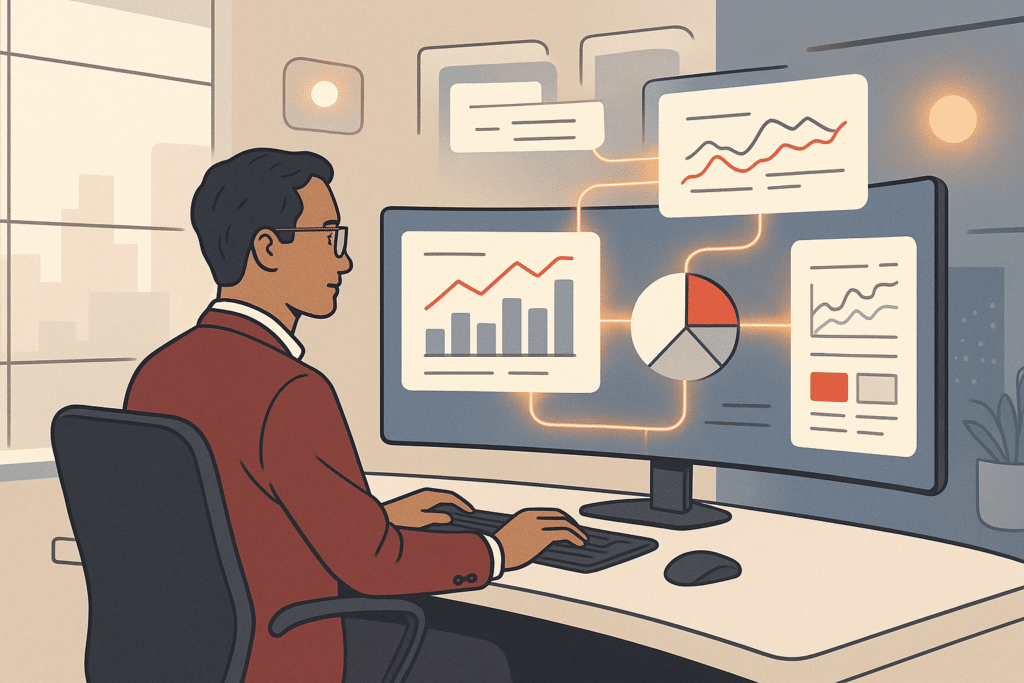
A founder I worked with spent four hours every Monday morning pulling numbers from three different tools by hand. The goal was one report nobody fully trusted. That's the kind of quiet drain ai for business operations is built to remove. Not flashy automation for its own sake, but systems that cut the manual work and connect the pieces your team already uses. By the time that founder finished the report, half the morning was gone and the numbers were already stale, because the source tools had moved on while the spreadsheet sat frozen. Multiply that across a year and it's roughly two hundred hours spent producing a document people quietly second-guessed. This guide walks through what AI for operations actually does, where it pays off fastest, the real risks, and how to choose an approach that fits how your business runs.
What AI for business operations means
AI for business operations means using systems that read your data, spot patterns, and act on them. The work no longer waits for a person to do every step by hand. That covers machine learning models that flag anomalies, a large language model that drafts replies or summarizes documents, and workflow automation that moves information between tools without copy-pasting. The point isn't the technology label. It's removing the manual work that slows your team down. An ai solution for business operations is, at its core, a set of scalable systems built around how your business actually operates, not a product you bolt on and hope it fits.
According to McKinsey's research on generative AI, a large share of organizations now use AI in at least one business function, with operations among the most common. What happens is straightforward. Tasks that used to need a person reading, deciding, and updating get handled by a system that learns from your historical data. This matters because operations is where repetitive tasks pile up quietly, and where small inefficiencies compound as you grow. A ten-person company can absorb a sloppy handoff; a forty-person company finds the same workaround has quietly become three roles' worth of effort and a recurring source of errors nobody owns.
The mechanism is simple: a manual step that takes one person three minutes becomes a thirty-second decision the system makes consistently, every time, without fatigue or drift. Multiply that across hundreds of daily tasks and the compounding is what frees up real capacity. The distinction worth holding onto is between traditional software, which follows fixed rules you have to write and maintain, and AI systems, which adapt to patterns in your data. Traditional automation breaks the moment an input falls outside its rules. Picture a rule-based script that expects an invoice number in a specific spot; the day a supplier changes its template, the script silently fails and someone spends an afternoon figuring out why the numbers don't tie. AI business solutions handle the messy edges that make real business workflows resistant to rigid logic, reading intent rather than following a brittle checklist.
Ways AI improves and transforms operations management
Good operations management is about flow: information moving cleanly, decisions made on time, work not getting stuck. AI improves each of those. It speeds up routine processing, catches errors before they spread, and surfaces patterns buried in data your team already collects but rarely looks at. Harvard Business Review's research on operational efficiency and process improvement consistently points to flow and clearly scoped fixes as where real gains in operations management come from.
The practical wins fall into a few buckets. Workflow automation removes the handoffs where things get dropped. Business analytics turns scattered numbers into something a leader can act on. Predictive maintenance flags equipment issues before downtime, and quality control models catch defects faster than spot-checks. A 2024 Deloitte report on enterprise AI adoption found that companies tie the strongest results to clearly defined use cases rather than broad ambitions. Many assume AI in operations means a single dramatic overhaul. In reality, it's usually a series of targeted fixes to specific operational bottlenecks, the kind of practical AI workflows that work for small businesses. Each one gives back hours that used to disappear into manual processes. A manufacturer might start by flagging machine vibration before a bearing fails, then add a model that catches packaging defects. Neither is a moonshot; both quietly remove a recurring source of downtime or scrap.
The reason scoped fixes beat broad ambitions is straightforward: a narrow use case has a clear input, a clear output, and a measurable result, so you can tell within weeks whether it works. A sprawling transformation has none of those, which is why it stalls, burns budget, and leaves a leadership team wary of the next proposal. An effective ai solution for business operations starts where the pain is sharpest and the data is cleanest, then expands once the first win is proven. This is the difference between a system that earns trust and one that becomes shelfware nobody opens after the launch demo.
Workflow automation and removing manual/repetitive work
This is where most businesses see the first real time savings. Workflow automation takes a sequence of steps and runs it without anyone touching a spreadsheet. Say a new order comes in, gets logged, triggers a confirmation, updates inventory, and notifies the right person. What used to be five manual handoffs becomes one automated flow that runs the same way every time, and those time savings compound across the week.
Most teams underestimate how many manual processes are dressed up as "just how we do things." Copying data between systems. Re-typing the same email. Chasing approvals. None of it needs judgment, and all of it eats hours. Think of the operations manager who spends the last hour of every day forwarding the same status updates to three departments, or the bookkeeper who exports a CSV, reformats it, and re-imports it every morning. McKinsey's studies on automation and the future of work estimate that a meaningful share of these activities can be automated, freeing people for higher-value tasks. Automation handles the predictable parts so your people focus on the work that actually needs a human.
Consider a small accounting team that closed its books five days into every month. The bottleneck wasn't skill, it was three people manually reconciling transactions across a bank feed, an invoicing tool, and a spreadsheet. When that reconciliation was automated, the close dropped to two days and the errors that triggered re-work disappeared. The downstream effect was bigger than the two days saved: the finance lead stopped firefighting and started reviewing margins. The point of that example is the pattern: the slowest part of the process was the handoff, not the thinking.
The goal isn't more software. It's less manual work. A practical approach maps where manual effort and repetitive tasks cluster, then automates the highest-volume ones first. AI agents extend this by handling steps that involve light decision-making, like routing a request based on its content. There's a whole class of generative AI solutions designed to remove manual work like this. Built around your real business workflows, automation reduces administrative overload without forcing your team to learn a new tool, because the best automation runs in the background of tools they already use.
Real-world examples and use cases of AI in business
A mid-size property management firm I know was drowning in tenant emails. Maintenance requests, payment questions, and lease queries all landed in one inbox and got triaged by hand. They built an ai assistant that read each message, categorized it, pulled the relevant account details, and drafted a reply for staff to approve. Response time dropped from two days to under two hours, and one part-time admin role's worth of work disappeared from the queue. Just as important, urgent maintenance requests stopped getting buried under routine payment questions, which meant fewer angry follow-up calls and fewer small problems turning expensive.
Other common use cases follow the same pattern. A service business uses intelligent document processing to pull data from invoices and contracts automatically, sparing a team from keying line items by hand and catching the mismatched totals that used to slip through. A multi-location retailer uses demand forecasting to keep shelves stocked without overordering, so the busy store stops borrowing stock from the quiet one. A professional services firm uses generative ai to summarize long client documents and draft first-pass reports, turning a two-hour slog into a fifteen-minute review.
The thread connecting all of them is simple. Each started with a specific, painful operational bottleneck, not a vague desire to "use AI." That's what separates ai for small business that sticks from work that gets abandoned after a month, and it's why small business owners who scope tightly see the strongest returns. Broader U.S. small business data underscores just how many founder-led companies operate with thin margins for wasted effort, which is exactly why a tightly scoped first win matters so much. The best solutions earn trust by fixing one concrete problem first. The reason this works is that a single solved problem produces a number people can see, and a visible win buys patience to tackle the next. Once the property firm's inbox calmed down, nobody needed convincing to automate the lease-renewal reminders too.

AI tools and solution categories for operations
The landscape of ai tools sounds messy until you sort it by what job it does. A few categories cover most operational needs. Gartner's industry analysis of business process automation is a useful way to ground these categories in independent research rather than vendor claims.
First, automation and integration platforms that connect your existing systems and move data between them. Second, document and language tools built on a large language model, used for reading, summarizing, drafting, and intelligent document processing. Third, analytics and forecasting models that power demand forecasting, business analytics, and data-driven decisions. Fourth, agentic ai and ai agents that carry out multi-step tasks with some autonomy, like resolving a routine request end to end.
Most businesses don't need all four. They need the one or two ai tools that match their actual problem. The mistake is starting from the tool, falling for a slick demo, then spending months bending a real process to fit a product never built for it. The better path starts from the bottleneck, then picks the category that fits. Internal tools and custom-built systems often combine elements from several categories into one of your business workflows, an integration platform to move the data, a language model to interpret it, and a small agent to act on it. A real process rarely fits neatly into a single off-the-shelf product. This is why ai business solutions are usually assembled around the work, not the other way around: the process defines the system, not the vendor's feature list.
Demand forecasting, inventory and supply chain optimization
If you carry stock, this is often where AI pays for itself fastest. Demand forecasting models look at your sales history, seasonality, and external signals, then predict what you'll actually need. No more relying on gut feel or last year's numbers, which never account for the new product line or the supplier that now ships a week slower.
Better forecasts feed directly into inventory management. This matters because every unit of overstock ties up cash and storage, while every stockout is a lost sale and a frustrated customer who may not come back. AI narrows that gap by adjusting predictions as conditions change. One distributor cut excess inventory noticeably within a season by replacing manual reorder rules with a model that learned demand patterns per product, freeing up working capital that had been sitting on shelves. Sharper inventory management means less cash frozen on shelves.
Supply chain optimization extends the same logic across the whole chain: which supplier, what quantity, what timing. Machine learning spots the patterns a human planner can't track across hundreds of SKUs, the seasonal item that always arrives late, the supplier whose lead times stretch every December. Results vary based on your data quality and existing processes, but the direction is consistent: less guesswork, fewer emergencies, and tighter operational efficiency across purchasing and fulfillment. The planner stops living in firefight mode and starts deciding a week ahead instead of a day late.
AI for decision-making and business analytics
Most companies have plenty of data and almost no time to make sense of it. Business analytics powered by AI closes that gap. It turns raw operational data into something a leader can act on in minutes, not days, and gives small business owners the same operational visibility larger firms take for granted.
This is where decision-making changes character. Instead of waiting for someone to build a monthly report, you get continuous visibility into what's happening and why. The system flags the metric that moved, not just the number, so a leader sees that margin slipped because freight costs jumped in one region, not just that the bottom line is down. Data-driven decisions become the default rather than a quarterly exercise.
What actually happens is the analysis shifts from "pull the data, format it, interpret it" to "the data is already interpreted, now decide." That removes a reporting lag that leaves leaders reacting late, the kind of lag that means you discover a problem in April that started in February. AI also handles the cross-system reconciliation that makes most reports untrustworthy, pulling consistent numbers from disconnected tools so the sales figure in one system finally matches another. The result is operational visibility that supports faster, better decisions, grounded in what your business is actually doing rather than what last month's spreadsheet claimed.
AI in customer service and support
Customer service is the most visible place AI shows up in operations, and one of the easiest to get wrong. Done badly, it's a frustrating chatbot loop that traps a paying customer in an endless menu. Done well, it quietly removes the repetitive tasks that bury support teams.
Here's the practical model. An ai assistant handles routine, high-volume questions instantly, things like order status, basic troubleshooting, and account details. Anything complex routes to a human with full context attached, so the customer doesn't have to repeat their problem three times to three different people. That mix matters. Customers get fast answers, and your team stops re-typing the same response forty times a day.
Many businesses worry this replaces their support staff. In reality, it shifts them away from repetitive work toward the conversations that actually need judgment and empathy, the upset long-time client, the unusual edge case, the complaint that needs a real apology. Generative ai can also draft replies for staff to review, which keeps quality high while cutting response time. The measure of success isn't deflection rate. It's whether customers get resolved faster and your team spends its hours on work that matters, not on copy-pasting the same shipping policy for the hundredth time.

Risks, challenges and limitations of adopting AI
- Messy or inconsistent data leads to poor AI outcomes
- Adding disconnected tools worsens system fragmentation
- Over-automation can misfire on sensitive tasks
- Adoption failure if team won’t use the system
- Expecting AI to replace human judgment is unrealistic
AI is not magic, and pretending otherwise is how projects fail. The honest list of ai adoption risks starts with data. If your information is messy, scattered, or inconsistent, an AI system will produce confident nonsense. Garbage in, garbage out still applies. A forecasting model fed three years of inconsistent product codes will hand you precise-looking numbers that are quietly wrong, which is worse than an honest guess. This is exactly why more software usually isn't the fix for data problems.
The second risk is bolting on another disconnected tool. Adding generic AI software to a fragmented stack usually makes the fragmentation worse, not better. You end up with one more system that doesn't talk to the others, and one more login your team quietly stops using by month two. The fix is to solve the underlying problem: connect what you have and automate the workflow, rather than buying another standalone product that recreates the same silo under a smarter-sounding name. Process improvement comes from connecting first and adding second.
The third risk is over-automating work that genuinely needs a human. Not every decision should be handed to a model. Hand a sensitive customer escalation or a one-off pricing exception to an automated flow and you'll spend more time cleaning up the misfire than you saved. The honest rule is to automate the predictable, high-volume tasks and keep judgment-heavy work with your people, with the AI feeding them better information. Expecting a system to replace human discernment is where unrealistic automation promises go to die.
The fourth risk is adoption itself. A technically sound system your team won't use is a failed system, no matter how clever the model behind it. This is why technology
Getting started and choosing the right AI approach
Start with the problem, not the technology. Before evaluating any AI tool, map where your team loses time, where errors creep in, and where decisions stall waiting for information. The right approach often isn't the most advanced one. It's the one that fits your existing workflows and delivers measurable results within weeks, not quarters. Identify one high-friction process, define what success looks like in concrete terms, and build from there. AI works best when it targets a specific operational gap rather than serving as a vague upgrade you hope pays off later.
Custom-built AI systems vs off-the-shelf software
- Models business operations accurately
- Automates around real workflows
- Better fit for unique processes
- Higher return on investment
- Solves common problems effectively
- Standardized solutions for many businesses
- May require manual workarounds
- Can erode time savings
Off-the-shelf software solves common problems in standardized ways, which works well until your process doesn't fit the template. Most growing businesses end up bending their operations to match the tool, adding manual workarounds that quietly erode the time the software was supposed to save. Custom-built systems flip that logic. They model how your business actually runs and automate around your real workflows. The decision comes down to fit. If your processes are genuinely unique or your competitive edge lives in how you operate, a custom system usually returns far more than the convenience of buying something prebuilt.
Reducing founder dependency and improving operational visibility
When critical decisions and knowledge live in the founder's head, the business can't scale and can't function without them. The fix isn't hiring more people to ask more questions. It's building systems that capture how decisions get made and surface the right data automatically. Documented workflows, clear dashboards, and AI that flags exceptions let teams act without waiting for approval on routine matters. The result is operational visibility for everyone and freedom for the founder to focus on strategy. You stop being the bottleneck and start running a business that holds together on its own.
Connecting disconnected systems and integrating internal tools
Most businesses don't suffer from too few tools. They suffer from tools that don't talk to each other. Data gets copied between a CRM, a spreadsheet, an accounting platform, and an inbox, and every manual transfer adds delay and risk of error. Integration removes that friction by letting your systems share information automatically, so a sale updates inventory, triggers an invoice, and notifies the team without anyone touching a keyboard. The goal isn't a tidier tech stack. It's a single connected operation where information flows where it's needed and your people stop acting as human bridges between software.
Frequently Asked Questions
What is an AI solution for business operations and how does it actually work?
It's a system that uses technologies like machine learning, natural language processing, and workflow automation to handle, optimize, and connect business processes. In practice, it collects data from sources like customer interactions and operational logs, identifies patterns, and then automates repetitive tasks so your team spends less time on manual work.
How does AI improve operational efficiency day to day?
AI removes repetitive work by automating routine tasks, reduces errors that come from manual handling, and surfaces insights from data your team already collects. Common examples include automating customer inquiries, optimizing inventory against demand, and giving leaders clearer visibility into performance.
How is AI different from the traditional software we already use?
Traditional software follows fixed rules and produces the same output every time, which makes it reliable but rigid and dependent on manual updates. AI systems learn from data and adapt to new conditions, so they fit better when your workflows change or when off-the-shelf tools can't match how your business actually operates.
Is investing in AI for operations actually worth it for a small business?
Adoption suggests many owners think so: 58% of small businesses used generative AI tools in 2025, up from 40% in 2024, according to Kiplinger. The value comes from automating routine tasks and freeing your team for higher-value work, but the return depends on solving a real operational bottleneck rather than buying software for its own sake.
What if AI just adds another disconnected tool to our stack?
That's a real risk if you bolt on generic software instead of fixing the underlying problem. A custom-built system is designed around how your business already operates and connects your existing tools, so it reduces fragmentation instead of adding to it.
Do I need a technical team to implement an AI solution?
No. Most operational AI is built and managed for you, and the goal is outcomes like less manual work and better visibility, not requiring your team to understand automation architecture. The right partner explains the system in business terms and handles the technical setup.
Where does AI deliver the fastest wins in operations?
The clearest early returns usually come from high-volume repetitive tasks: handling routine customer inquiries, reconciling data across disconnected systems, and turning scattered data into accessible reporting. These areas reduce administrative overload and reduce dependency on any one person holding all the knowledge.
How do I know which process to automate first?
Start with the workflows that take the most manual effort, get repeated most often, or create bottlenecks as you grow. Mapping where information lives across multiple tools usually reveals the tasks where automation saves the most time.