

In many logistics companies, three staff spend most of their week copying order data between a spreadsheet, an email inbox, and their accounting tool. Nobody questions it because that’s just how it has always worked. That’s the real opportunity for ai in business: not chasing a trend, but removing the repetitive work quietly draining your team’s hours. This article walks through where AI actually helps, which use cases pay off first, and how to start without disrupting how your business already runs.
What artificial intelligence in business means
At its core, ai in business is software that learns from your data to handle tasks that used to need a person. Think sorting requests, predicting demand, drafting replies, and flagging anomalies. It isn't one product. It's a set of capabilities you point at specific business processes. The McKinsey Global Institute has tracked how organizations move from experiments to measurable gains in operational efficiency. The pattern is consistent: value comes from applying AI to a defined problem, not from buying a tool and hoping. McKinsey's research on AI adoption across business functions reinforces this, showing gains come from targeted use, not broad experimentation. Think of it as removing manual tasks and giving leaders clearer visibility into business operations, not as a sweeping transformation. If you're still weighing where to begin, our guide on where to actually start with AI breaks the decision down step by step.
Core AI technologies (machine learning, NLP, generative AI, predictive analytics)
Four technologies do most of the heavy lifting. Machine learning spots patterns in historical data and uses them to predict outcomes. That powers predictive analytics for things like sales forecasting. Natural language processing lets AI systems read, understand, and respond to text, so it handles emails, support tickets, and documents. Generative AI, built on a large language model, drafts content, summarizes long reports, and answers questions in plain language. The reason these four matter more than the rest is simple: each maps directly to a category of manual work, so picking the right one starts with naming the task, not the technology. The Stanford Institute for Human-Centered AI publishes an annual index tracking how fast these capabilities mature. You don't need the math, just which one fits which job.
AI use cases and real-world examples across business functions
AI use cases land in nearly every department once you look for them. In customer service, chatbots using natural language processing handle routine questions around the clock and route the rest to staff. Marketing teams use generative AI to draft campaigns and personalize outreach. Finance uses predictive analytics for sales forecasting and cash-flow planning. Operations runs supply chain optimization to predict stock needs and avoid shortages, and the same supply chain optimization logic flags reorder points before you run short. For non-technical leaders figuring out where to begin, Harvard Business Review's coverage of practical AI implementation offers grounded, outcome-focused analysis rather than hype. A professional services firm we worked with cut its proposal turnaround from two days to two hours by combining a large language model with their CRM data. The strongest AI use cases share one trait: they attack a repetitive, measurable task. We dig deeper into how generative AI removes manual work if you want concrete examples.
Benefits of AI for business (efficiency, cost, decision-making)
The benefits of AI show up as three things you can measure. Increased productivity follows, because staff stop doing repetitive manual tasks. Cost reduction follows too, because fewer hours go into work a system can handle. And decision-making gets sharper, because scattered data turns into something leaders can act on. Most operational cost hides in small repeated tasks nobody tracks. Automate those, and cost reduction arrives without adding headcount. Many assume AI mainly cuts jobs. In reality, a bigger benefit of AI is freeing people from low-value work so they handle things that need judgment. If you want numbers behind this, our breakdown of how to calculate ROI on AI automation projects walks through the math.

AI for operations and workflow automation
This is where ai in business earns its keep for most teams. Workflow automation connects the internal tools you already use so data moves on its own instead of being copied by hand. An AI agent can read an incoming order, update your system, notify the right person, and log it, with no human touching it. The goal isn't more software. It's less manual work, which drives increased productivity across the team. When workflow automation removes bottlenecks, your team stops being the glue holding disconnected systems together. That's where real time savings come from, and why automation aimed at business operations beats automation aimed at flashy demos.
Current state of AI adoption in business
AI adoption has moved past curiosity. Most mid-sized companies now use generative AI somewhere, even if informally through staff using ChatGPT. According to U.S. Census Bureau data on technology use among small businesses, adoption rates have been climbing steadily, though formal integration still lags casual use. The gap is between casual use and built-in AI systems that actually change business operations. Plenty of teams have a subscription but no real workflow automation behind it. Early AI adoption stalls when there's no clear process tied to a measurable outcome. The companies pulling ahead aren't using more tools. They've picked one or two high-friction business processes and built around them, then expanded from proven results.
Risks, challenges, and ethical considerations of AI
- Ensure data quality to avoid biased outputs
- Watch for integration complexity with existing systems
- Avoid over-automating processes needing human judgment
- Check local data privacy regulations before deployment
- Maintain discipline: clean data and involve people
The risks of AI are real but manageable. The biggest is data quality. Feed a system messy or biased data and it produces confident wrong answers, because a model can only learn from the patterns in front of it and has no way to know the inputs were flawed. The second is integration complexity, where AI tools don't connect to existing systems and create more manual tasks than they remove. Over-automating processes that still need human judgment is a third trap. Rules around data privacy and AI use vary by jurisdiction, so check your region's data protection regulations and consult a qualified advisor before deploying systems that handle sensitive information. The fix for most risks is simple discipline: clean data first, automate the right things, and keep people in the loop where judgment matters. Our take on why more software isn't the fix for data problems explains why the data groundwork comes first.
How to get started with AI in business
Start small and specific. List the tasks your team repeats most, then pick the one costing the most hours or causing the most errors. Map how that workflow runs today, end to end. Check whether the data it needs is clean and accessible, because that's usually the real blocker. Then apply AI or automation to that single process, measure the time savings, and only expand once it works. AI for small business succeeds the same way enterprise implementation does: one bottleneck at a time, proven before scaled. Don't buy a platform and reverse-engineer a use for it.
AI and competitive advantage / business strategy
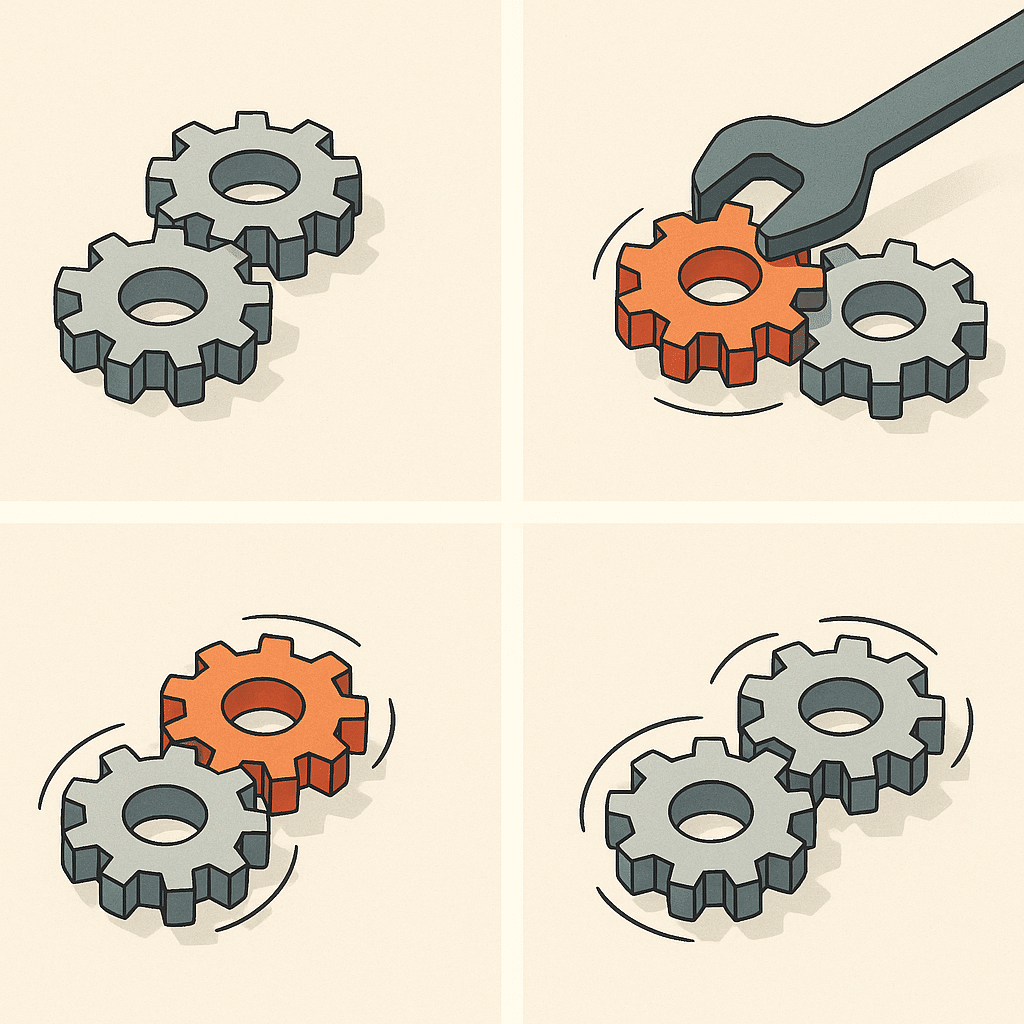
Competitive advantage from AI rarely comes from the technology itself. Anyone can buy the same tools, and ai for small business is no exception. The edge comes from how you wire them into your strategy: faster quotes, fewer errors, and decision-making based on current data instead of last month's spreadsheet. A small firm that automates its reporting can respond to customers while larger competitors are still pulling numbers together. The root cause of durable competitive advantage is operational speed, and AI compounds it. Treat AI implementation as part of strategy, not a side project, and it becomes hard for slower rivals to match.
Common AI terms and glossary for non-technical leaders
A quick translation for leaders who skip the jargon. Machine learning: software that learns patterns from data to make predictions. Natural language processing: AI that understands and writes human language. Generative AI: tools that create text, images, or code, usually powered by a large language model. Predictive analytics: using past data to forecast future outcomes like demand or sales. AI agents: systems that complete multi-step tasks on their own, and these AI agents chain steps that staff once handled by hand. Workflow automation: connecting tools so data moves without manual handoffs. You don't need deeper definitions than these to make good decisions about artificial intelligence in business.
Identifying operational bottlenecks before adopting AI
Before any AI implementation, find where work actually piles up. Operational bottlenecks usually hide in plain sight: the report that takes a full day, the inbox one person owns, the data re-entered across three internal tools. Ask your team where they wait, redo work, or chase information. Those friction points are your real targets. Process improvement starts here, not with a tool. Here's why this matters: applying automation to a process you haven't examined often just speeds up a broken workflow. Fix the underlying problem, then decide whether AI, integration, or simpler process improvement solves it best. A structured AI readiness audit of your operations is a good way to surface these friction points before you commit.
Custom-built AI systems vs. off-the-shelf software
- Designed around unique business operations
- Can pay back faster than multiple subscriptions
- Better fit for unique business processes
- Avoids forcing teams into rigid workflows
- Suitable for common, generic tasks
- May struggle with unique workflows
- Often perceived as cheaper and easier
- Can lead to underutilization of features
Off-the-shelf AI tools are fine for common, generic tasks. They struggle when your workflow doesn't match the way the software thinks. That's when custom-built systems make sense: solutions designed around how your business actually operates, not the reverse. Many owners assume custom-built means enterprise-only and expensive. In reality, focused custom-built systems aimed at one expensive bottleneck often pay back faster than stacking subscriptions you only half-use. When weighing these options, Gartner's guidance on evaluating AI and automation tools can help you assess fit against your actual requirements. The deciding question is fit. If your business processes are unique to how you compete, scalable systems built around them beat forcing your team to work the way an off-the-shelf product demands.
Reducing founder dependency and improving operational visibility with AI
Most early-stage companies run on the founder's memory. Pricing logic, client follow-ups, approval decisions, and process knowledge all live in one person's head, which creates a bottleneck that slows growth and makes the business fragile. AI changes this by capturing how decisions actually get made and turning that knowledge into systems anyone on the team can run. The real benefit is visibility. When workflows, data, and routine judgments are documented and automated, you can see what is happening across operations in real time instead of relying on status updates. The result is a business that functions whether the founder is in the room or not.
Frequently Asked Questions
What does artificial intelligence in business actually mean?
Artificial intelligence in business is the use of technologies like machine learning, natural language processing, and predictive analytics to automate repetitive tasks and surface better decisions. In practice, it shows up in areas like customer service chatbots, marketing personalization, and forecasting:working inside your existing business workflows rather than replacing them.
How does AI improve day-to-day operations and decision-making?
AI analyzes large volumes of structured and unstructured data to spot patterns people miss, which speeds up and sharpens decisions. On the operational side, it automates routine processes to reduce manual work, cut errors, and remove bottlenecks that slow your team down.
Which AI tools make sense for a small or mid-sized business?
Common starting points include ChatGPT for drafting and analysis (free tier, with paid plans around $20-$25/user per month) and tools like Canva AI for design and HubSpot for marketing and CRM. The better question is which tasks are eating your team's time:then choose tools, or a custom-built system, around those specific bottlenecks.
Is AI in business actually worth the investment, or is it hype?
It's worth it when it targets a measurable problem:hours lost to manual data entry, slow reporting, or repetitive customer requests:rather than being adopted for its own sake. Most businesses don't need more software; they need systems that remove unnecessary manual effort, so ROI comes from time saved and fewer errors, not from owning the latest tool.
What if our data is messy or scattered across different tools?
Poor data quality is one of the most common blockers, which is why assessing data availability comes before any AI rollout. Disconnected systems usually need to be integrated first so information flows in one place:often that integration delivers more value than the AI itself.
How should a company start implementing AI into its workflows?
Begin by identifying the processes with the biggest pain points, then map how those workflows currently run and check whether you have clean, accessible data to support them. Start with one high-friction process where AI can deliver measurable time savings, prove it works, then expand.
What are the main risks of using AI in business?
The biggest risks come from acting on poor-quality data, over-automating processes that still need human judgment, and adopting tools that don't connect to your existing systems. These are manageable when AI is built around how your business actually operates and aimed at solving the underlying problem.
Why is AI becoming important for modern businesses?
AI lets teams hand off repetitive work and focus on higher-value activities, while 24/7 chatbots improve response times and lower service costs. It also gives leaders clearer visibility into operations by turning scattered data into actionable insight.