

A five-person operations team at a property management firm spent eleven hours a week copying tenant details from email into three different systems. Nobody enjoyed it, mistakes slipped through, and the founder kept getting pulled in to fix them. Picture the actual sequence: a prospective tenant emails their contact details and rental history, someone reads it, opens the leasing platform and types it in, then opens the accounting tool and types the same details again, then opens the maintenance system and does it a third time. Multiply that by dozens of inquiries a week, and the eleven hours make sense. Worse, because the same information was entered three separate times, a single typo in one system meant the three records no longer matched, and reconciling them ate even more time. That's the exact kind of drain AI workflow automation is built to remove: the repetitive, low-judgment work that eats hours without adding value. This article breaks down what the technology does, how it differs from older rule-based systems, where it helps across departments, and how to choose tools that fit how your business really operates.
What is AI workflow automation (definition)
AI workflow automation runs a sequence of business tasks from a trigger event through to a final action. Along the way, it lets AI interpret messy inputs and make decisions. Older workflow automation followed strict if-this-then-that rules. Add a machine learning model or natural language processing into that chain, and the system can read an unstructured email, pull out the details, decide what happens next, and route the work without someone sorting it first.
The distinction matters because most real business workflows aren't tidy. A customer message doesn't arrive as a clean database field. It arrives as a paragraph with a question buried in the middle, sometimes with three questions, sometimes with the actual request tucked into a postscript after an unrelated complaint. A supplier confirms an order in one line and mentions a delivery delay in the next. A job applicant attaches a resume in a format nobody expected. AI automation handles that ambiguity, which is why it can cover work that traditional automation would kick back to a person.
Consider what this looks like in practice. A distribution company we've seen route its order confirmations manually was losing a full day each week because staff had to open every supplier email, find the order number, and paste it into the ERP. The format changed from supplier to supplier, so a rigid rule couldn't cope, and one mistyped number would hold up a shipment. One supplier put the order number at the top, another buried it in the subject line, a third wrote it inside a paragraph of shipping notes. A rule looking for a fixed pattern could match one supplier's layout but never all of them, so staff ended up handling everything by hand anyway. This is the ambiguity gap that AI agents close: reading varied text and pulling the right field without a human sorting it first.
Adoption has moved fast across operations teams. According to McKinsey's The state of AI report, a growing share of organizations now use AI in at least one business function. Automation of repetitive tasks is among the most common early wins, partly because these tasks are easy to point at and measure. For small business owners, the appeal is simple: less manual work, fewer things falling through the cracks, and business workflows that keep moving without constant supervision. When an owner can stop personally checking whether an invoice was entered or a lead was logged, that mental load lifts too. The goal isn't more software. It's systems built around how your business actually operates.
How AI workflow automation works
At its core, an AI workflow has three parts: a trigger, a set of steps, and an action. Something happens, an invoice lands in an inbox, a form gets submitted, a support ticket opens. That trigger kicks off a chain of steps where the system reads the input, applies logic, and decides what to do. The action is the result: an updated record, a routed request, a drafted reply waiting for approval. Think of it as the same sequence a staff member follows, only the routine parts happen without anyone lifting a finger.
What makes it "intelligent" is what happens in the middle. Instead of matching exact keywords, machine learning models classify inputs, and natural language processing reads free text. The workflow adapts based on real-time data rather than a fixed script. Some setups use ai agents that chain several decisions together, checking a database, comparing options, then choosing the next step. For example, an agent handling a refund request might first check the order date, then the return policy, then confirm the customer's account standing, and only then decide whether to approve the refund or flag it for a manager. Each of those checks used to be a person opening a tab.
This matters because variability is where old automation fails. A rule-based system needs every scenario mapped in advance, so the moment an input drifts from the expected pattern it stalls. An AI-driven one can generalize from patterns, which is why a slightly different invoice format doesn't stop the process. If a vendor changes their invoice template overnight, a rule-based system looking for the total in a specific spot simply stops finding it, while a system reading meaning still knows which number is the amount due.
You don't need to build this from scratch. No-code platforms and low-code ai workflow automation tools handle the setup through pre-built integrations, so you can automate workflows without writing code. Deloitte's Tech Trends work has tracked how these intelligent workflows are becoming standard operating infrastructure rather than experimental projects. Human oversight still sits on the decisions that carry real risk. The point isn't to hand over judgment; it's to remove the repetitive steps that lead up to a judgment call, so your team spends its attention where it counts. A finance manager still approves the large payment, but no longer spends twenty minutes gathering the documents needed to make that call.
AI automation vs. traditional/rule-based automation
- Rigid and relies on predefined instructions
- Breaks silently with unexpected inputs
- Effective for predictable, stable environments
- Cannot handle variability or exceptions
- Adds judgment and context interpretation
- Handles exceptions autonomously
- Combines with rules for optimal workflow
- Reads meaning beyond exact wording
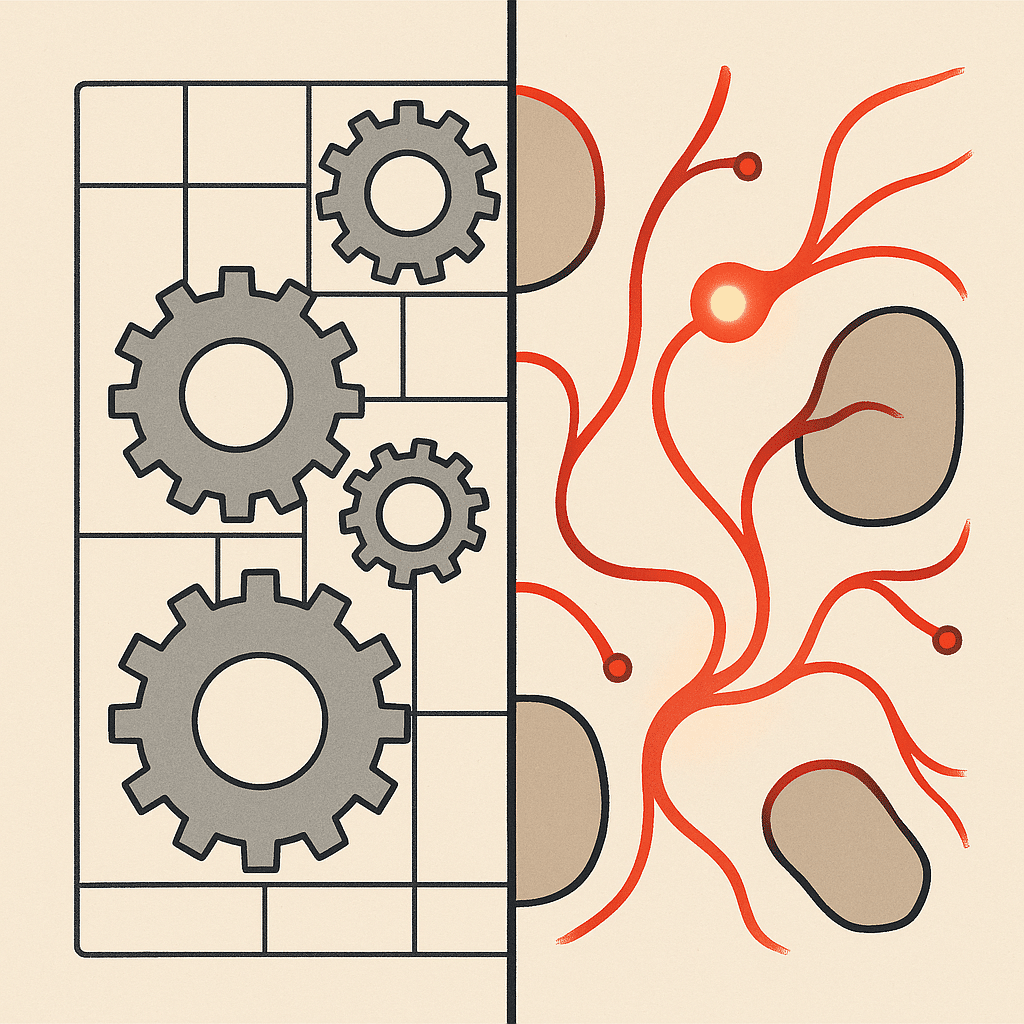
Traditional automation is a set of instructions. If a value equals X, do Y. It's reliable, fast, and completely rigid. Robotic process automation, the classic form, mimics clicks and keystrokes across screens to fill forms or move data. It works well until an interface changes or an input arrives in an unexpected format, and then it breaks silently. That silent part is the danger. The process appears to run, but records stop updating, and nobody realizes until a report looks wrong days later.
AI automation adds judgment to that structure. Where rule-based process automation needs every path defined ahead of time, AI-driven systems interpret context and handle exceptions on their own. Many assume AI simply replaces traditional automation. In reality, the two work together: rules handle the predictable steps, and AI takes over the parts that require reading, classifying, or deciding. A well-designed workflow might use a simple rule to move a completed order into an archive folder, while relying on AI to first understand which incoming messages actually count as completed orders.
Here's a concrete difference. A rule-based system routing support tickets can only sort by exact tags. An AI layer reads the actual message, understands intent, and routes accurately even when the customer never used the "right" words. A customer who writes "I was charged twice and I'm not happy" never mentions the word "billing," but the AI layer still sends it to the billing queue instead of leaving it in a general inbox where it might sit for a day. That's the gap between structured-only and adaptive decision-making.
The root cause of most automation failures is variability that the original rules never anticipated. Traditional automation assumes a stable world. Business rarely offers one. Customers phrase things differently, vendors change formats, and new situations appear that nobody thought to write a rule for. This is why the strongest setups combine both approaches. Rules cover the routine, and AI absorbs the messiness, which keeps a workflow running instead of stalling on the first edge case.
A practical example makes the difference clear. Say a services firm has built dozens of rules to auto-sort inbound leads by keyword. It works for a while, then referral partners start sending leads in plain prose instead of the expected form fields, and the rules quietly misfile roughly a third of them. Nobody notices until the sales pipeline looks thin at month-end. By then, several warm referrals have gone cold because no one followed up in time, and the team had no idea those leads had arrived. Adding an AI layer to read the message and classify intent removes the silent failures, since the system no longer depends on exact words. That is the underlying reason adaptive systems hold up: they read meaning, not just format.
 ]*
]*
Benefits of AI workflow automation
The clearest benefit is time savings. When a team stops copying data between tools and manually sorting requests, those hours go back into work that actually moves the business. That's the practical case: remove repetitive work, and you free people for judgment-based tasks a machine shouldn't touch. The eleven hours the property team spent copying tenant details could instead go toward chasing overdue rent, resolving maintenance disputes, or simply responding to prospects faster than a competitor.
Fewer errors often follow close behind. Manual data entry produces mistakes at a predictable rate, and every mistake costs time to catch and fix downstream. Automating the entry and validation steps can reduce that friction and improve the reliability of your records. The mechanism here is simple: each manual handoff is a chance for a typo or a skipped step, so removing handoffs removes the error opportunities with them. A single mistyped bank detail on an invoice can mean a payment goes to the wrong account and hours of untangling; a validation step that checks the number against a known record catches it before it ever leaves the building.
Operational efficiency can compound as you connect more steps. A single automated workflow saves a few hours. A set of connected business workflows removes whole categories of manual work and gives leaders visibility they didn't have before, because the data now flows into one place instead of scattering across inboxes and spreadsheets. When a founder can open one dashboard and see every open invoice, pending lead, and unresolved ticket without asking three people, decisions get faster and less anxious. There's a fuller breakdown of the benefits AI brings to business operations worth reviewing alongside this.
There's a scaling angle too. Growth usually creates operational complexity faster than headcount can absorb it. Scalable systems let you handle more volume without proportionally more manual effort, which matters for founder-led businesses where too much sits on one person. When the founder is the bottleneck, every new client adds hours to an already full plate, and workflow automation is one of the few ways to break that link between growth and personal workload. A consultancy that doubles its client list shouldn't have to double the hours spent on intake paperwork and status updates, yet without automation that's often exactly what happens.
A fair note: results vary based on existing business processes, complexity, implementation, and team adoption. Automation doesn't fix a broken process; it accelerates whatever process it runs on. If your invoice approval process has unclear ownership and no consistent steps, automating it just makes the confusion happen faster. Solve the underlying problem first, then automate it. Done in that order, AI workflow automation supports real operational efficiency instead of adding another layer of tooling on top of the mess.
Use cases and examples across departments
The best way to understand AI workflow automation is by looking at where it removes manual work day to day. The use cases cut across nearly every function, and most teams recognize at least one of these in their own operations.
In customer support automation, incoming tickets get read, classified by intent, and routed to the right person or resolved with a suggested reply for review. That cuts response times without pushing customers into a frustrating loop. A password reset request can be answered instantly, while a complex complaint gets flagged and sent to a senior agent with the relevant account history already attached, so the customer doesn't have to repeat themselves.
For human resources workflows, resume screening, interview scheduling, and onboarding document collection are repetitive tasks that follow patterns. Automating them lets HR spend time on people instead of paperwork. Instead of a coordinator emailing back and forth to find a time that works for three interviewers, the system checks calendars and proposes slots; instead of chasing new hires for signed forms, it tracks what's outstanding and sends reminders on its own.
Finance and accounting workflows benefit heavily. Invoice processing, expense categorization, and reconciliation involve reading documents and matching data, exactly the kind of work AI handles well. One property management firm cut its weekly invoice-matching time from roughly nine hours to under two after connecting its accounting tool to an automated extraction workflow. It also caught duplicate charges the team had been missing, including one vendor who had been invoicing the same service twice under slightly different descriptions, which no one had spotted while matching by hand.
In IT and operations workflows, automated systems triage internal requests, flag anomalies in monitoring data, and handle routine provisioning. When a new employee starts, the system can create their accounts, assign the right access, and notify the relevant teams, instead of leaving it to someone to remember every step. Sales teams use it to enrich leads and update CRM records automatically, so reps stop losing time to data entry between calls and can walk into a conversation already knowing the prospect's company size and recent activity.
These examples share a pattern: high-volume, rule-heavy work with just enough variability that pure rules struggle. That's the sweet spot. The reason this pattern is worth targeting first is that the payoff is both large and measurable, since you already know how many hours the task eats today. The point across these use cases isn't replacing the team. It's clearing the repetitive layer so people focus on decisions and relationships that need a human, the parts of the job that actually require experience and judgment.
Best AI workflow automation tools comparison
There's no single best tool, only the right fit for your systems. Still, a few ai workflow automation tools show up repeatedly, and they serve different needs.
Zapier is the widest connector, linking over 7,000 apps with pricing that starts around $19.99 per month. It's the go-to for no-code workflow automation when you mainly need to move data between common apps without heavy custom logic. Its builder is approachable for non-technical users, so an operations manager can often set up a useful automation, connecting a form to a spreadsheet and a notification, in an afternoon.
Make (formerly Integromat) offers a more visual, multi-step canvas. If your business processes branch, loop, or transform data along the way, Make gives you more control over each step while staying accessible. When a workflow needs to take one path for orders over a certain value and another below it, that kind of branching is easier to see and manage here.
For technical teams, n8n stands out. It's a platform for no-code workflow automation and custom code alike, with a flexible visual builder, self-hosting options, and room for custom logic and integrations. Teams that outgrow the simpler tools often land here, especially when they need to keep data on their own servers or connect to an internal system that mainstream connectors don't cover.
Microsoft Power Automate makes sense for organizations already inside the Microsoft ecosystem, tying into existing internal tools and data. If your team already runs on Outlook, Teams, and SharePoint, the integrations are close at hand and the added cost is often modest.
The honest caveat: each off-the-shelf ai automation tool handles common patterns well, but they hit limits when your process is genuinely specific to how you operate. The reason is that connector-based tools are built for the patterns most businesses share, so the more unusual your workflow, the more you end up bending your process to fit the tool. A firm with a distinctive intake process or an industry-specific system may find itself adding manual workarounds just to keep the tool happy, which quietly reintroduces the manual work it was meant to remove. That's the line where custom-built systems start earning their keep. If you're weighing whether to assemble this internally or bring in help, the tradeoffs between an in-house build and a development partner are worth thinking through. Pick based on your actual integrations and complexity, not on which name you've heard most often.
 ]*
]*
How to implement AI in your workflows (steps)
If you're wondering how to implement AI workflows without turning it into a stalled project, the sequence matters more than the tools.
Start with an audit. Map how work actually moves through your team today, not how the org chart says it should. List the repetitive tasks, note how often each happens, and estimate the manual hours each one burns. This is where the biggest opportunities hide, and it's also where surprises turn up, like discovering that two people have been doing overlapping versions of the same task, or that a "quick" weekly report actually takes half a day once you add up the copying and formatting. Running an AI readiness audit of your operations gives you a structured way to do exactly that.
Next, prioritize. Pick the workflows that are high-volume, rule-heavy, and painful. Resist the urge to automate everything at once; a single well-chosen workflow that removes real manual hours builds more momentum than five half-finished ones. A visible early win, like cutting invoice matching from nine hours to two, also earns the trust of a skeptical team far better than a broad rollout that touches everything and finishes nothing.
Then start small and build a pilot. Choose one process, map the trigger, the steps, and the action, and run it alongside the manual version for a short window. Running both in parallel lets you catch the edge cases the map missed before anyone depends on the automation. You'll likely find a handful of inputs the system handles differently than a person would, and fixing those during the pilot is far cheaper than fixing them after the workflow is live and feeding into other systems.
Measure against the baseline you captured in the audit. Compare hours spent, error rates, and turnaround time before and after. Concrete numbers tell you whether the workflow earned its place and give you the case for the next one. They also protect the effort internally, because when someone asks whether the project was worth it, "we recovered seven hours a week and cut entry errors noticeably" is a far stronger answer than a vague sense that things feel smoother.
Keep humans in the loop on anything high-stakes. The goal is to remove repetitive work, not to hand off decisions that carry real consequences. Set clear checkpoints where a person reviews or approves before the system acts, and you keep the time savings without inheriting new risk. A workflow can gather and draft everything needed to send a large payment or fire off a contract, then pause for a human to give the final yes, which keeps the speed while keeping a person accountable for the decision that matters.
Finally, expand from what worked. Connect the proven workflow to adjacent business processes, and the operational efficiency compounds as more of the manual layer disappears. Once invoice extraction is reliable, the same data can feed reporting and vendor reconciliation, so each new connection reuses work you've proven rather than starting from zero. Built in this order, AI workflow automation removes the repetitive drain for good instead of becoming another abandoned tool.
How to evaluate and select the right tool
Start with the problem, not the product. Before comparing features, map the specific workflow you are trying to fix and define what a successful outcome looks like. Most tools look impressive in a demo but can fall short against real operational conditions, so test them against your actual data and edge cases. Ask three practical questions: Does it integrate with what you already use? Will your team actually adopt it? Does it reduce manual effort or just relocate it? The right tool is rarely the most powerful one. It is the one that fits your operations and delivers measurable results.
Future and trends in AI workflow automation
The shift underway is from isolated automations to connected systems that understand context. Early automation handled single tasks like sending an email or updating a record. The next phase uses AI agents that can reason across steps, pull from multiple sources, and make decisions inside a defined process. This matters because businesses do not run on single tasks, they run on end to end workflows. The practical takeaway is not to chase every new model release. It is to build systems flexible enough to adopt these capabilities as they mature, without rebuilding your operations each time.
Custom-built systems vs. off-the-shelf software
- Designed for average business needs
- Works well for standardized functions
- May not fit unique business processes
- Cost-effective for common tasks
- Tailored to specific business operations
- Addresses unique competitive advantages
- Higher initial cost but better fit
- Ideal for differentiating processes
Off-the-shelf software is built for the average business, which means it fits no business exactly. It works well for standardized functions like accounting or email, where your needs match everyone else's. The problem appears when your competitive advantage lives in a process that no generic tool understands. That is where custom-built systems earn their cost. They map to how your business actually operates instead of forcing your team to adapt to someone else's assumptions. The practical rule is simple: buy the commodity, build the differentiator. Custom problems rarely have off-the-shelf answers.
Identifying operational bottlenecks and founder dependency
Most bottlenecks hide inside the founder's head. If work stalls whenever one person is unavailable, that is not a staffing gap, it is a systems gap. Look for the approvals, decisions, and knowledge that only exist informally, because those are the points where your business cannot scale. The fix is not hiring more people to chase the founder. It is documenting the decision logic and building systems that execute it consistently. When a process depends on a person, it can break under growth. When it depends on a system, it holds up better. Start by tracking where work waits.
Connecting disconnected systems for operational visibility
Most businesses do not lack data. They lack a single place where that data makes sense together. Sales lives in one tool, operations in another, finance in a third, and no one sees the full picture without manual exports and spreadsheets. That gap is where decisions slow down and errors multiply. Connecting these systems is less about buying a dashboard and more about defining what you actually need to see and act on. When your tools share information automatically, visibility stops being a monthly reporting exercise and becomes a real-time operational advantage. Integration is the foundation, not the finish line.
Frequently Asked Questions
What does AI workflow automation actually mean?
AI workflow automation uses artificial intelligence to run sequences of business tasks with minimal manual input, from a trigger event through decision-making to the final action. Unlike rule-based automation, it can interpret unstructured inputs like emails or documents and adapt when conditions change.
How is this different from traditional business process automation?
Traditional business process automation follows fixed rules and only handles structured data, so it breaks when it hits an exception. AI workflow automation uses machine learning and natural language processing to manage variable processes and make context-aware decisions without manual intervention.
How do I get started with AI workflow automation in my company?
Start by auditing your current processes to find repetitive, high-volume, rule-based tasks that consume the most time. Then define what each workflow actually needs, such as data extraction or predictive analytics, and use that to guide which tools you build around and integrate.
Which tools can create AI workflows?
Zapier connects over 7,000 apps and starts at $19.99/month, while Make offers visual multi-step scenarios and n8n suits technical teams who want a flexible visual canvas. The right choice depends on your systems and how much custom logic you need, not on picking the most popular name.
Is AI workflow automation actually worth it, or just hype?
It's worth it when you have identifiable manual bottlenecks, since automating tasks like data entry and scheduling frees teams for higher-value work and reduces human error. If your processes are already tightly integrated and low-volume, the return may be limited, so start with the workflows that cost the most manual hours.
What if AI automation makes a wrong decision in my workflow?
Well-built workflows include human checkpoints for high-stakes decisions and clear rules for when the system should escalate rather than act on its own. The goal is to remove repetitive work, not to hand over judgment calls, so critical steps should stay under human review.
Should I choose AI workflow automation or RPA?
RPA suits stable, structured, rule-based tasks like form filling and report generation, but it's brittle and breaks when interfaces or inputs change. AI workflow automation is the better fit when tasks involve unstructured data or variable conditions that need adaptive decision-making.
Do I need technical skills to run AI workflow automation?
No-code platforms like Zapier and Make let non-technical business owners build automations by connecting apps visually, while tools like n8n give technical teams more control. Many businesses get the best results with custom systems built around how their operations actually work.