

A support team spends three hours every morning copying order details between a CRM, a shipping tool, and a spreadsheet. Nobody planned it that way. The work just piled up as the business grew. This is the kind of repetitive gap a custom ai agent is built to close. It reads your data, decides what to do, and takes the action itself instead of waiting for a human to click through five screens. This article explains what these agents are, how they work, how they get built, and how to tell whether your business is ready for one.
What a custom AI agent is (definition and core concept)
So, what is a custom ai agent? At its core, it is software built on a foundation model, one of the large ai models like GPT or Claude. It is wrapped in your business logic, connected to your tools, and given permission to act. A plain language model answers a question. An agent decides what needs to happen next and then does it: it pulls a record, checks a rule, updates a system, sends a message.
The word "custom" is doing real work here. Off-the-shelf assistants are configured through menus. A custom build is shaped around how your team actually operates: your data, your naming conventions, your approval steps. This is the difference at the heart of custom AI solutions built around how your business operates.
The reason this matters comes down to context. Generative ai models are only useful when they can see the right information and reach the right systems at the right moment. A generic tool cannot read your internal database or follow your compliance rules because it was never told they exist. That is the mechanism behind most agent failures: the model is capable, but it is blind to the data and rules that make a decision correct. If the terminology feels slippery, Gartner's definition of artificial intelligence offers a plain-language starting point.
For a grounding on the broader category, the National Institute of Standards and Technology's AI Risk Management Framework is a solid reference on managing autonomous ai responsibly. Many assume an agent is just a smarter chatbot. In reality, the defining trait is action, not conversation.
Custom AI agents vs off-the-shelf AI tools and chatbots
- Tailored to specific business needs.
- Control over internal logic and data handling.
- Essential for regulated sectors.
- Higher initial investment but long-term benefits.
- Quick and inexpensive setup.
- Limited customization and control.
- Suitable for common use cases.
- May not handle sensitive actions effectively.
The custom ai agents vs ai chatbots question usually comes down to ownership and fit. An ai chatbot answers questions from a script or a knowledge base. It is cheap, fast to set up, and fine for FAQs. But it does not touch your systems, and you do not control its internal logic. If you want to dig deeper, this breakdown of how AI agents differ from chatbots in real operations covers the distinction most readers ask about next.
Pre-built assistants like a helpdesk answer bot are ready-made SaaS products. You configure them through settings and templates. That is the appeal, and also the ceiling. When your workflow needs a proprietary integration or a domain-specific rule, a configured tool hits a wall. The reason is structural: a SaaS product is built for the average of thousands of customers, so anything specific to you sits outside what its settings can express.
Here is the honest version of custom ai agents vs ai chatbots: most small teams should start with off-the-shelf tools. They are cheaper and cover common cases. When you do decide to build ai agents instead, the custom route earns its cost only when the problem is specific to you.
What actually happens in regulated sectors is that generic tools cannot be trusted with sensitive actions. Banking, legal, and healthcare have rules that no template accounts for. The UK Information Commissioner's Office guidance on AI and data protection walks through why context and control matter when systems handle personal data. That is where custom agents stop being a luxury and start being the only workable option.
Core components of an AI agent (models, memory, tools, reasoning)
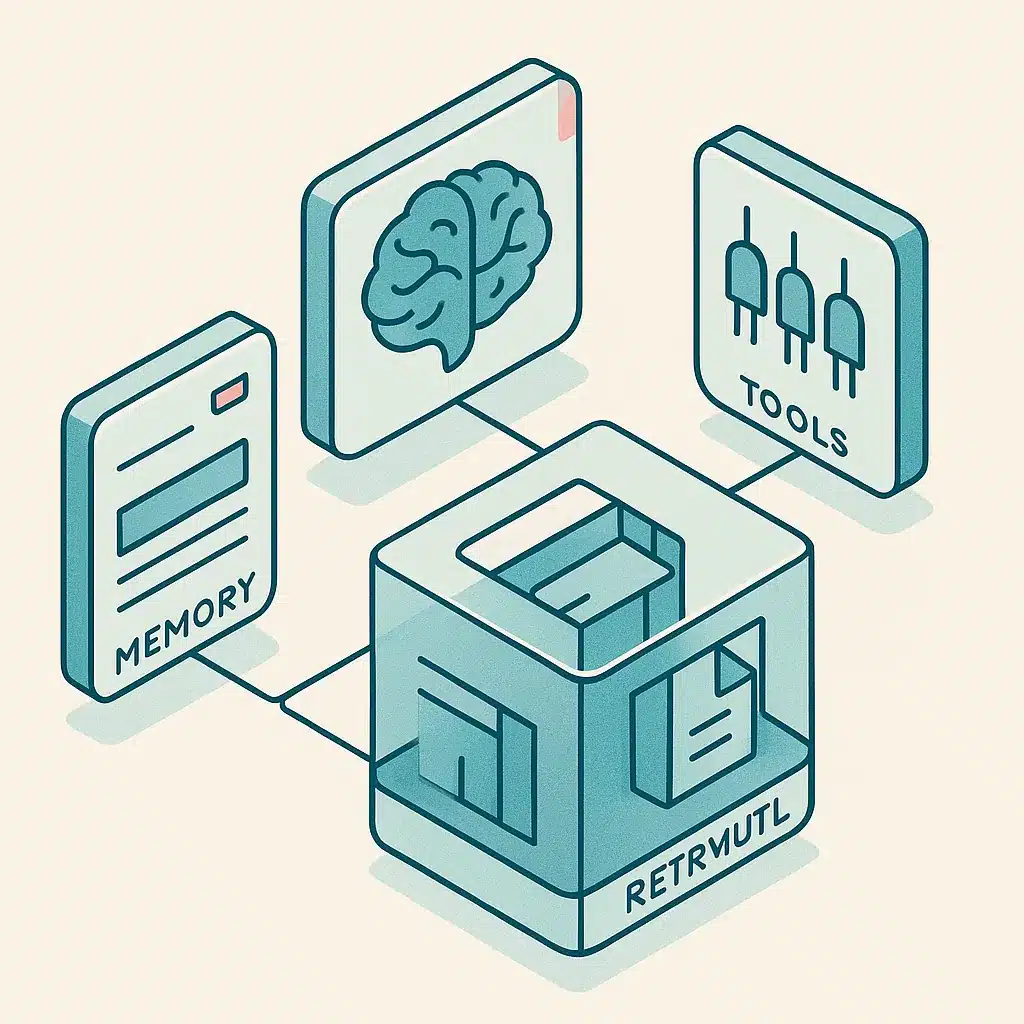
Strip away the marketing and every agent runs on the same four parts. Understanding them is understanding how ai agents work.
First, the reasoning engine. This is the underlying ai model that reads the situation and decides what to do next. It handles dynamic reasoning: not a fixed script, but a fresh judgment each cycle based on what it sees.
Second, ai agent tools. These are the action connections the agent can call: send an email, query a database, create a ticket, update a record. Without tool integration, an agent can only talk. With the right ai agent tools, it can work.
Third, memory. An agent needs to hold state across steps. Memory setup lets it remember what it already did in a task and, where useful, recall past interactions to personalize user experiences.
Fourth, knowledge. Agents pull facts through knowledge retrieval, often using a method that fetches relevant documents so the model answers from your data instead of guessing. Good retrieval is the difference between a confident wrong answer and a correct one, because the model can only reason over facts it is actually shown, so grounding it in your documents is what keeps its output tied to reality.
Prompt design ties these together. It shapes how the model interprets instructions and when it decides a task is finished.
How a custom AI agent works step by step
Here is how ai agents work in practice, one cycle at a time. The pattern is a loop: Observe, Plan, Act, repeat until the goal is met.
Take a common case: an agent handling a new customer refund request. First it observes. It reads the incoming email, pulls the order record, and checks the account status. Nothing is assumed. Every step starts with fresh information.
Next it plans. Using dynamic reasoning, the model decides the sequence: verify the order is eligible, confirm the amount, check the refund policy against the purchase date. If a rule blocks the refund, the plan changes on the spot.
Then it acts. The agent connects to your systems to process the refund, updates the CRM, and drafts a confirmation message. Each action produces a new result the agent observes before deciding whether the task is done.
The loop is the whole trick. A single-shot model answers once and stops. An agent keeps cycling, adjusting to whatever each step returns. That is why it can complete multi-step work that used to require a person babysitting three tabs. It is the practical form of AI workflow automation that removes repetitive work. When it hits something outside its rules, a well-designed agent pauses and hands off rather than guessing.
How custom AI agents are built (discovery, architecture, integration, testing)
Good ai agent development follows a sequence, and skipping steps is where projects fail.
It starts with discovery and scoping. Before anyone writes code, you map the actual workflow: what triggers it, what data it touches, where the bottleneck sits, and what "done" looks like. Discovery and scoping is where you decide whether an agent is even the right answer. Often a simple workflow automation solves the problem without an agent at all. If you want to see the full path, here is how we scope and build tailored AI projects from discovery to handoff.
Next comes model and architecture selection. You pick the ai models, the memory setup, and whether one agent or multi-agent systems fit the job. A heavier model is not automatically better. It is slower and pricier per call, so the right choice is the smallest model that clears the task reliably.
Then integration. This is the hard part: connecting the agent to your business systems through tool integration so it can read and write real data. Most of the effort lives here, not in the prompts. The reason is that every system has its own access rules, usage limits, and data quirks, and none of that shows up in a polished demo.
Finally, testing and deployment. You run the agent against real cases, watch where it errs, and tighten guardrails before you deploy ai agents into live operations. This is also where Bespoke Mind Ai's ai agent development work fits: building and integrating the agent around an existing process, then handing it off rather than leaving a demo behind. Rushing to production without this phase ships an agent that quietly corrupts records for a week.
Picture a wholesaler that skipped real-case testing and pushed an inventory agent live on a Friday. Over the weekend it misread a supplier's date format and marked dozens of in-stock items as discontinued, so the sales team spent Monday manually reversing every change and apologizing to buyers. The fix was not a smarter model. It was the testing phase that should have caught the format mismatch before launch.
Types of custom ai agents (single-task, multi-agent, autonomous, research)
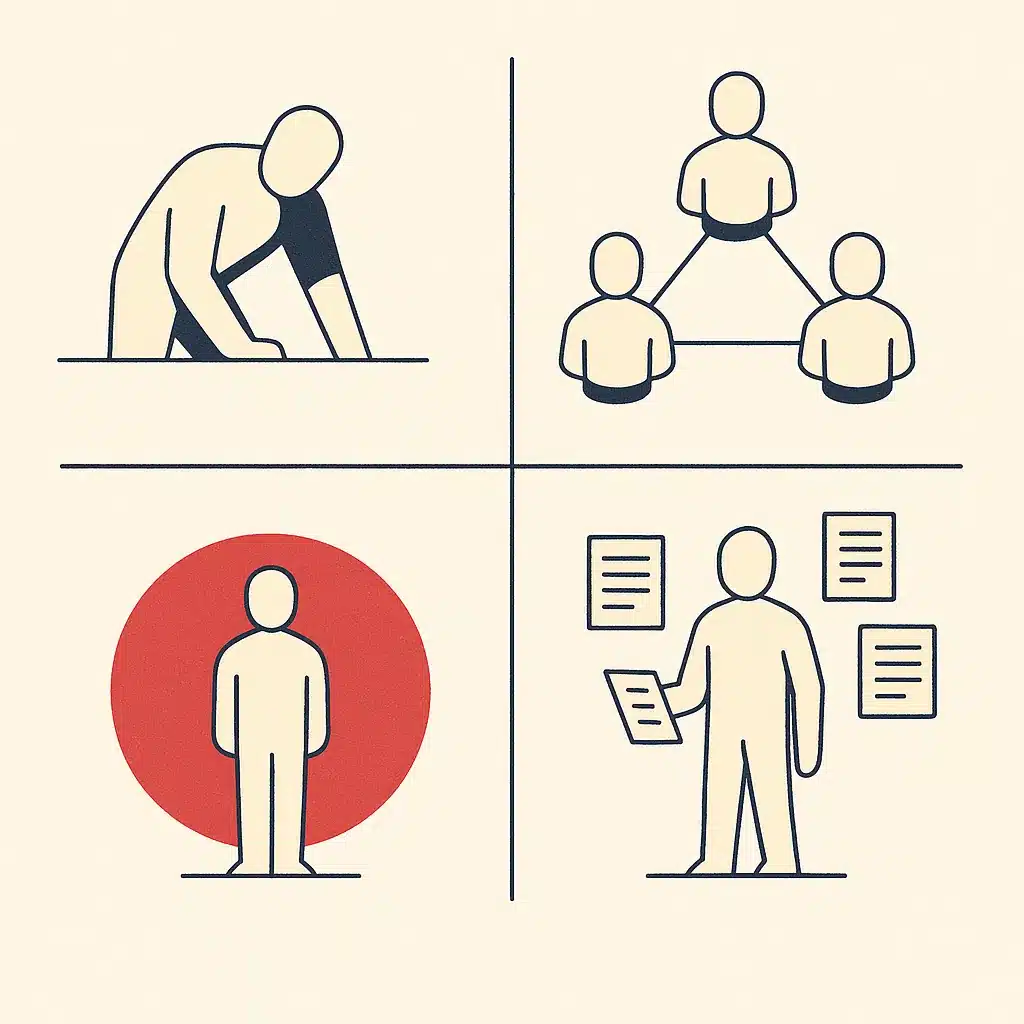
Not every job needs the same shape of agent. Knowing the types of custom ai agents keeps you from over-building.
The simplest is the single-task agent. It does one thing well: categorize incoming emails, draft replies, update a status field. Most businesses should start here. It is the cheapest to build and the easiest to trust.
Next are multi-agent systems. Instead of one agent doing everything, you split the work: one agent researches, another writes, a third checks the output. Each has a narrow role, and a coordinator routes between them. This fits complex workflows where a single agent would get confused.
Then there is autonomous ai. These agents run with less oversight, making decisions and acting across longer chains without a human approving each step. Useful, but you earn that autonomy through testing, not by default.
Finally, deep research agents. These specialize in gathering, comparing, and synthesizing information across many sources, then producing a structured summary. Think competitor analysis or pulling together everything known about a lead before a sales call.
The types of custom ai agents are not ranked by prestige. The right one is the smallest that solves your problem.
Common use cases and examples across business operations
Where do these agents actually earn their keep? Across business operations, the strongest use cases share one trait: repetitive, rule-based work that eats hours and blocks people from higher-value tasks. The Harvard Business Review on how generative AI augments work makes a similar point about freeing people for the parts of the job that need judgment.
Customer support is the obvious one. An ai chatbot on its own answers, but an agent triages incoming tickets, handles the routine 60%, and escalates the rest with context attached. A human never starts from zero.
Sales operations is another. An agent enriches new leads, logs them in the CRM, and drafts a first-touch email, all before a rep opens their laptop. That is real workflow automation, not a script that breaks the moment a field name changes.
Finance and admin teams use agents to reconcile invoices, flag mismatches, and chase overdue payments. Picture a services firm losing a day each week to manual invoice matching, where a single transposed figure means someone re-checks the whole batch. An agent that automates that reconciliation flags the mismatch on its own and frees a person for work needing judgment.
Internal operations benefit too. Agents can generate reports, update project trackers, and answer staff questions from internal docs through knowledge retrieval. That gives leaders visibility they did not have before.
The pattern across every example is the same: less manual work, faster cycle times, and better operational efficiency without adding headcount.
Integrating AI agents with existing business systems and data
An agent is only as good as its access. This step decides whether a project delivers or stalls.
Tool integration is what turns a clever model into a working system. The agent needs to reach your CRM, your billing platform, your ticketing tool, and your database. It needs permission to read and write in each. Every one of those connections is a small engineering job with its own quirks.
The root cause of most disappointing agent projects is messy data, not weak ai models. If order records live in three places with three different formats, the agent cannot reconcile them reliably. Unreliable input means unreliable action. Connecting business systems often exposes silos nobody had mapped.
This is where an honest readiness step pays off. Bespoke Mind Ai runs AI readiness audits and data assessments precisely to surface what needs cleaning or connecting before any build starts, which keeps scope realistic. That process of assessing whether your operations are ready for AI tends to save far more than it costs. Integration rules and data-handling requirements also vary by industry and jurisdiction. Anything involving personal, financial, or health data should be checked against the relevant data protection authority or a qualified professional before you deploy ai agents.
Done right, integration is what makes agents part of your actual operations rather than a demo that impresses in a meeting and breaks in production.
Benefits of building a custom AI agent for a business
The clearest benefit of a custom ai agent is blunt: less manual work. When an agent handles the repetitive middle of a process, your team stops spending mornings on copy-paste tasks and starts on work that needs a person.
Speed follows. A process that took a human two hours across four tools can run in minutes, and it runs the same way every time. That consistency is its own benefit. Agents do not get tired at 4pm and skip a validation step, because a machine applies the same checks on the hundredth run as on the first.
Visibility improves too. Because a well-built agent logs every action, leaders get a clean record of what happened and when. That is hard to get from manual work spread across inboxes and spreadsheets. To justify the spend, understanding how to calculate the ROI on an AI automation project turns those gains into numbers you can defend.
For an ai agent for smbs, the underappreciated benefit is that custom agents can grow into scalable systems. The same one that handles 50 orders a day may handle 500 without a proportional rise in cost, so growth stops creating chaos.
A fair caution: none of this is guaranteed. Results depend on your existing processes, how clean your data is, and whether your team adopts the system. The upside is real, but it is earned through good scoping and adoption, not switched on by installing software. When those conditions are met, the improvement in operational efficiency can be genuine and durable.

Human-in-the-loop, guardrails, and keeping agents reliable
Handing an agent the keys to your systems without controls is how trust gets destroyed on day one. Reliability is designed in, not hoped for.
The core safeguard is human-in-the-loop. For any high-stakes action, like refunding money, deleting records, or sending contracts, the agent proposes and a person approves. You give an agent autonomy on low-risk tasks and keep human-in-the-loop review on the ones that can cause real damage. Over time, as the agent proves itself, you widen its lane.
Guardrails are the other half. These are hard rules the agent cannot cross: spending limits, allowed data fields, actions it is forbidden to take. Guardrails are not the same as good prompting. A prompt suggests; a guardrail enforces. That distinction matters because a language model works in probabilities, so anything you actually need to hold firm has to live in code that the model cannot override.
Logging matters more than people expect. Every decision and action should be recorded so you can trace what the agent did and why. When something goes wrong, and eventually something will, that trail is how you fix it fast.
Many assume more autonomy is the goal. In reality, the goal is the right amount of autonomy for each task, with a human where the risk justifies one. A reliable agent is not the most independent one. It is the one you can predict and audit.
How to know if your business is ready for a custom AI agent
Not every business needs a custom agent right now, and building one before you are ready wastes money. A few honest checks tell you where you stand.
Start with the problem. Is there a repetitive, rule-based process eating real hours every week? If the pain is a one-off or already handled by a tool that fits, you do not need a custom build. The best candidates are bottlenecks specific to how your business operations run day to day.
Check your data next. Can the process be described in clear steps, and does the data live somewhere an agent could reach? If your systems are disconnected and your records are inconsistent, that is fixable, but it is step one, not step three.
Then look at ownership. Is one person the single point of knowledge for a process? That founder dependency is a strong signal. An agent can encode that knowledge into a repeatable system, which also removes the risk that the whole process stalls the week that person is out.
The practical move is an AI readiness audit before any development spend. It is cheaper than a failed build, and it tells you honestly whether an agent, a simple workflow automation, or nothing at all is the right answer. Readiness beats enthusiasm every time.
Custom-built agents vs generic automation: removing manual work around how your business actually operates
- Designed around specific business operations.
- Handles exceptions and variations effectively.
- Reduces manual work significantly.
- Aligns with unique workflows.
- Follows fixed rules and templates.
- Best for simple, stable processes.
- Can complicate unusual workflows.
- May leave manual tasks unaddressed.
Generic automation tools follow fixed rules: if this happens, do that. They are excellent when your process is simple and stable. They fall apart the moment the work needs judgment or the inputs vary.
That is the real line between generic no code ai agents you assemble from templates and a custom build. Template tools and no code ai agents get you started fast, and for straightforward tasks they are the right call. But they force your process into their shape. When your workflow is unusual, they add complexity instead of removing it.
A custom agent inverts that. When you build ai agents around how your business actually operates, your steps, your rules, your systems, the automation fits the work instead of the other way around. This is the heart of ai-native workflow automation: the agent reasons through variation rather than breaking on it.
The goal is not more software. It is less manual work. A generic tool that only handles the tidy 70% of cases still leaves your team doing the messy 30% by hand, which is often where the real time sink lives. Custom agents earn their cost by handling the exceptions too. They automate tasks by building internal tools that match your operations rather than fighting them.
If repetitive work is slowing your team down and your systems do not quite talk to each other, a discovery call can surface where a custom ai agent would actually help. Bespoke Mind Ai starts every engagement with a low-pressure conversation and a readiness audit, so you can see where a custom AI agent fits your operations before committing to a build.
Frequently Asked Questions
What exactly is a custom AI agent?
A custom AI agent is a software system built on a foundation model (like GPT) but tailored to your specific business context, tools, and workflows. Unlike a generic chatbot, it takes real actions:creating support tickets, updating databases, or sending follow-ups:by cycling through an Observe, Plan, and Act loop.
How is a custom AI agent different from an off-the-shelf assistant like Copilot or Zendesk Answer Bot?
Pre-built assistants are ready-made SaaS tools you configure through settings and templates, but you don't own the internal logic. A custom agent is built specifically around your workflows, internal systems, data, rules, and brand voice, which matters most in regulated sectors like banking, legal, or healthcare.
How much does it cost to build a custom AI agent?
Costs vary widely by complexity. A simple FAQ-style agent typically runs US $10,000-$40,000, mid-complexity agents with multi-step workflows and several integrations land around $40,000-$150,000, and enterprise multi-agent systems with heavy compliance requirements cost more still.
Can I just build a free AI agent instead of paying for one?
You can prototype a basic agent for free using open frameworks like LangGraph or CrewAI, but free builds rarely cover integrations, data security, or ongoing operating costs. For anything tied to real business workflows, the hidden expense is usually maintenance and reliability, not the initial setup.
Is a custom AI agent actually worth it for a small business, or is it overkill?
It's worth it when your bottlenecks are specific to how your business operates:proprietary systems, unusual workflows, or compliance rules that generic tools can't handle. If a standard tool already fits your process, a custom build is unnecessary spend, which is why an AI readiness audit should come before any development.
What if my systems and data are a mess:can I still use a custom agent?
Disconnected tools and data silos are common and don't block a project, but they do affect scope. A readiness assessment identifies what needs cleaning or connecting first, since an agent that can't reliably read your data will produce unreliable actions.
What are the core components a custom AI agent needs to work?
At minimum, an agent needs a reasoning engine (usually an LLM) to make decisions, tools or action APIs to call external systems, and memory to hold state across steps. It then loops through reasoning strategies like ReAct until its goal is met.
What's the best platform or framework for building one?
It depends on the use case: LangGraph suits complex, stateful workflows with strong observability, CrewAI fits multi-agent team-based systems, and Semantic Kernel works well in enterprise .NET and Azure environments. The right choice depends on your integrations and how much control you need, not on the framework's popularity.