
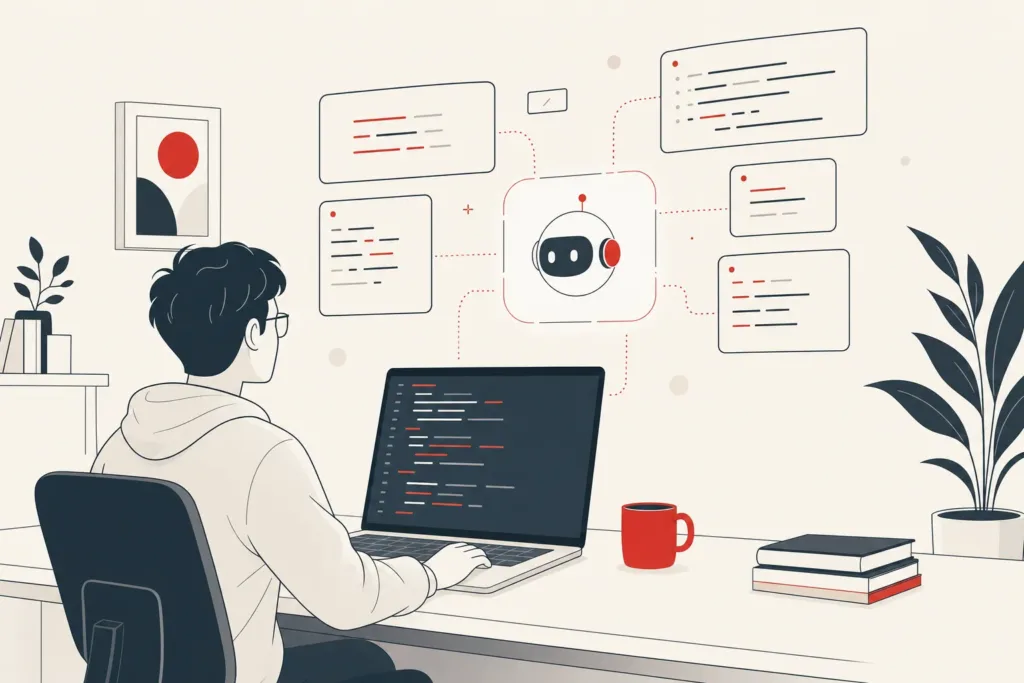
A developer types one sentence: "Fix the failing checkout tests and update the payment library." Then she walks away for coffee. By the time she's back, an ai coding agent has read the repo, patched three files, re-run the suite, and left a summary of what it changed. That's the shift worth understanding. These tools don't just finish your line of code. They take a goal and work toward it. This article breaks down what coding agents actually do, which ones lead right now, where they fail, and what any of it means for a non-technical team weighing the hype.
What an AI coding agent actually is (vs. autocomplete assistants)
- Handles tasks in natural language
- Edits across multiple files
- Runs tests and reads errors
- Maintains a loop of act, observe, correct
- Predicts next line as you type
- Reactive and fast
- Tied to your cursor
- User accepts or rejects suggestions
Start with the distinction people get wrong. An autocomplete tool predicts your next line as you type. You accept or reject each suggestion. It's reactive, fast, and tied to your cursor. An ai coding agent operates one level up. You hand it a task in natural language, and it works through the steps, edits across multiple files, runs tests, reads the errors, and tries again.
That's the real line in the coding assistant vs agent debate, and it's also the distinction worth understanding before you compare how an AI agent differs from a chatbot in a broader business context. Many assume an agent is just a smarter ai coding assistant bolted onto autocomplete. In reality, it works differently: an agent maintains a loop of act, observe, correct, which is why it can touch an entire codebase instead of a single buffer.
The U.S. Government Accountability Office has published analysis of generative AI's capabilities and risks that's useful context for anyone separating marketing claims from what these systems reliably do. The short version: ai coding tools have moved from suggesting snippets to carrying out tasks, changing how you supervise them. You're reviewing outcomes now, not lines, which is a different kind of oversight, and it's worth pairing that mindset with NIST's AI risk management guidance before giving any agent broad autonomy over production systems.
What an AI coding agent does day-to-day for a team
On a normal day, a coding agent handles the work engineers find tedious. It updates dependencies, fixes a broken CI pipeline, writes scaffolding for a new feature, and handles refactoring across dozens of files at once. Point it at a failing test and it reads the stack trace, works out a likely cause, edits the code, and re-runs to confirm. That debugging loop is where it earns its keep.
The gains are measurable. The reason the numbers swing so widely is the mode. A synchronous agent that waits for your input on each step lifted developer output around 140% in benchmarked tests, while a fully autonomous agent running on its own pushed commit volume up roughly 180%. Stanford's AI Index Report tracks this kind of productivity data across the industry if you want the broader picture.
For a team, the practical effect is a shift in the developer workflow that changes what engineers spend their time on. Routine code generation and maintenance get offloaded. Senior engineers spend less time on boilerplate and more on architecture and review. The catch: someone still has to read what the agent produced. Agents are genuinely good at well-scoped tasks and genuinely risky when the task is vague, so day-to-day value depends on handing them the right kind of work.
GitHub Copilot, what it does and who it fits
GitHub Copilot is the tool most developers meet first, and it's grown well past its autocomplete origins. The code completion feature still runs in your editor, predicting lines and whole functions as you type. But Copilot now includes an agent mode that takes a task, works across files, and runs commands, which moves it closer to the coding agent category.
Who does it fit? Teams already living inside GitHub and VS Code. The setup experience is close to frictionless if you're in that ecosystem: install the extension, sign in, and the autocomplete starts working immediately. Its chat sidebar answers questions about your code, explains unfamiliar functions, and drafts tests.
The pros and cons split cleanly. Pros: deep editor integration, a large user base, and reliable everyday code completion. Cons: the agent features, while improving, trail more specialized ai coding tools on complex multi-file jobs, and some teams find the suggestions noisy in large repos. For most individual developers and small teams, github copilot is the safe default, a capable ai coding assistant that lowers the barrier to trying ai for coding without reworking your stack.

Cursor AI, agent-style editing and codebase context
Cursor AI is a code editor built from the ground up around AI, rather than an AI feature bolted onto an existing one. Its standout trait is how it handles context. Point cursor ai at your project and it indexes the entire codebase, so when you ask for a change it understands how your files relate instead of guessing from a single open tab.
That context-aware workflow is the reason it feels more like an agent than a plain assistant. You can describe a change in natural language, say "rename this service and update every caller," and it proposes edits across the relevant files, which you review and apply. Its agent mode goes further, running terminal commands and iterating on test results.
For developers doing heavy refactoring or working in unfamiliar repos, Cursor often produces more coherent multi-file edits than editor plugins that only see what's on screen. The trade-off: it's a separate editor, so adopting it means switching tools rather than adding one. Pricing sits in a familiar per-seat subscription range. Among the best ai coding tools for people who want tight codebase understanding, and one of the better ai tools for developers chasing deep context, cursor ai is consistently near the top of the list.
Anthropic Claude Code & CLI
Claude Code takes a different shape. It lives in your terminal as one of the more capable cli tools, not inside a graphical editor. You run it in your project directory, describe what you want, and it reads files, makes changes, runs commands, and reports back, all from the command line. For developers who already work in the terminal, that's a natural fit.
What claude code does well is sustained, multi-step work across an entire codebase. It holds context over long tasks, so you can ask it to implement a feature that spans many files and it will plan the sequence, execute, and self-correct against test output. On independent benchmarks it ranks at or near the top for this kind of cross-file reasoning.
The CLI format is both a strength and a limit. It keeps the ai agent close to the tools developers already use, scripts, pipelines, version control, but it assumes comfort with the command line, so it's less approachable for anyone who prefers a visual interface. For experienced engineers who want a capable ai coding assistant that doesn't force a new editor on them, claude code is a strong pick, and it pairs cleanly with other coding agents 2026 teams are standardizing on.
Replit AI & Agent for full-build workflows
Replit takes the broadest swing of the group. It's a browser-based environment where you can write, run, and host code without installing anything, and its Replit Agent aims to build entire applications from a plain-language description. Tell it "build a booking site with a contact form and a database," and the replit agent scaffolds the project, writes the code, and gets it running.
That full-build ambition is what sets it apart. Where other ai coding tools assist inside an existing project, Replit's agent tries to carry a project from idea to a working deployment. For prototyping, side projects, and non-technical founders testing an idea, that's genuinely useful. You describe the outcome and watch something functional appear.
The honest limits: complex or production-grade applications still need real engineering oversight, and the agent can stumble on ambiguous requirements or intricate business logic. It's best understood as a way to move fast from zero to a rough working version, not a replacement for careful development. Among ai tools for developers, replit agent occupies the "build me something end-to-end in the browser" lane, and for the right task it's remarkably quick.

Windsurf, JetBrains, Gemini Code Assist and other notable agents
Beyond the headliners, several tools are worth knowing. The Windsurf IDE is a purpose-built editor like Cursor, with an agent that reads project context and proposes multi-file changes. What people praise about windsurf ide is its flow: it tracks what you're doing and keeps its suggestions aligned to your current task, which cuts down on back-and-forth.
JetBrains AI Assistant brings agent features directly into IntelliJ, PyCharm, and the rest of the JetBrains lineup. For teams already committed to those IDEs, jetbrains ai assistant adds code generation, explanation, and test drafting without leaving the environment they know, which lowers the adoption cost considerably.
Gemini Code Assist is Google's entry, integrating with its cloud ecosystem and major editors. gemini code assist leans on large context windows to reason over big repos, and it's a natural choice for teams already building on Google Cloud. OpenAI Codex, meanwhile, powers agent features across several products and is frequently cited as a lower-cost option when top-end benchmark scores aren't the priority. The point of this crowded field: there's no single winner among the best ai coding tools, only the one that fits your stack, your budget, and how your team actually works.
How to evaluate an AI coding agent (setup, context, pricing)
Don't start with benchmarks. Start with how the tool sees your code. The single biggest predictor of usefulness is whether the agent understands your entire codebase or only the file in front of it. Agents with real project indexing make coherent cross-file edits. The ones without it guess, and guessing in a large repo produces confident, wrong changes.
Next, weigh the setup experience against your current stack. A tool that drops into your existing editor costs you minutes. One that requires a new editor or terminal fluency costs you a habit change across the whole team, which is a real expense even when the software is good.
Then test it on your actual work, not a demo. Give it a real debugging task and a real refactoring job, and watch how it handles failing tests. Does it read the error and correct itself, or stall?
Finally, look at pricing in terms of total team cost: per-seat fees plus usage-based charges on heavier models. The reason this matters: an agent that's cheap per seat but expensive per task can surprise you at the end of a busy sprint. Evaluate ai for coding the way you'd evaluate any operational tool, by outcome and fit, not feature lists.
Pricing and plans across popular agents
Pricing across these tools follows a few patterns. Most ai coding tools run on per-seat monthly subscriptions, often with a free or limited tier so you can try before committing. GitHub Copilot and the editor-based agents typically sit in a modest monthly per-user range, which keeps them easy to justify for individual developers and small teams.
The agents that do heavier autonomous work introduce usage-based pricing on top of or instead of flat seats. Claude Code and similar tools bill against model usage, so a day of intensive, multi-step tasks costs more than a day of light edits. That variability is the thing to plan for. Budgeting a flat per-seat number and then watching usage charges climb during a crunch is a common pattern teams don't anticipate.
Replit bundles its agent into tiered plans that cover compute and hosting, reflecting its full-build positioning. The practical takeaway on pricing: compare not just the sticker figure but the pricing model, because a flat subscription and a usage-metered agent can produce very different bills for the same amount of work. For most teams evaluating coding agents 2026, the right move is a short paid trial on real tasks before standardizing.

Where AI coding agents fall short (limits and risks)
- Agents can introduce bugs with total confidence
- Misreading requirements leads to incorrect code
- Plausible code may not be verified-correct
- Can incur high usage costs on long tasks
- Struggle with unusual or poorly documented codebases
Here's the honest part. Coding agents introduce bugs, and sometimes they introduce them with total confidence. An agent can misread a requirement, produce code that passes tests but breaks an edge case, and report success. In production, that gap between "looks done" and "is correct" is where incidents come from. Stack Overflow's 2026 developer coverage treats bugs from agent output as an expected cost, not a rare glitch.
The root cause is how these systems work: they pattern-match toward plausible code, not verified-correct code. On routine, well-defined tasks the plausible answer is usually the right one. On ambiguous business logic, it often isn't. That's why most teams gate agent output behind tests and human code review before anything merges.
There are other limits. Agents can rack up usage costs on long tasks, struggle in unusual or poorly documented codebases, and sometimes thrash, making changes, reverting them, and looping without progress. None of this makes them unusable. It means the supervision model matters. The teams that get real value treat the ai agent as a fast junior that does a lot of work and still needs its output checked, not an engineer you can walk away from entirely.
What AI coding agents mean for non-technical SMB teams
Here's where it gets practical for owners and operators who don't write code. The arrival of capable ai coding tools lowers the cost of building software that fits your business, and that's the real story for a small team. Work that once required a long development quote can now move faster, which changes what's worth building.
But speed isn't the same as a finished system. A non-technical founder using Replit can get a rough internal tool working, yet turning that prototype into something reliable enough to run daily operations still needs real engineering judgment. The agent handles code generation; it doesn't understand your business workflows, your data rules, or what "done correctly" means for your operation.
This is where custom ai development and custom ai systems come in. When repetitive manual work and disconnected systems are the actual problem, the answer isn't handing a coding agent a vague goal. It's a scoped build designed around how your business runs, closer to what Bespoke Mind AI delivers through its custom AI development and automation services. Bespoke Mind Ai works with non-technical teams exactly here, using modern ai for coding to build internal tools and automation that target specific operational bottlenecks rather than generic software. The goal isn't more software. It's less manual work.
When a coding agent isn't enough and you need a custom AI build
A coding agent is a tool. It builds what someone points it at. That's fine when the person pointing knows exactly what to build and can verify the result. It falls short when the real challenge is figuring out what should exist in the first place.
Picture a distribution company running quotes, inventory, and customer records across four disconnected spreadsheets and two apps that don't talk to each other. No coding agent fixes that by itself, because the hard part isn't writing code. It's designing the workflow that ties those systems together and reflects how the business actually operates. Hand an agent "build us a system" and you get a plausible guess, not a solution, which is closer to what a custom AI agent built around your workflows is designed to solve.
That's the line between a coding assistant vs agent discussion and a custom ai systems decision. When you need automation built around real business workflows, mapped to your processes and owned by you, you need discovery and engineering, not just generation. Bespoke Mind Ai designs and builds custom ai systems and workflow automation scoped to a specific operational problem, aiming to reduce the manual work underneath it. The agents write code. The build addresses the underlying problem.

If repetitive manual work or disconnected tools are slowing your team down, the fastest way to know whether automation fits is to map the actual bottleneck. You can book a free automation discovery call with Bespoke Mind Ai to talk through where a custom ai coding agent build, not another subscription, would remove the most manual effort. Results vary based on existing processes, business complexity, implementation, and team adoption.
Frequently Asked Questions
What exactly does an AI coding agent do that a regular assistant doesn't?
An AI coding agent takes a goal rather than a single prompt, then plans multi-step work, edits code across files, runs tests, and keeps iterating until the task is done. Traditional assistants respond once and stop, leaving the developer to execute every next step manually.
How is an AI coding agent different from autocomplete tools like Copilot?
Autocomplete tools predict the next line or block as you type, and you accept or reject each suggestion in real time. A coding agent works at a higher level, it can plan a task, touch multiple files, run tests, and check its own results with far less step-by-step supervision.
Is an AI coding agent the same thing as an AI pair programmer?
No, a pair programmer collaborates with you in real time, suggesting and reviewing code while you stay in the driver's seat. A coding agent is handed a goal and works more independently, often completing a task before you see the output.
Is it actually worth it to use an AI coding agent, or is this overhyped?
Research cited by FTC-reviewed studies shows synchronous agents lifted developer output around 140%, and fully autonomous agents pushed commit volume up roughly 180% in some tests. Whether that translates to value depends on the task mix, routine fixes and refactoring see the biggest gains, while complex, judgment-heavy work still needs close human review.
What happens if an AI coding agent makes a mistake in production code?
Coding agents can and do introduce bugs, especially in edge cases or unfamiliar codebases, which is why most teams still gate agent output behind tests and human code review before merging. Industry coverage, including Stack Overflow's 2026 reporting, treats bugs and incidents as an expected part of using these tools rather than a rare exception.
What can AI coding agents reliably handle in a real project right now?
They're strongest at routine, well-defined work, fixing CI configs, updating dependencies, generating scaffolding, and refactoring across large codebases. They're less reliable on ambiguous business logic or decisions that require judgment calls specific to how a company actually operates.
Which AI coding agent is considered best right now?
As of late 2026 benchmarking, Claude Code and Devin are tied at the top of the Artificial Analysis Coding Agent Index, particularly for cross-file refactoring and large repos. OpenAI Codex is frequently cited as the better-value option for teams prioritizing cost over top-end benchmark scores.
Does adopting an AI coding agent mean a small business doesn't need a developer anymore?
No, these agents are tools for accelerating development work, not replacements for someone who understands the business logic and can validate what gets shipped. For most small and mid-size businesses, the realistic path is pairing agent-assisted development with a scoped, custom build rather than assuming the agent will own the whole project unsupervised.