

Picture a small logistics firm signing up for an enterprise ai development platform, drawn in by the 100-model catalog and slick demos. Three months later, nobody on the team has shipped anything, because configuring pipelines and governance needs engineers they don't have. That gap, between what a platform offers and what a business can actually use, is the real decision here. This article compares general-purpose AI platforms against scoped custom builds across cost, ownership, and integration, so you can tell which one solves your problem.
What an AI development platform is (and what it actually does)
An ai development platform is a hosted environment where teams pick models, connect data, build pipelines, and deploy AI features without wiring every piece from scratch. Think Google Vertex AI, AWS Bedrock paired with SageMaker, Microsoft Foundry, and Databricks Mosaic AI. Each gives you a catalog of models, ai coding tools for retrieval and fine-tuning, and infrastructure to run things at scale.
What these platforms actually sell is optionality. You get hundreds of models, training compute, and governance controls so your engineers can assemble whatever the business needs. That's useful if you have engineers. If you don't, most of that optionality sits unused while you pay for it. Gartner's research on low-code and AI platform adoption points to exactly this pattern: adoption keeps climbing, but the platforms still assume a level of in-house technical capability that many organizations don't have.
Many assume a platform is a finished product you log into and start using. In reality, these are toolkits for builders, not plug-and-play apps for operators. The distinction matters because it determines who on your team can get value from it. The reason is structural: a platform ships the raw parts and leaves assembly to you, so the people who extract value are the ones who can build, not the ones who simply log in.
Adoption is still uneven across the market. McKinsey's work on generative AI found that most organizations are still early in moving from experimentation to measurable business value. That tracks with what happens when non-technical teams buy infrastructure meant for engineers. The McKinsey State of AI report lays out how widely results vary by implementation. Results depend heavily on existing processes and team capacity.
AI development platform vs custom build: head-to-head comparison table
- Wide toolkit for configuration
- Suitable for teams with existing cloud infrastructure
- Usage-based pricing can escalate costs
- Requires engineering capacity for maintenance
- Narrow system tailored to business needs
- Fixed-price per scoped project
- No ongoing usage fees
- Requires clear project scope to avoid cost inflation
The core trade-off is breadth versus fit. A platform hands you a wide toolkit you configure yourself. A custom build delivers a narrow system scoped to exactly how your business operates, with nothing extra to maintain. If you want a deeper breakdown of this exact trade-off, our comparison of AI app builder platforms vs. custom-built software walks through it in more detail. Here's how the main options stack up in one comparison table.
| Option | Best for | Starting price | Key limitation |
|---|---|---|---|
| Google Vertex AI | Teams already on Google Cloud needing AutoML and BigQuery ties | Pay-as-you-go, usage-based | Requires engineering capacity to configure and maintain |
| AWS Bedrock + SageMaker | AWS-native teams wanting 100+ foundation models via one API | Pay-as-you-go, usage-based | Steep setup; costs scale with usage |
| Microsoft Foundry | Microsoft-heavy orgs needing a 10,000+ model catalog and compliance controls | Pay-as-you-go, usage-based | Overkill for a few simple workflows |
| Databricks Mosaic AI | Data-heavy teams managing ML lifecycle and pipelines | Compute-based pricing | Assumes mature data engineering practice |
| Custom build (fixed-price) | SMBs wanting production-ready systems built around their workflow | Fixed-price per scoped project | Narrower scope by design; not a general toolkit |
A recurring misconception is that the platform with the biggest model catalog automatically wins. For most businesses, model count matters less than whether the thing solves real operational bottlenecks. For broader context on where AI adoption is heading, Gartner's research on AI is a useful reference point. The right answer depends on your stack and your in-house skills, not the catalog size.
Selection criteria: what to evaluate before choosing a platform or custom build
Before comparing features, get honest about what to look for in your own situation. That's what to look for before anything else. The wrong starting question leads to the wrong purchase. Teams fixate on model benchmarks when the deciding factor is usually something more basic: do we have people who can build with this?
Start with four questions. First, where does your data already live? Moving large volumes between clouds adds cost and delay, so your existing stack should narrow the field early. Second, what's your team's technical capacity? An ai development platform assumes engineers; a custom build assumes a partner does the building. Third, how many distinct problems are you solving? One or two workflows rarely justify a full platform. Fourth, what are your governance and privacy needs, especially if you handle customer or regulated data?
Then weigh key features against that reality, including model variety, built-in retrieval tools, integration options, and how the pricing scales as usage grows. A platform with every feature imaginable still fails if nobody can operate it. Data privacy and compliance obligations vary by industry and jurisdiction, so check the rules that apply to your sector before committing, or confirm with a qualified advisor. Pick based on fit, not on the longest feature list.
Pros and cons of using an AI development platform
The pros and cons here are fairly clean once you separate capability from usability. On the plus side, enterprise AI platforms give you enormous model choice, elastic compute, and built-in tooling for retrieval, fine-tuning, and deployment. For a company with engineers, that's a fast path to scalable systems without building infrastructure from scratch. These are genuinely capable generative ai platforms when you have the team to drive them.
The cons show up in operation, not in the sales demo. You pay for breadth you may never use. Configuration, security setup, and ongoing maintenance all fall on your staff. Costs are usage-based, so a successful rollout can mean a surprising bill. And lock-in is real: data connectors, agent frameworks, and model choices tend to be platform-specific.
What actually happens is non-technical teams buy the platform, then discover the hard part wasn't buying it. It was staffing it. The platform sits half-configured while manual work continues. Picture a 20-person accounting firm that licenses an enterprise platform to automate client onboarding, only to find the pipelines never get built because the two people who understand the workflow aren't engineers. The subscription keeps billing while the onboarding backlog stays manual, and six months later the tool is quietly cancelled.
So the pros and cons net out to a simple rule: these platforms reward teams that can build and punish teams that can't. If you have engineering depth and multiple AI initiatives, the capability is worth the overhead. If you don't, that same overhead is a cost with little return.
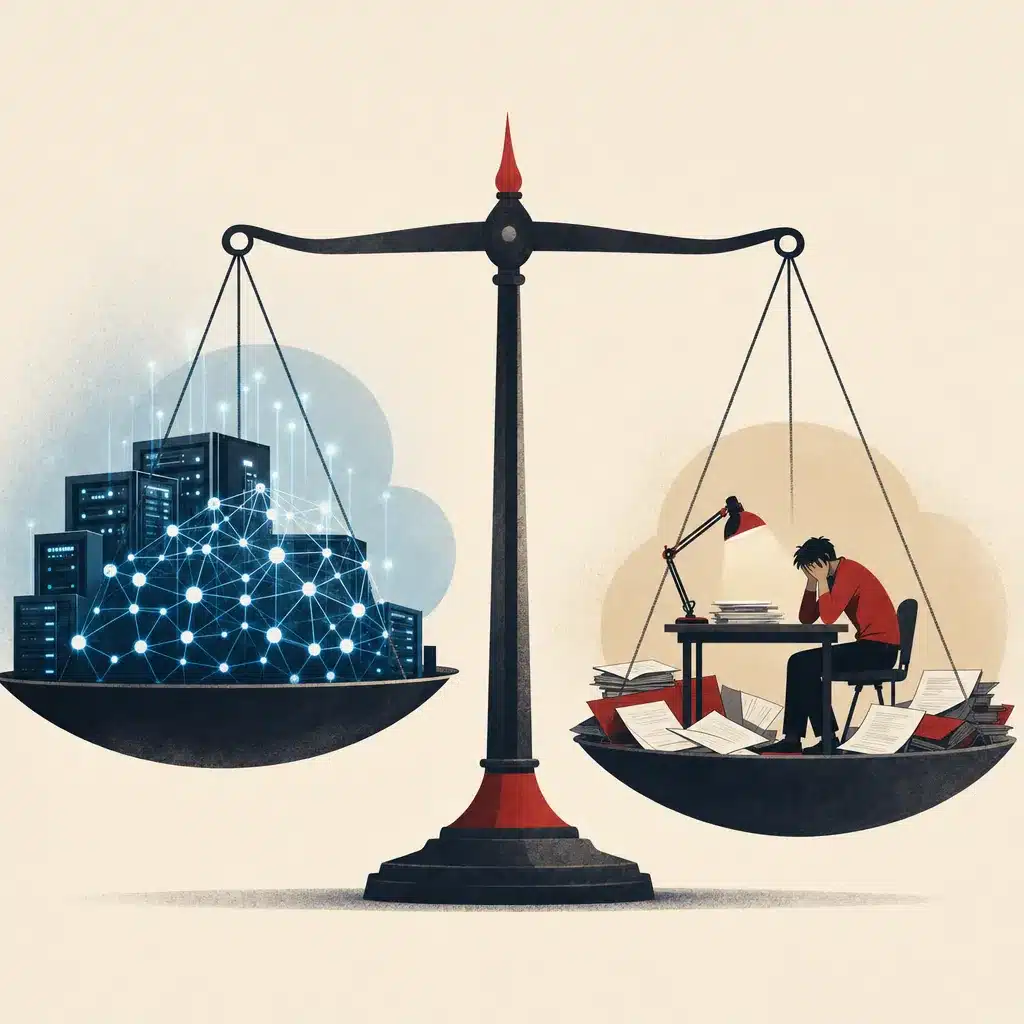
Pros and cons of a custom AI build
A custom build flips the trade-off. Instead of a wide toolkit you configure, you get a narrow system scoped to a specific problem and delivered production-ready. The pros and cons start with usability: a custom AI development project, often built with the help of an ai coding assistant, is designed around how your business actually operates. Your team uses it from day one rather than learning a platform first.
The upsides are concrete. You get code you own, a fixed-price build with a known cost up front, and a system that targets real operational bottlenecks instead of offering a thousand features you'll never touch. Custom ai development also tends to integrate cleanly with the tools you already run, because the integration is part of the scope, not an afterthought. If you want a side-by-side look at this trade-off from a different angle, our breakdown of custom AI vs. off-the-shelf software for small business covers it in more depth.
The cons are equally honest. A custom build is narrower by design, so it won't flex into unrelated use cases without new work. You depend on a capable partner to build and support it. And it's not the right call if you genuinely need a general-purpose platform for many teams and many models.
The root cause of custom's advantage for SMBs is focus. A scoped system removes the gap between what you bought and what you can use, because every part of it maps to a step your team already performs. Weighed against each other, the pros and cons favor custom when your goal is less manual work on a defined set of workflows, not maximum optionality.
Pricing and cost comparison: subscription platforms vs fixed-price custom builds
- Usage-based pricing can grow with adoption
- No ceiling on costs makes budgeting difficult
- Hidden costs in staff time for maintenance
- May be cheaper for many models
- Known total cost before project starts
- Defined outcome reduces uncertainty
- Lower total spend for focused workflows
- Requires clear scope to avoid vague requirements
Pricing is where the two models diverge most sharply. Platform pricing is usage-based and open-ended. You pay per API call, per token, per compute hour, so your bill grows with adoption. That starting price can look modest in a pilot and then climb as real traffic hits the system. There's no ceiling you control, which makes budgeting harder.
A fixed-price build works differently. The cost is scoped and agreed before work starts, so you know the number up front. You're paying for a defined outcome, not a metered subscription that compounds over time. For a business comparing custom systems to software subscriptions, this is the key distinction: one is a capital-style project with a known total, the other is an operating cost that never stops.
The honest caveat on custom pricing is that it requires a clear scope. Vague requirements inflate cost, which is why discovery matters before any build. On the platform side, the hidden cost is staff time: someone has to configure, secure, and maintain it, and that labor rarely shows up in the pricing page.
Neither is automatically cheaper. For a few focused workflows, a fixed-price build usually wins on total spend. For many teams running many models, platform pricing can be the more sensible structure.
Ownership and control: who owns the system and the code
Ownership is the question most buyers skip until it bites them. With a platform, you own your data and your configurations, but you don't own the underlying system. The models, the infrastructure, and the agent frameworks all belong to the provider. If their terms change, their pricing shifts, or they deprecate a model you depend on, you adjust on their schedule, not yours.
With a custom build, the arrangement can be the opposite: you get code you own and a system that lives wherever you choose to run it. That ownership matters for continuity. Consider a service firm that built its entire quoting process on a vendor's proprietary workflow, then faced a 40 percent price increase at renewal with no realistic way to migrate in time. Owning the code you own removes that pressure point from a vendor's hands.
Control also shapes what you can change. On a platform, you work within the provider's guardrails. With a custom system, your team or your partner can adjust the logic as business operations change over time.
The practical rule: if the AI system touches a revenue-critical workflow, ask who controls it when something breaks or a contract renews. Ownership isn't paperwork. It's whether you can keep operating on your own terms.
Who each option is best for (use-case fit by business type)
Fit depends on who you are and what you're trying to do. A platform is best for enterprises with engineering teams running multiple AI initiatives across departments. If you need many models, large-scale training, and governance across business units, Vertex AI, Bedrock, or Foundry earns its complexity.
A custom build is best for small business operators and mid-size firms with a defined set of workflows to fix. Service businesses, real estate teams, professional firms, and multi-location operations usually don't need a model catalog. They need an ai chatbot that qualifies leads, an internal tool that reduces spreadsheet work, or a document process that saves hours. For those, custom AI development targets the bottleneck directly.
Picture a distribution company drowning in manual quote generation across inconsistent spreadsheets. A general platform gives them raw materials; a scoped build gives them a working quoting system. For that kind of operational pain, Bespoke Mind Ai builds custom AI workflows and internal tools scoped to the exact process, so the output matches how the team already works.
The middle ground: teams with light technical capacity and a single clear use case can sometimes use a no-code or low-code ai app builder. Beyond one or two workflows, though, a platform's overhead usually outweighs its convenience for smaller teams. This is the clearest case of what's best for small business: match the tool to the actual size of the problem.

Real-world limitations and where off-the-shelf platforms fall short
The real-world limitations of off-the-shelf software show up fast once you move past the demo. A platform gives you components, not a finished solution. It won't know your approval chain, your pricing logic, or the way your team actually handles exceptions. Those gaps become the work your staff does manually anyway.
A key limitation is the capacity assumption. Enterprise AI development platforms assume you have engineers to configure models, build pipelines, and wire integrations, much like any serious software project would. A common pattern: a team buys the platform, runs a promising pilot, then stalls because production hardening, security review, and monitoring need skills they don't have on staff. The pilot never becomes a system.
Off-the-shelf software also tends to solve the generic version of a problem. Your business rarely has the generic version. The last 20 percent of fit, the part that actually matches your operation, is exactly where general tools fall short and manual work creeps back in.
Another real-world limitation is maintenance drift. Models get deprecated, APIs change, and connectors break. Someone has to keep up, and on a platform that someone is you.
None of this means platforms are bad. It means their limitations cluster precisely where smaller teams are weakest: engineering time. Knowing where a tool falls short is how you avoid paying for infrastructure that quietly stays half-built.
Integration with existing systems and workflows
An AI system that doesn't connect to your existing tools just creates another silo. Integration is where many projects quietly fail, because the AI feature works in isolation but can't read your CRM, write to your database, or trigger the next step in a process. The result is more manual copying, not less.
Platforms offer connectors, but integration is still work you own. You configure the auth, map the data, handle the edge cases, and maintain it as source systems change. The connector exists; connecting it to your specific internal database or existing software is the hard part, and it recurs every time a dependency updates.
This is where scoping around your real environment pays off. When integration is part of the build rather than a bolt-on, the AI fits into workflows you already run. Bespoke Mind Ai does this by integrating AI into existing custom business software and connecting disconnected systems, so information stops living in separate tools and automated workflows actually run end to end.
The reason integration deserves this much attention is simple: the value of AI comes from removing steps, not adding a new one. A tool that sits beside your workflow instead of inside it leaves operational bottlenecks untouched. Judge any option by how deeply it connects, not by how extensive its feature list looks in isolation.
No-code and low-code vs fully custom development approaches
- Allows non-technical staff to build apps
- Best for simple, well-bounded tasks
- Can struggle with complex logic and integrations
- Maintenance still required despite ease of use
- Handles complex processes and integrations
- Produces code that is fully owned
- Requires skilled builders for implementation
- Better for core workflows and scalability
There's a spectrum between clicking together a tool and building one from scratch. A no-code or low-code platform lets non-technical staff assemble simple apps and visual workflows using drag-and-drop blocks. These ai app builder tools are genuinely useful for a single, well-bounded task where the logic is simple and the stakes are low.
They hit a wall quickly, though. The moment your process has real exceptions, deep integrations, or logic a drag-and-drop canvas can't express, a low-code platform forces awkward workarounds. You end up maintaining a fragile tangle that's harder to change than purpose-built code would have been.
Fully custom development, by contrast, handles far more complexity. It manages messy real-world rules, connects to many systems, and produces code you own. The cost is that it needs a builder, whether that's in-house engineers using modern ai coding tools or a partner, so it's not the right tool for a throwaway task. If you're weighing this specific fork in the road, our guide to custom AI development services covers cost, scope, and process for teams leaning toward a built solution.
A practical misconception: that no-code means no maintenance. It doesn't. Every connected tool still breaks when an upstream system changes. The honest framing is a trade between flexibility and effort. Use no-code for the simple and short-term. Use custom ai development for anything that touches a core workflow or has to scale as the business grows.
How to decide: a practical decision framework for SMBs
Here's a framework that cuts through the noise. Work through it in order, because the early questions eliminate most options before you ever compare features.
Step one: count your use cases. One or two specific problems point toward a custom build. Five-plus initiatives across multiple teams point toward a platform.
Step two: assess your team. Do you have engineers who can configure and maintain infrastructure? If yes, a platform is viable. If no, a custom build or a managed partner is the realistic path, because an unstaffed ai development platform becomes shelfware.
Step three: locate your data and your stack. Already deep in one cloud? That narrows platform choice immediately. Scattered across spreadsheets and siloed tools? That's a signal the real need is integration and workflow automation, not raw model access.
Step four: size the stakes. For a revenue-critical workflow you can't afford to lose, prioritize ownership and the code you own. For a low-stakes experiment, a free tier or no-code tool is fine.
Step five: scope before you spend. Write down the actual bottleneck in plain language. If you can't describe the manual work you're removing, you're not ready to buy anything yet. The goal isn't more software. It's less manual work.

ROI and total cost of ownership over time (platform vs custom)
- Low starting price can be misleading
- Total cost increases with usage fees
- Continuous staff time adds to expenses
- Optional features may go unused
- Front-loads costs into defined project
- Lower ongoing expenses after initial build
- Cost-effective for focused systems over time
- Requires measurable metrics for evaluation
AI costs aren't about the sticker price. They're about total cost of ownership over the system's life. A platform's starting price can look low, then total cost climbs through usage fees plus the staff hours spent configuring, securing, and maintaining it. That maintenance never ends, so the real number keeps growing year after year.
A fixed-price build front-loads cost into a defined project, then the ongoing expense drops to support and occasional changes. Over two or three years, a focused custom system can have lower total cost than a platform you pay for monthly and staff continuously, especially when the platform's optionality goes unused. The reason is simple arithmetic: usage fees plus continuous staff time compound every month, while a scoped build pays its labor once and then only sips maintenance.
The honest framing here: outcomes vary based on existing processes, business complexity, implementation quality, and whether your team actually adopts the system. No tool guarantees a particular return. What drives better outcomes is removing measurable manual work, hours reclaimed, errors cut, bottlenecks cleared, and then measuring the before and after.
A useful discipline is to tie the spend to one concrete metric. If a build reclaims ten hours a week of manual quoting, that's a number you can weigh against the fixed price. Without a target metric, both platform and custom spend become guesses. Decide based on the work removed, not the feature list bought.
Scoping around how your business actually operates, not retrofitting software
The biggest predictor of success isn't the technology. It's whether the system is scoped around how your business actually operates. Off-the-shelf software starts from a generic process and asks you to bend your operation to fit it. That retrofit is where friction lives, because your real workflow has exceptions and quirks the generic version ignores.
Scoping flips the order. You start by mapping the actual process: who does what, where information lives, where the delays happen. Then you build to that, not to a template. Unused features are pure overhead, and a system designed around your real steps has almost none.
This is the core of discovery-led software development. Before anyone writes code, you identify the underlying operational bottleneck rather than the surface symptom. A team asking for a chatbot might actually have a lead-routing problem, and solving the real issue removes more manual work than any bolt-on feature would.
Custom AI development built this way produces systems your team uses because they match how people already work, not how a vendor assumed they should. The principle is plain: build around the operation, don't retrofit the operation around the software. That's the difference between a tool that sits unused and one that quietly removes work every day.
Hybrid approach: when to combine platforms with custom work
The choice isn't always either-or. A hybrid approach uses a platform for the parts it does well and custom work for the parts it doesn't. You might run models and compute on an ai development platform while building a custom layer that holds your business logic, integrations, and interface on top. The platform supplies the engine; the custom work makes it fit.
This makes sense when you want access to many models or heavy infrastructure but still need the system scoped to your workflow. The platform handles the heavy lifting, and the custom layer, including any ai agents built around your process, delivers the usability a raw platform lacks.
Hybrid also helps with portability. If your business logic lives in code you own rather than inside a provider's proprietary framework, switching the underlying model or provider later causes far less disruption. You're not starting over, just swapping an engine.
The caution: a hybrid adds a moving part, so it's worth it only when you genuinely need platform-scale capability. For a few focused workflows, a straight custom build is simpler. For a growing operation that expects to use more AI over time, pairing a platform's capability with custom scoping is often a durable balance of flexibility and fit among AI platforms today.
If repetitive work is slowing your team down and you're unsure whether a platform or a custom system fits, a short conversation can help clarify it. Bespoke Mind Ai designs and builds custom AI workflows, agents, chatbots, and internal tools scoped to how your business actually runs, with fixed-price projects and systems you own. Book a free automation discovery call to map your bottlenecks and see where automation makes sense.
Frequently Asked Questions
What's the best AI development platform right now?
There's no universal winner, Google Vertex AI suits teams already on Google Cloud needing AutoML, AWS Bedrock plus SageMaker fits AWS-native enterprises wanting 100+ foundation models, and Microsoft Foundry works best inside Microsoft-heavy environments. The right pick depends on your existing stack, data location, and whether you need a pre-built model catalog or a system built around your specific workflow.
How do I choose between the major AI development platforms?
Start with where your data already lives and what cloud stack you're on, since moving large volumes across providers adds cost and delay. After that, weigh model variety, built-in retrieval/RAG tools, and governance features against your team's technical capacity to actually configure and maintain them.
Is paying for an AI development platform actually worth it over free tools?
Paid platforms typically unlock newer models, higher usage limits, and stronger data privacy guarantees that free tiers restrict or skip entirely. For a business handling customer data or running revenue-critical workflows, that trade-off usually pays for itself, but for simple, low-stakes tasks, a free tier may be enough.
What if my business doesn't have a technical team to run one of these platforms?
Most enterprise AI development platforms like Vertex AI, Bedrock, or Azure AI Foundry assume you have engineers configuring models, pipelines, and integrations. Small and mid-size businesses without that in-house capacity often get more usable results from a custom-built system scoped to their actual workflows instead of a general-purpose platform they have to staff and maintain.
What's the real difference between platforms like Bedrock, Vertex AI, and Databricks?
Bedrock plus SageMaker leans on model variety, over 100 third-party and open-weight models through one API, while Vertex AI prioritizes tight Google Cloud and BigQuery integration, and Databricks Mosaic AI focuses on data pipeline and ML lifecycle management. Microsoft Foundry differentiates on scale, with a catalog of roughly 10,000+ models plus regional compliance controls for regulated industries.
Do I need a full AI development platform, or would a custom build be enough?
Large platforms make sense when you need access to many models, large-scale training infrastructure, or multi-team governance across an enterprise. If your actual need is a handful of specific workflows, a chatbot, an internal tool, a document process, a scoped custom build often removes the overhead of learning and maintaining a platform you'll only use a fraction of.
Will switching AI development platforms later cause problems?
Yes, migration friction is real, models, data connectors, and agent frameworks are often platform-specific, so moving from one provider's ecosystem to another means re-architecting integrations, not just swapping an API key. This is part of why evaluating model access and data portability upfront matters more than picking based on brand name alone.
Are these platforms overkill for a small business automating a few manual processes?
For a single business automating quoting, lead intake, or document handling, enterprise platforms like Vertex AI or Bedrock bring far more model catalog and infrastructure than the task requires. A targeted, fixed-scope build usually resolves the actual bottleneck faster and without ongoing platform licensing or configuration overhead.