

Some logistics companies pay two full-time staff just to copy shipment data between three systems that refuse to talk to each other. They don’t need more software. They need those systems connected and the manual copying gone. That gap, between what generic tools offer and what a business actually runs on, is where custom AI solutions earn their place. This guide walks through what it is, what it costs in 2026, when it makes sense over ready-made tools, and how to tell if your operation is a fit.
What is custom AI development (definition and scope)
Custom AI development is the work of designing and building AI systems around one business's data, workflows, and goals. Instead of adapting the business to a generic product, you build the product around the business. The scope is wider than most expect. It covers custom AI models trained on your own data, process automation that removes repetitive tasks, internal tools your team uses, and AI agents that handle multi-step work across your systems.
The point isn't the technology. It's the operational problem underneath it. A custom AI solution starts with a bottleneck, then works backward to the right approach. That might be document handling driven by AI or forecasting that predicts demand.
Scale matters here too. Custom AI development services aren't reserved for enterprises. According to McKinsey's State of AI report, adoption has spread beyond large organizations. Smaller companies increasingly build focused systems tied to a single high-cost process. The common thread across every project is the same: technology built around how your business actually operates.
It helps to separate the term into its parts. "Custom" means the system reflects your naming, your steps, and your exceptions, not a vendor's template. "AI" here is a practical mix of automation and models that make decisions or predictions on your data. "Development" is the disciplined build: scoping, data work, integration, testing, and support. Put together, custom AI development is less about chasing a trend and more about closing the distance between how your team works and how your tools behave.
One clarification worth making early: custom does not mean building everything from scratch. A well-designed custom system often stitches together proven components, such as an existing model, a database you already run, and a workflow layer built for your business. The custom part is the fit, how those pieces connect around your operation, not a demand that every line of code be original.
Custom AI vs off-the-shelf solutions
- Fits exact business workflows
- Integrates with existing systems
- Targets manual effort directly
- Can pay back faster than subscriptions
- Gets you running in days
- Cheaper upfront costs
- Supported by a vendor
- Good for common needs
Off-the-shelf software gets you running in days. It's cheaper upfront, supported by a vendor, and fine for common needs like email or accounting. The trouble starts when your workflow doesn't match the tool's assumptions. Then your team bends its process to fit the software, which is backward.
Custom AI solutions do the opposite. They fit your exact business workflows and connect to your existing systems instead of forcing you onto another disconnected platform. Many assume custom always means more expensive and slower forever. In reality, a narrow custom build that removes a costly manual process often pays back faster than a subscription you keep working around. If you're weighing whether to build internally, it's worth understanding the tradeoffs between an in-house build and a development partner.
The honest tradeoff: off-the-shelf software wins on speed and low initial cost, while custom wins on fit, system integration, and long-term operational efficiency. Deloitte's work on technology and AI adoption points to integration and data as the deciding factors, not the model itself. If a ready tool solves your problem cleanly, use it. When off-the-shelf software can't reach your real bottleneck, custom is the practical answer.
There's a hidden cost in the off-the-shelf route that rarely shows up in the pricing page. When a generic tool covers 80% of your process, the remaining 20% usually lands back on a person: a manual export, a copy-paste step, a workaround spreadsheet. That's the mechanism behind why teams outgrow subscriptions. The tool solves the visible task but leaves the connective work to staff, and that connective work is exactly where the hours quietly pile up. Custom AI development targets that connective tissue directly, which is why the comparison isn't just price versus price. It's total manual effort over time.
A practical way to decide: list the tools your team already pays for, then mark the steps where someone moves data between them by hand. If those handoffs are few and cheap, stay with off-the-shelf software. If they're constant and expensive, the case for a custom system built around your workflows gets stronger with every month you postpone it.
Core custom AI development services and capabilities (ML, NLP, computer vision, agents)
Most custom AI development companies build from a handful of core capabilities, matched to the problem rather than picked for novelty.
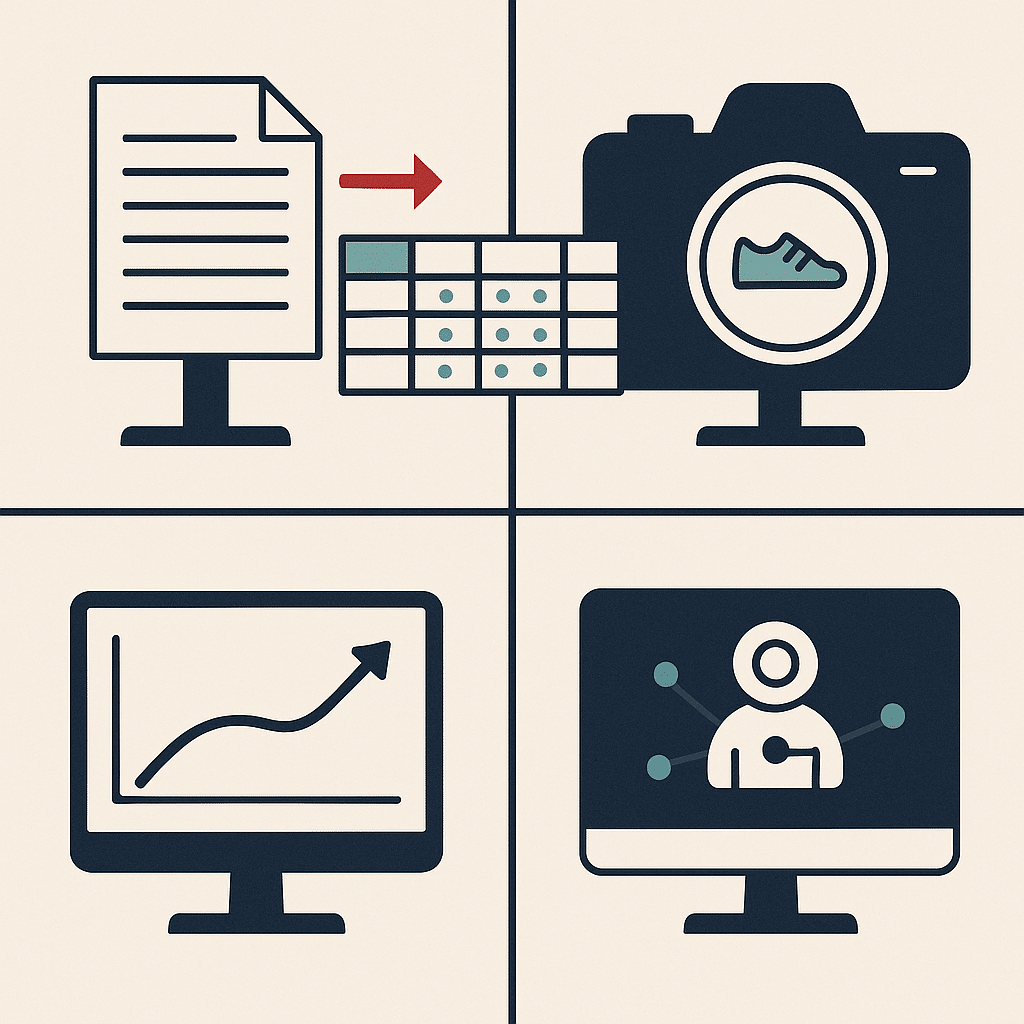
Machine learning models learn patterns from your historical data to make predictions or classifications, like flagging invoices likely to be late. Natural language processing reads and interprets text. It powers document extraction, email sorting, and conversational AI that answers routine customer questions in plain language.
Computer vision handles images and video, useful for quality inspection, inventory counting, or reading scanned forms. Predictive analytics turns your operational data into forward-looking insight, supporting faster decisions on staffing, stock, or cash flow.
Then there are AI agents. These go beyond single answers to complete multi-step tasks across your tools: checking a system, updating a record, and triggering the next action. Agentic AI extends this, letting systems handle a workflow end to end with guardrails. Generative AI supports drafting, summarizing, and content tasks. As Harvard Business Review on augmenting teams with AI notes, these tools work best when they take over routine work and free people for higher-value tasks. The right generative AI solutions that remove manual work usually combine a few of these, aimed at removing manual work.
The reason these capabilities get combined rather than used alone is straightforward: most real business workflows cross more than one type of task. A single invoice process might need natural language processing to read the document, a machine learning model to flag anomalies, and an AI agent to update the accounting system. Picking one capability in isolation tends to solve one slice and leave the rest manual, which is why a capability should fit the workflow, not the other way around.
A quick note on where teams get this wrong. Many assume the most advanced capability is always the right one, reaching for agentic AI or generative AI when a simple rules-based automation would clear the bottleneck faster and cheaper. In reality, the best fit is the least complex system that removes the manual work reliably. Over-engineering a workflow adds cost and fragility without value, and it's a common reason projects stall.
Business benefits of custom AI (efficiency, cost, productivity)
The clearest benefit is less manual work. When repetitive tasks move from people to systems, your team spends time on judgment calls instead of copy-paste. Operational efficiency improves in a way you can measure in hours saved.
Custom AI models built on your own data tend to be more accurate for your specific context than general tools. That supports faster decisions, because leaders see reliable numbers sooner. Better visibility is the second win. When information stops living in five disconnected places, you get a single view of business operations instead of chasing status updates.
Here's why this matters. Generic tools optimize for the average user, so their gains stay average. A system built around your actual business workflows removes friction that only exists in your operation. That's where real time savings come from.
A third benefit is scalable solutions that don't add headcount. As volume grows, a manual process needs more people to keep up; a well-built automation absorbs the extra load without a proportional rise in cost. This is the difference between growth that strains your team and growth that your systems quietly handle. For founder-led businesses in particular, that means capacity to take on more work without the operational drag that usually comes with it.
A word of honesty on returns. Results vary based on your existing processes, business complexity, implementation quality, and how well your team adopts the system. Custom AI development supports operational efficiency and reduces manual effort. No responsible partner should promise guaranteed ROI or a fixed productivity number.
Process automation and workflow use cases
Process automation shines wherever the same steps repeat in a predictable order. Think invoice processing, onboarding new clients, syncing data between a CRM and an accounting tool, or routing support tickets to the right person.
Workflow automation connects those steps so information moves without someone shepherding it. Here's a real example. A professional services firm we worked with had a five-person team spending most of a day each week manually assembling status reports from three tools. A workflow automation pulled the data, formatted it, and delivered it automatically. That returned roughly a full workday per week to the team and removed a recurring source of errors.
Common use cases cluster around operational bottlenecks. Document handling with natural language processing. Lead qualification with conversational AI. Scheduling and dispatch. Compliance checks. Internal tools that give staff one screen instead of six tabs.
What actually happens in most companies is that manual processes quietly expand as the business grows. Deloitte's survey on AI and intelligent automation in business found that companies adopting automation solutions report meaningful efficiency gains, which lines up with what we see: eventually a task nobody designed on purpose consumes real payroll. Automation built around your workflow targets those first. The goal isn't more software. It's less manual work. For a closer look, our practical guide to AI workflows for small business walks through concrete examples.
Here's the practitioner detail that often gets missed. The failure mode isn't usually the automation breaking; it's an automation built on a broken process. If you automate a workflow full of exceptions and undocumented steps, you just make the mess run faster. That's why the useful order is to map the process, remove the steps that shouldn't exist, and only then automate what's left. Skipping the cleanup is one of the most common reasons a workflow automation disappoints after launch.
The custom AI development process (stages/roadmap)
The custom AI development process is more disciplined than most people expect, and skipping stages is where projects go sideways.
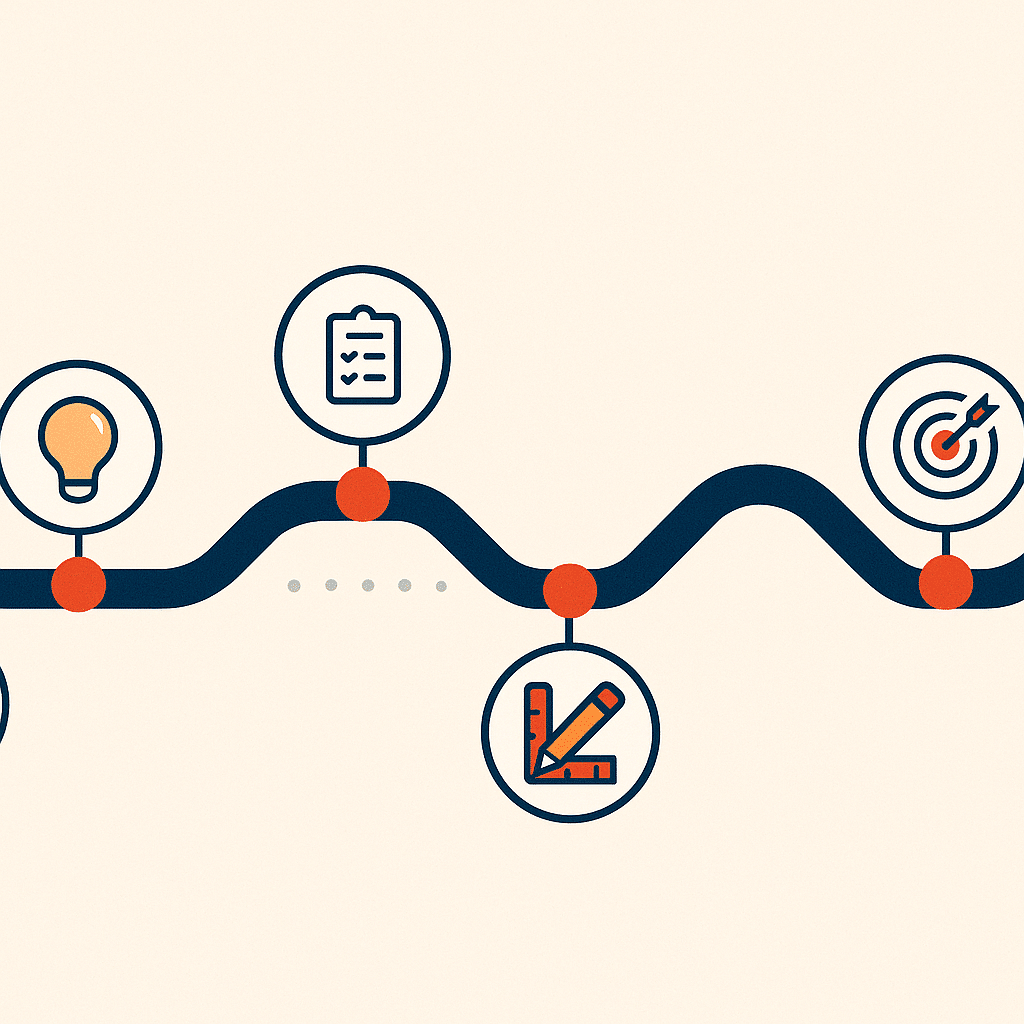
It starts with discovery: defining the operational problem and a measurable goal. Not "we want AI," but "we want to cut invoice processing time by half." This is also where AI strategy consulting earns its keep, because a clear objective shapes everything after it.
Next comes data assessment, checking whether you have clean, relevant data. Then a proof of concept or MVP development to validate the approach cheaply before committing to a full build. A proof of concept answers one question: will this actually work on your data?
From there the team moves into AI software development, building and training the machine learning models, then integrating with your existing tools, testing, and deployment. This system integration stage is where the pieces connect around your operation. Maintenance follows, because models drift and business operations change. Building these systems responsibly is easier when you lean on established guidance such as the NIST AI Risk Management Framework, which offers a recognized approach for developing AI safely and reliably.
The root cause of most failures traces back to stage one. Projects that begin with a defined bottleneck and honest data, rather than the technology, are the ones that ship something useful. This applies whether you're doing AI product development or a single focused AI implementation.
Timelines depend on scope, but a rough shape helps set expectations. Discovery and data assessment often take a few weeks. A proof of concept can land in a month or two. A full AI software development build and integration runs longer, depending on how many systems connect and how clean the data turns out to be. The single biggest variable is almost always data readiness, which is why an honest data assessment early saves far more time than it costs. When teams rush past it, they tend to discover missing or messy data halfway through the build, exactly when changes are most expensive.
Common industries and application areas for custom AI
Custom AI development shows up across sectors, but the winning applications share a trait: a high-volume, repetitive process that costs real money.
Real estate businesses use it for lead routing, document processing, and pulling scattered property data into one view. Professional service firms lean on workflow automation for reporting, billing, and client onboarding. Multi-location businesses use custom ai solutions to standardize operations and give leadership visibility across sites that otherwise run in silos.
Logistics and field service operations apply predictive models to forecast demand, plan routes, and schedule crews. Healthcare and finance use natural language processing and computer vision for document-heavy work, though both carry strict compliance requirements. Retail and ecommerce use predictive models for inventory and personalization.
The pattern holds regardless of industry. Service-based and founder-led companies with heavy manual processes tend to see the fastest, clearest wins. The bottlenecks are obvious and the data already exists somewhere in the business. Enterprise AI solutions solve the same problems at larger scale, but the underlying logic doesn't change: find the expensive repetitive work, then build around it.
Consider a concrete case. A multi-location services business we worked with ran each branch on its own spreadsheets, so leadership had no single view of jobs in progress and often learned about a stalled account days late. The fix wasn't a new all-in-one platform; it was a workflow automation and a shared dashboard built around how the branches already reported, pulling their existing data into one view. The point isn't the dashboard itself. It's that the win came from system integration of what already existed rather than replacing it, which is usually the shorter path.
How to know if your business needs custom AI
A few signals tend to show up together. Your team does the same manual task repeatedly. Information lives across disconnected tools and never lines up. Growth has made everything slower instead of smoother. And too much knowledge sits in one person's head.
If a ready-made tool already handles your problem well, you don't need custom AI development. Be honest about that. Custom makes sense when off-the-shelf software can't reach your specific workflow, when integration between your existing systems is the actual pain, or when a repetitive, high-cost process is dragging on your team.
The clearest way to test the case is to put a number on the pain, weighing cost up front. Count the hours your team spends each week on repetitive manual work, then multiply by their loaded cost. If that figure is small, off-the-shelf software or a lighter automation is likely enough. If it's large and growing, custom AI development starts to look less like an expense and more like recovering payroll you're already spending. The decision rarely turns on how advanced the technology is. It turns on whether a specific, expensive operational bottleneck justifies building something around it.
Start small when you can. A single focused build that clears one real bottleneck tells you more about the value of scalable solutions than any pitch deck, and it keeps your risk low while you learn how the approach fits your operation.
Challenges, risks, and cost considerations of custom AI
- Avoid treating custom AI as plug-and-play
- Watch out for hidden costs in data cleaning
- Don’t build without solving a genuine bottleneck
- Scope projects from narrow, high-value problems
- Be cautious of creating another system to manage
Custom AI is not a plug-and-play purchase, and treating it that way is where most budgets get burned. The real costs sit below the surface: cleaning messy data, integrating with existing tools, and maintaining models as your business changes. The main risk is building something impressive that nobody uses because it did not solve a genuine bottleneck. Start with a narrow, high-value problem, quantify what the manual work currently costs you, and scope from there. Done right, custom AI pays back through recovered hours and fewer errors. Done reactively, it becomes another system to babysit.
Choosing a custom AI development partner
The right partner asks about your operations before they mention any technology. Look for someone who wants to understand your workflows, your data, and where your team loses time, not someone leading with model names and buzzwords. Ask how they handle integration, ownership of the code, and what happens after launch. A good partner explains complex systems in plain language and pushes back when a simpler solution will do. Be cautious of anyone promising a fixed product for a custom problem. Your business is specific, so your solution and the people building it should be too.
System integration with existing tools and disconnected data
Most operational pain does not come from lacking software. It comes from tools that do not talk to each other, forcing people to copy data between systems and reconcile numbers by hand. Before adding anything new, map how information actually moves through your business and where it stops. Integration connects your CRM, spreadsheets, accounting, and internal tools into one reliable flow, so data enters once and stays accurate everywhere. This is also the foundation for any useful AI, because models are only as good as the data feeding them. Fix the plumbing first, then automate on top of it.
Reducing founder dependency and improving operational visibility
When key decisions and knowledge live only in the founder's head, the business cannot scale and cannot run without them. The fix is not more meetings, it is systems that capture how work gets done and surface what is happening in real time. Document the decisions people keep asking you about, encode them into workflows, and build dashboards that show performance without someone compiling a report. This gives your team the context to act independently and gives you visibility without constant involvement. The goal is a business that operates clearly and consistently, whether or not you are in the room.
Frequently Asked Questions
What is custom AI development?
Custom AI development is the process of designing, building, training, and maintaining AI systems around a specific business's data, workflows, and operational needs. Unlike off-the-shelf tools, these systems are built around how your business actually operates rather than a generic use case.
How do you actually build a custom AI solution for a business?
It typically follows a structured path: define the business problem and measurable goals, assess your data quality and availability, select the right technology, then build, train, deploy, and maintain the system. The starting point is a real operational bottleneck, not the technology itself.
How much does custom AI development cost?
In 2026, a working prototype usually runs $15,000-$25,000 over 6-8 weeks, while production-ready applications range from $40,000-$100,000 across 3-4 months. Enterprise-scale solutions often exceed $100,000 with timelines beyond six months, depending on data readiness and integration complexity.
Is custom AI worth it, or should I just use an off-the-shelf tool?
Off-the-shelf tools deploy fast and cost less upfront, but they rarely align with unique workflows and can create integration headaches. Custom AI makes sense when you need systems that fit your exact processes, remove repetitive manual work, and produce measurable time savings that justify the higher initial investment.
Why do 85% of AI projects reportedly fail?
Most failures come from poor data quality, unclear objectives, and building technology that isn't tied to a real operational problem. Projects that start by solving a defined bottleneck, with clean and relevant data, are far more likely to deliver measurable ROI.
Can I build my own custom AI without a development team?
There are several approaches ranging from no-code platforms to writing everything from scratch in Python, each with different costs and tradeoffs. The right choice depends on your technical capacity and the complexity of the problem, but most businesses lack the internal architecture experience to do this well alone.
What if my business data isn't clean or well organized?
Data quality is the single biggest factor in whether custom AI works, so disorganized data is common and addressable during the collection and preparation phase. Expect this step to take real time and budget, since accurate, structured data directly determines model accuracy.
Why choose custom AI over a pre-built model?
Custom systems integrate directly with your specific workflows and data structures, addressing problems that general-purpose models can't. They also create proprietary capabilities competitors can't easily copy, turning your own operations into a lasting advantage.